
Release Notes - [04/30/2026]
🚀 New Features- Phases for hourly log entry
- Phase assignments for daily costs
- Improvements to the Job Cost Analysis page
- Budget Categories
Phases for Hourly Log Entry
Phases can now be assigned to individual hourly log entries. When entering or editing hourly log records, users can select the applicable phase for each entry, allowing for more accurate tracking and categorization of time across the different phases of a job.Phases are available for Drilling and Completion jobs.
Phase Selection
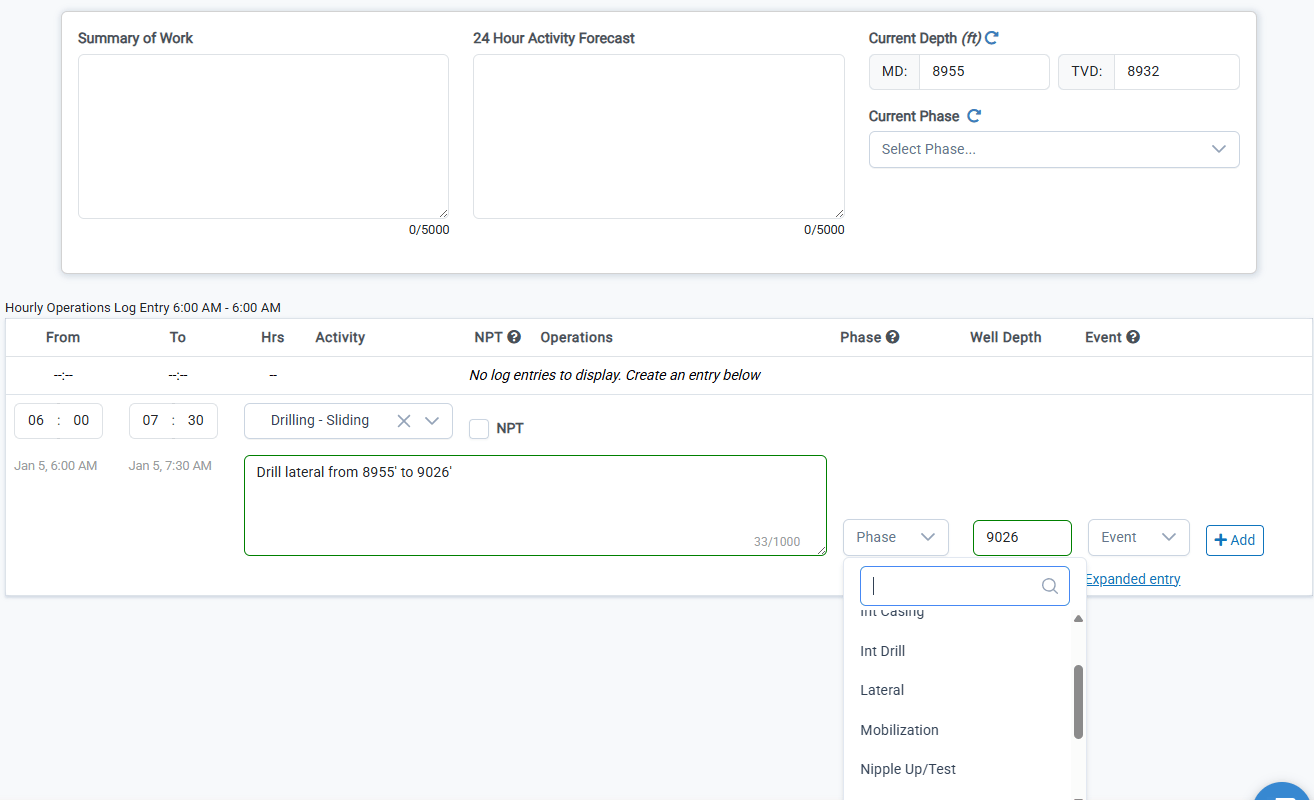
When entering a new hourly log entry, if no phase has been set yet, select the phase from the dropdown menu. This phase will be applied to the current entry and all subsequent entries until a new phase is selected.The options for phases are determined by the job type and can be customized from the Administration —> Dropdown Options page
Phase Carry Forward
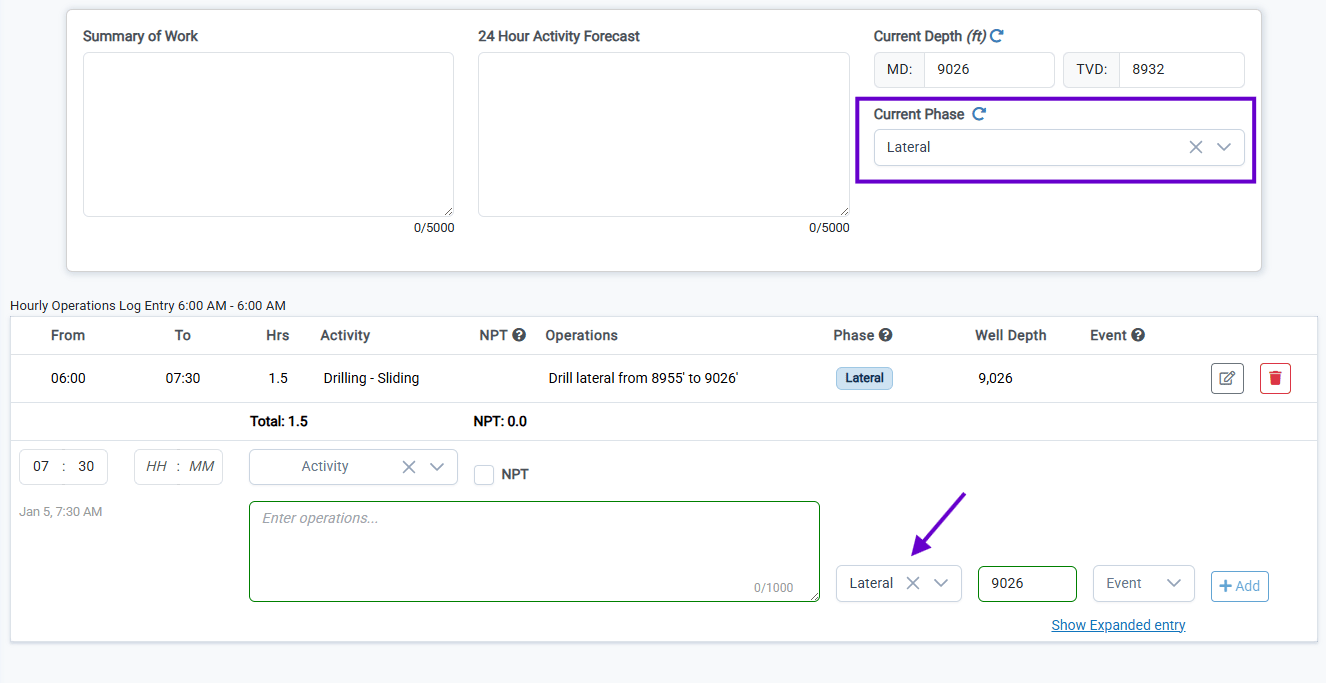
The phase selection is automatically carried forward to the next hourly log entry, reducing the need for repetitive selections. As the operations phase changes, select the next phase. This will update the current phase for the report (next to the Summary of Work and 24 Hr Forecast) to reflect the current phase of the job.When a new report is created, the current phase will carry forward from the previous report.
Phase Assignments for Daily Costs
Daily cost entries can now be associated with a specific phase. This allows costs to be attributed to the correct phase of a job, improving the accuracy of cost reporting and making it easier to analyze spending by phase.Cost Phase Selection
By default, the phase for daily cost will be the same as the current phase of the report. If the cost applies to a different phase, select the appropriate phase from the dropdown menu.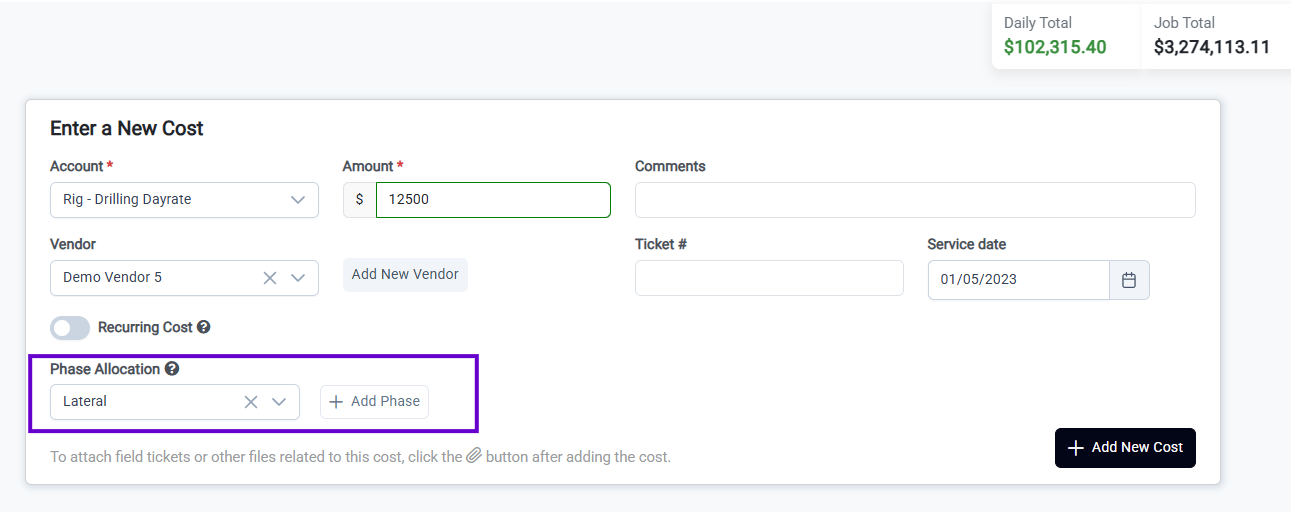
Split Cost Phases
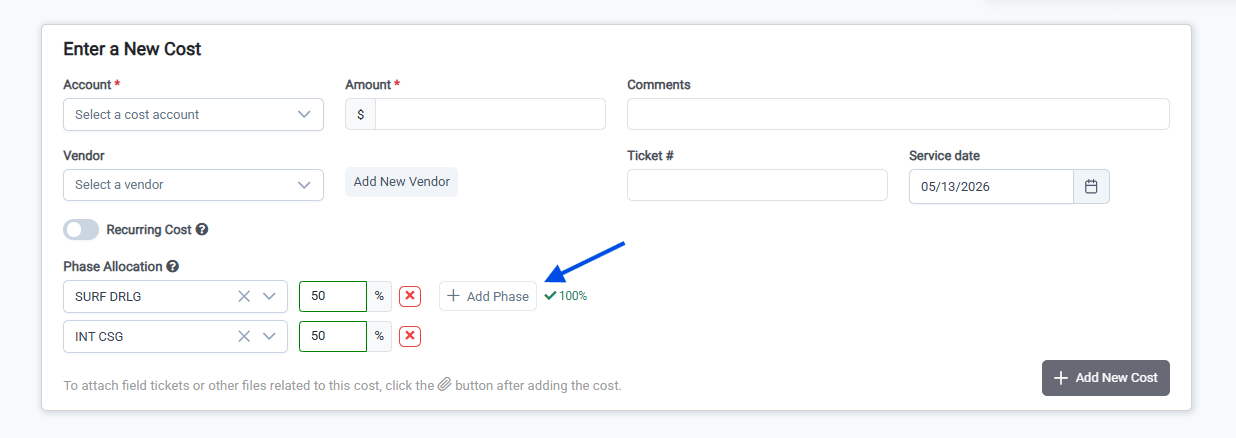
If a daily cost entry applies to multiple phases, you can split the cost by phase. Click the Add Phase button to add an additional phase. Then enter the % of the cost that applies to each phase.The sum of the cost phase percentages must equal 100%
Phase Cost and Operations Analysis
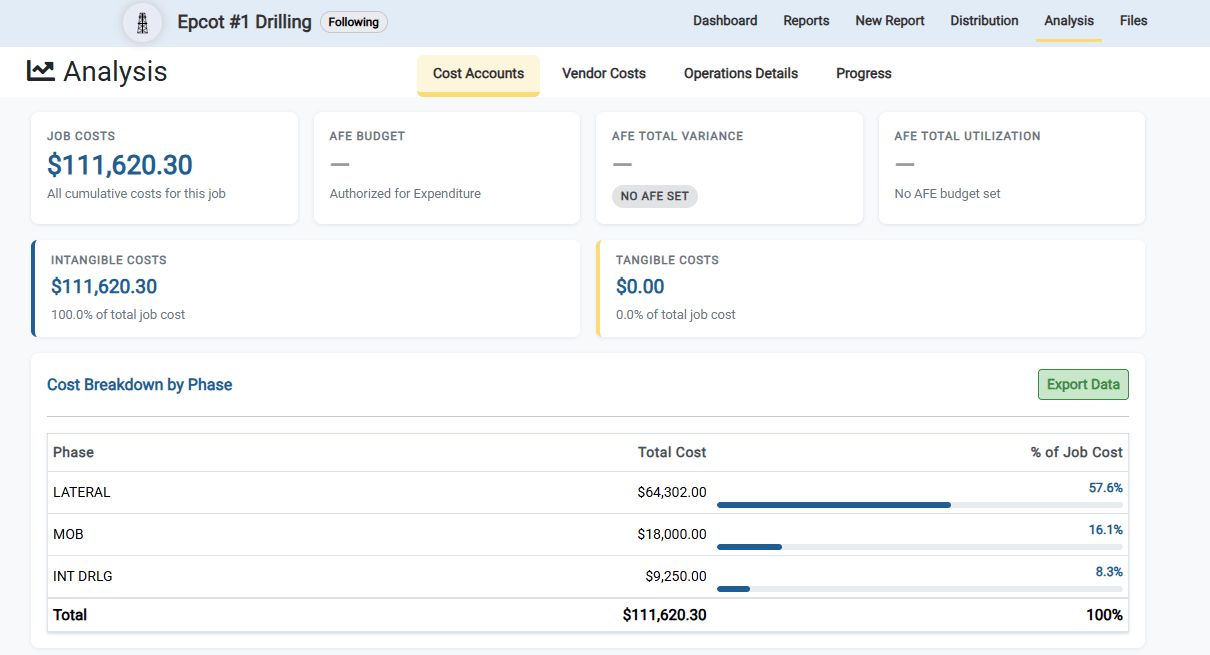
The most important benefit of the Phases functionality is that it allows you to analyze the cost and operations of each phase of the job. This is particularly useful for drilling and completion jobs, where the cost and operations of each phase can be compared to identify areas for improvement.Phase Cost Analysis
The Job Cost Analysis page now includes a breakdown of costs by phase. This allows you to see how much was spent on each phase of the job and identify areas where costs can be reduced.Click Export Data to export the cost breakdown by phase data to Excel.
Phase Operations Analysis
The Operations Analysis page now includes a breakdown of operations by phase. This allows you to see how much time was spent on each phase of the job and identify areas where operations can be improved.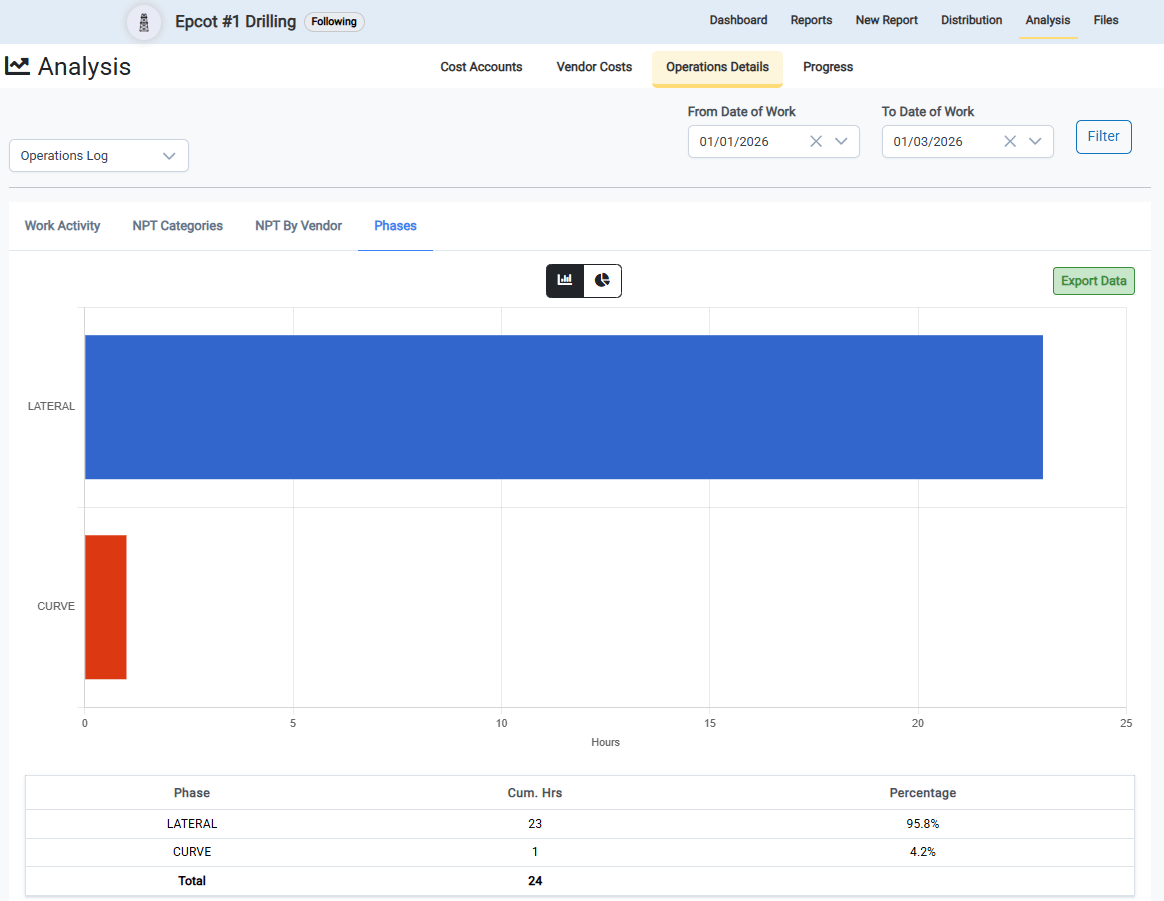
Improvements to the Job Cost Analysis Page
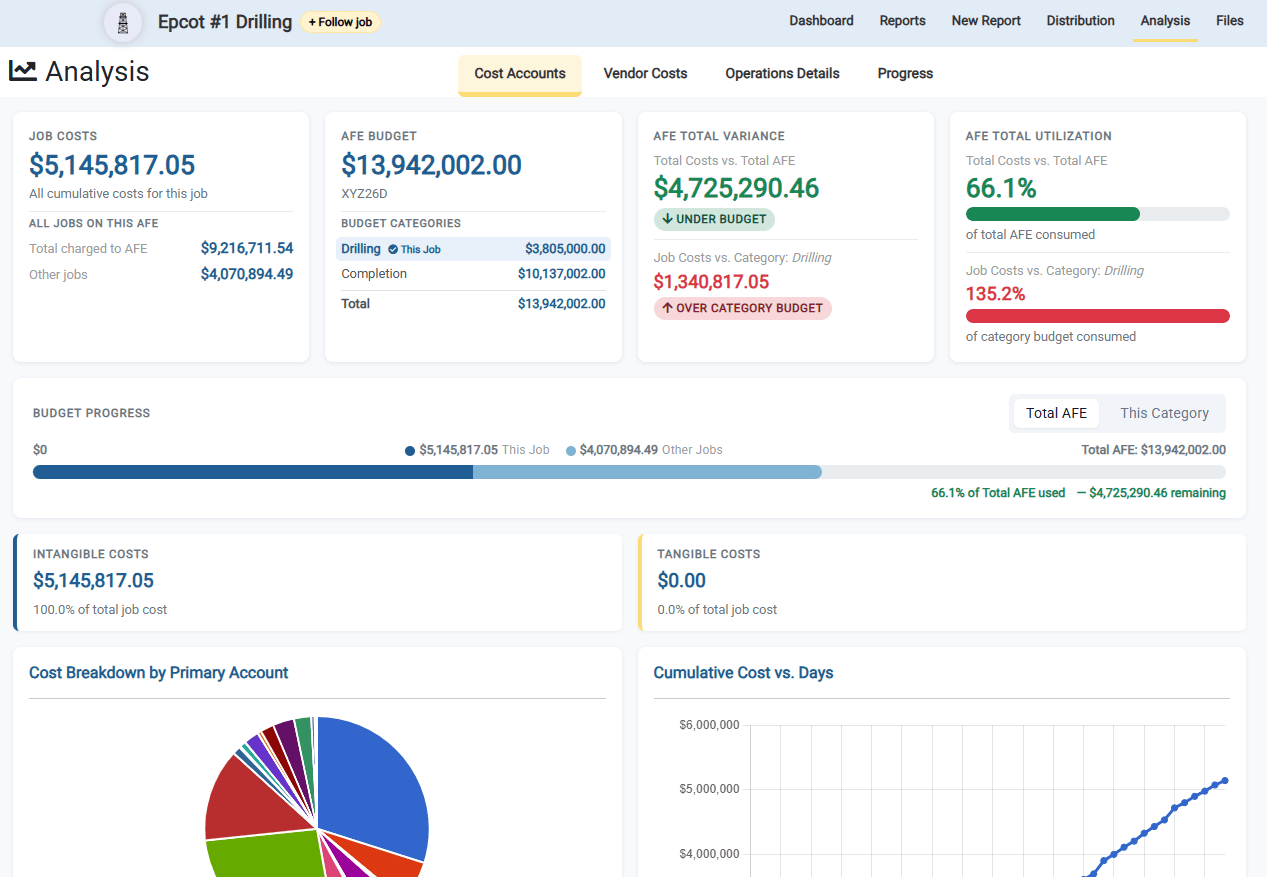
The Job Cost Analysis page has been updated with several improvements to enhance usability and provide clearer insight into job costs. These changes make it easier to review and analyze cost data across phases and cost categories. Specifically, the Cost Analysis page now includes much better visibility for jobs where the AFE is split across multiple budget categories and jobs.- Total Costs for all jobs on AFE: See the costs for all jobs on the AFE, providing a comprehensive view of your overall spending.
- Budget for all categories on AFE: See the total for all budget categories on the AFE, helping you track your budget against actual spending.
- AFE Variance vs Total AFE and Current Category: See how far under or over budget you are for the entire AFE and the current category.
- Budget Progress Chart: A great visual indictaor of the budget progress for the current category and total AFE
- Cost Breakdown by Phase: See the cost breakdown by phase, allowing you to analyze spending for each phase of the job.
- Export Data: You can export the filtered cost data to Excel for further analysis or reporting.
Budget Categories
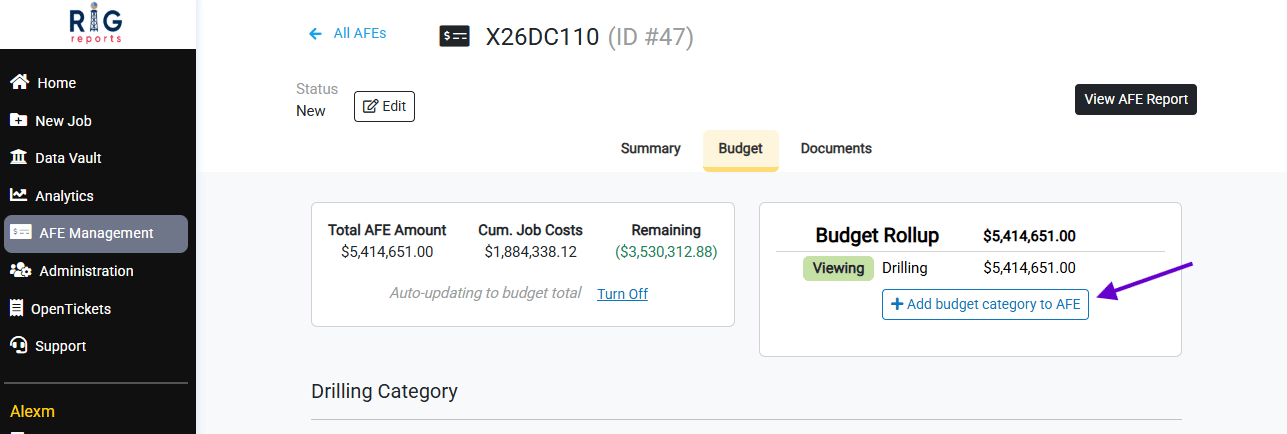
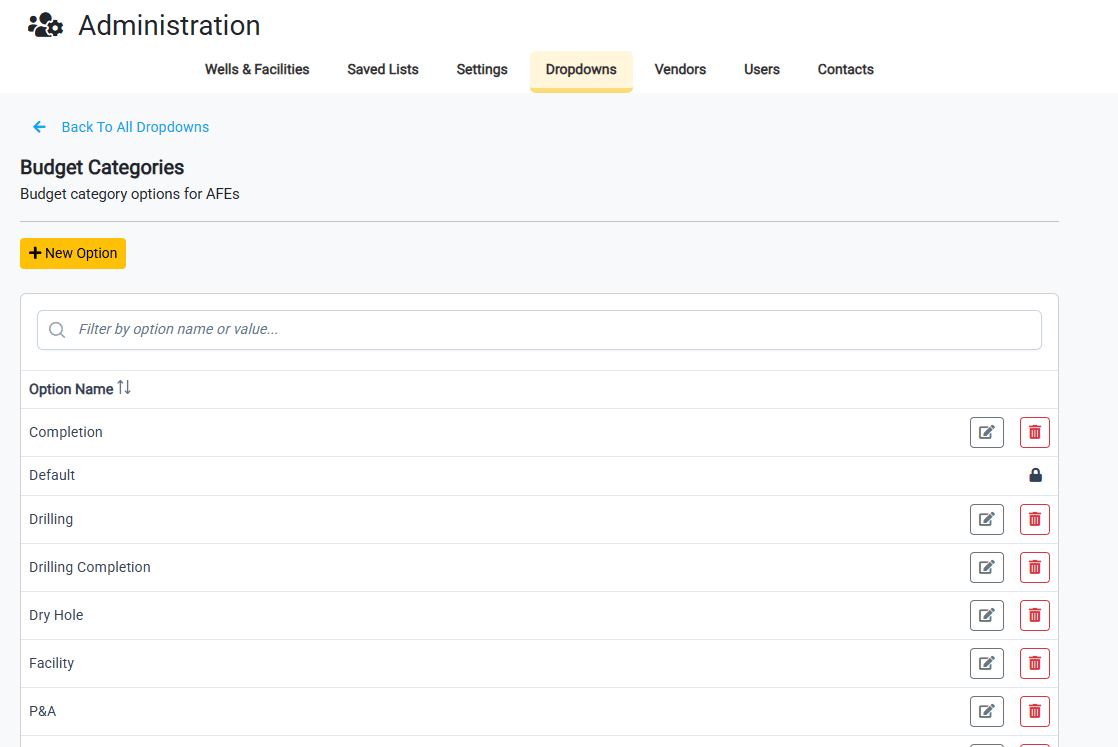
With the release of the Operations Phases functionality, we have made the decision to rename the AFE Phases to Budget Categories. This will prevent confusion going forward and provides more clarity.