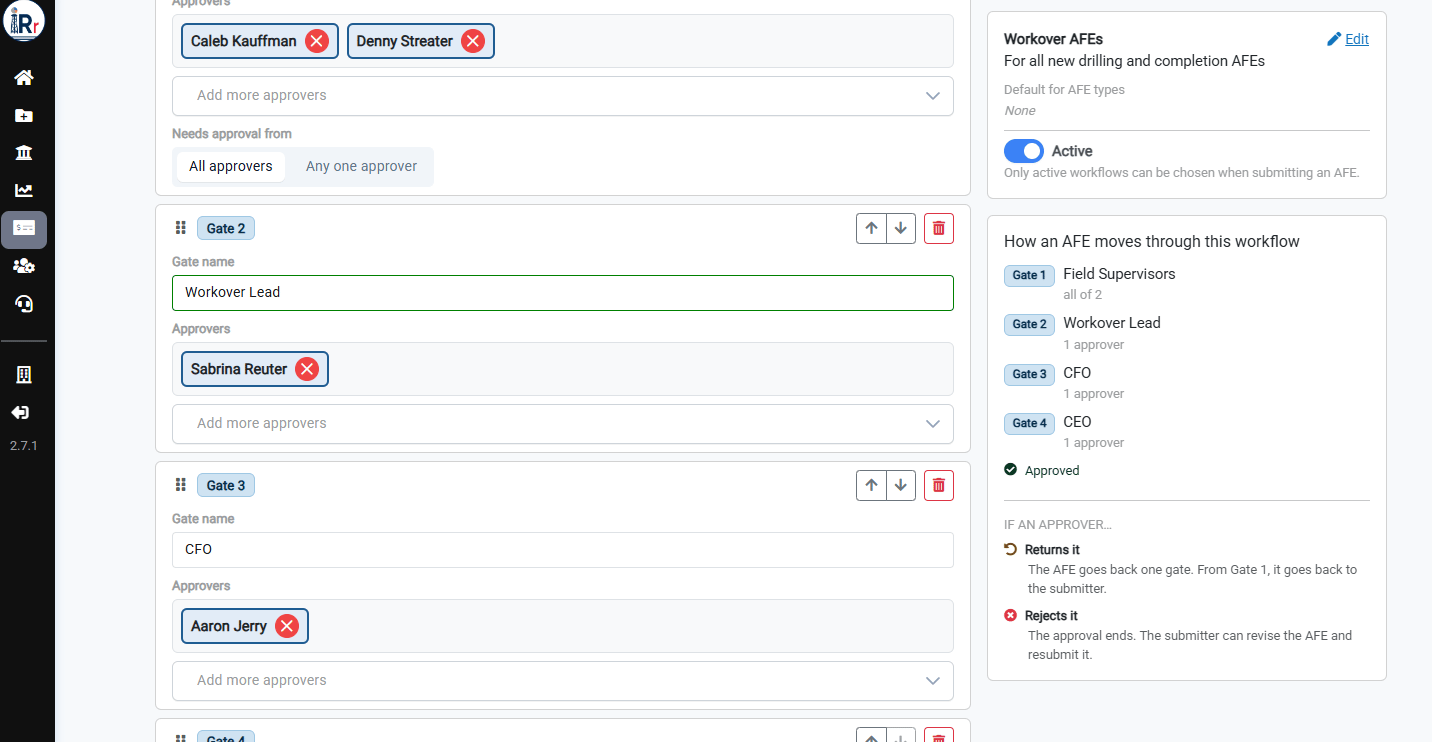

Duplicate a Workflow
Duplicating saves time when you need a new workflow that is similar to an existing one. For example, a Workover AFEs workflow might use the same gates as Drilling and Completion AFEs, with one different approver. Go to AFE Management and click Approval Workflows. Find the workflow you want to copy and click Duplicate.Name the Copy
Enter a Name of the copy and click Duplicate.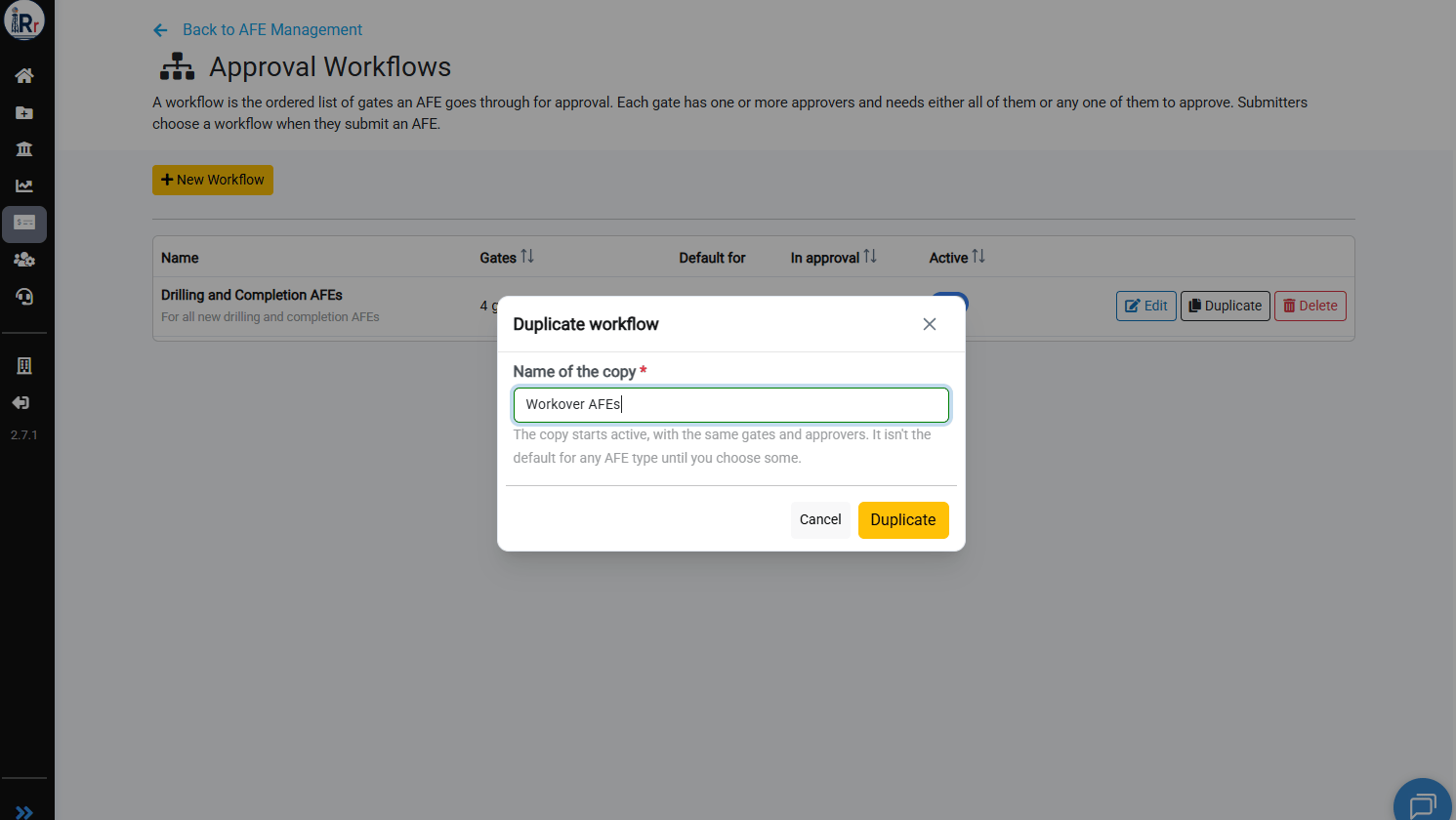
The copy starts Active, with the same gates and approvers as the original. It isn’t the default for any AFE type until you choose some.
Edit the Copy
Click Edit on the new workflow and make your changes. You can rename gates, add or remove approvers, change Needs approval from, or add, reorder, and delete gates. In this example, Gate 2 was changed to Workover Lead with a single approver. Click Edit in the top right panel to update the workflow’s Description and Default for AFE types, so that submitters choose the right workflow.