

Remove User Access
This guide outlines the steps to quickly remove access to RigReports in a company for a user.Access User Management
After logging in, navigate to the Administration tab and select Users.Access to the User Management section is only available to users with a role of Administrator.
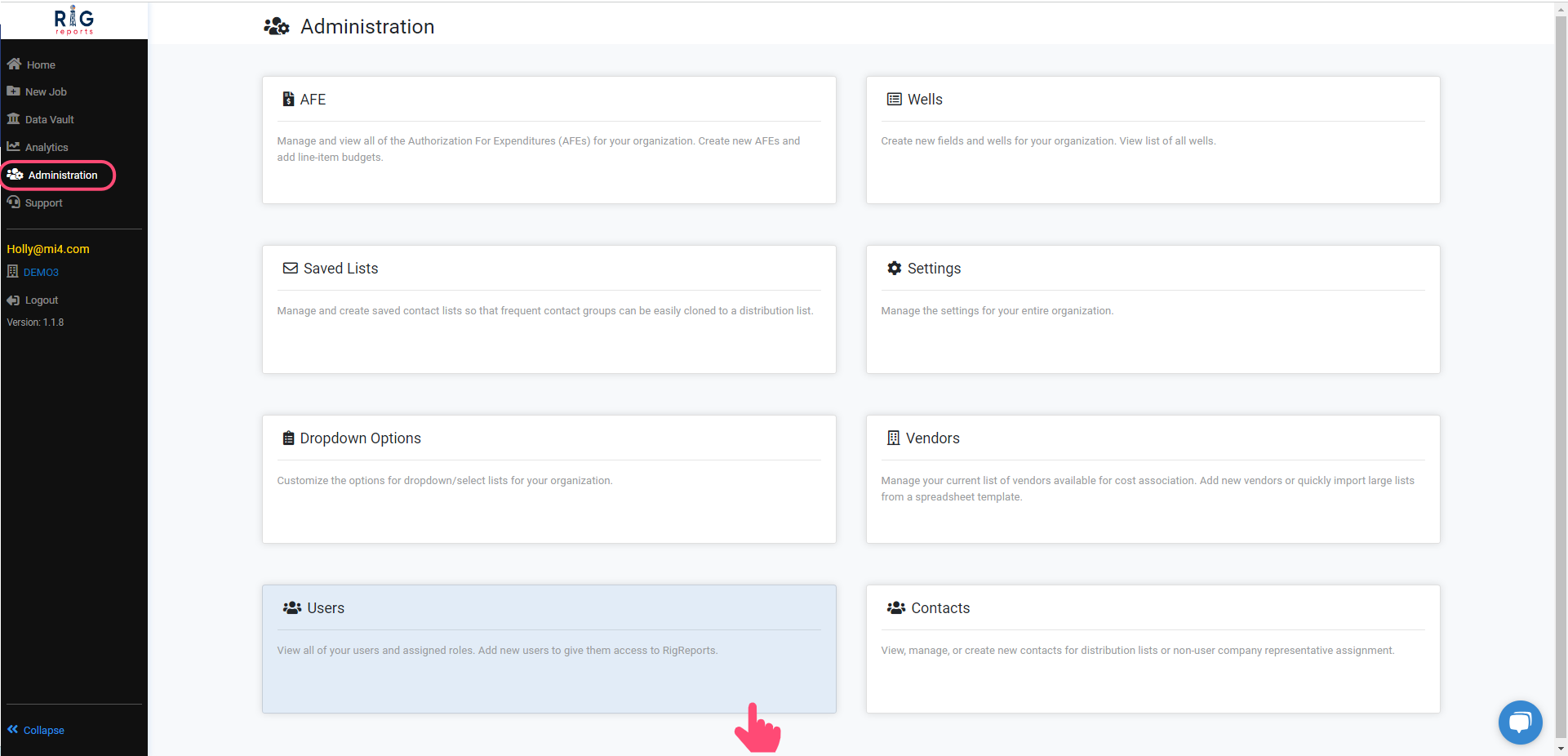
Locate the User
Find the user you wish to remove, then click the Edit button next to their role.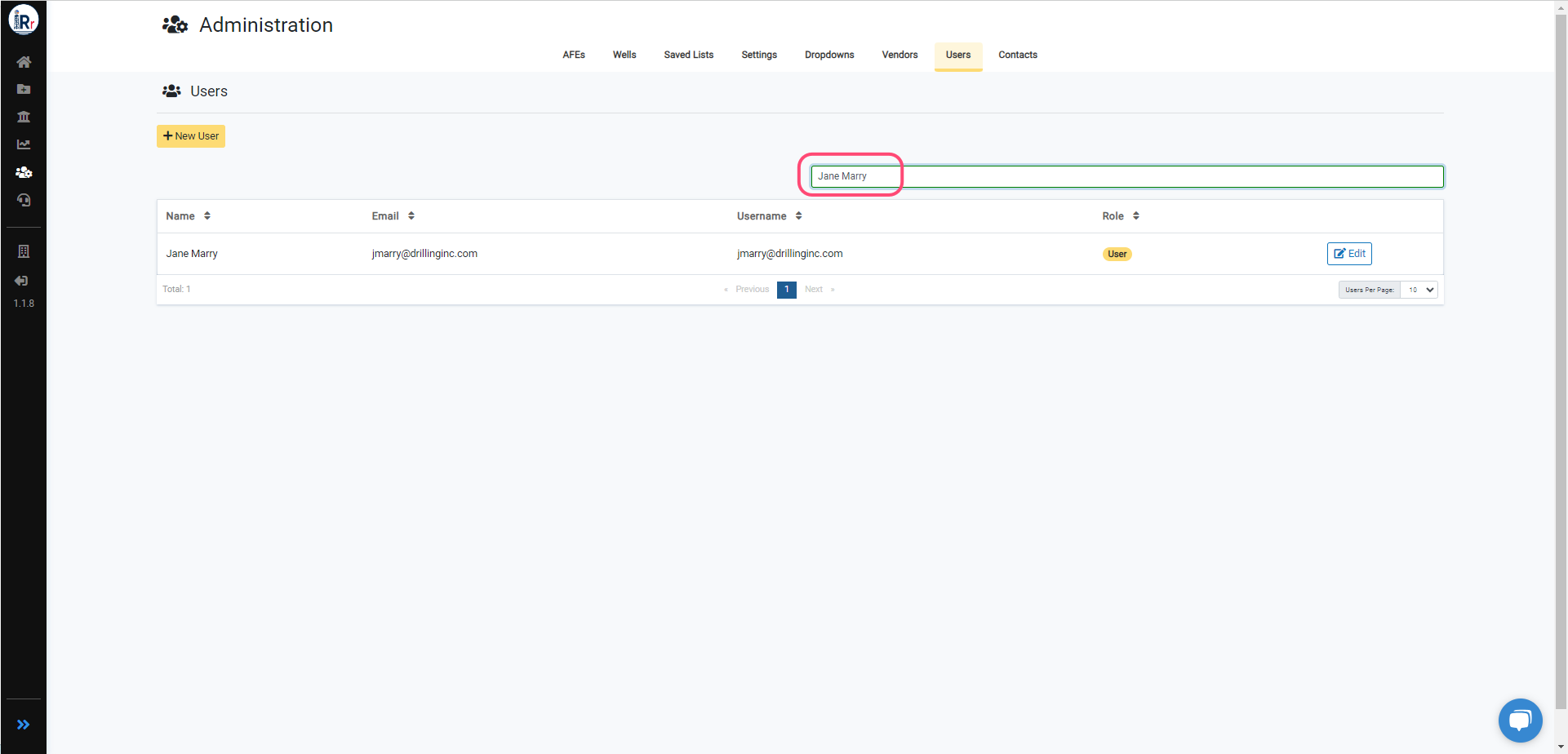
Remove Access
To remove access to a RigReports company for an account, click the Remove Access button. If the account has access to more than one RigReports company, this will only remove their access to the company in which this action is performed. If you need to remove them from more companies, this step will need to be repeated in each company.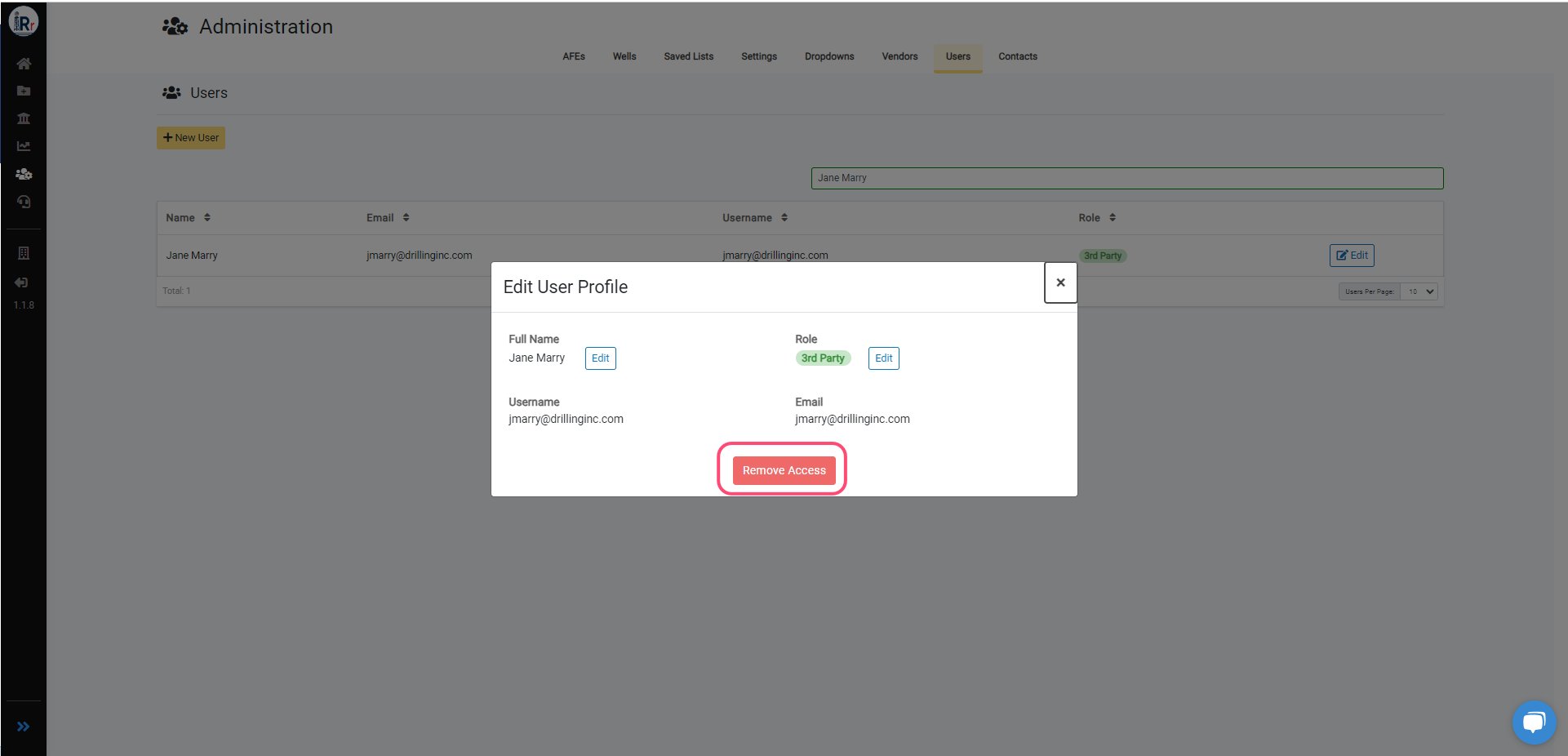
Confirmation
Our app requires you to confirm your action before applying changes. Confirm that you want to remove the user’s access. After removing the user’s access successfully, the user’s role will now be shown as None.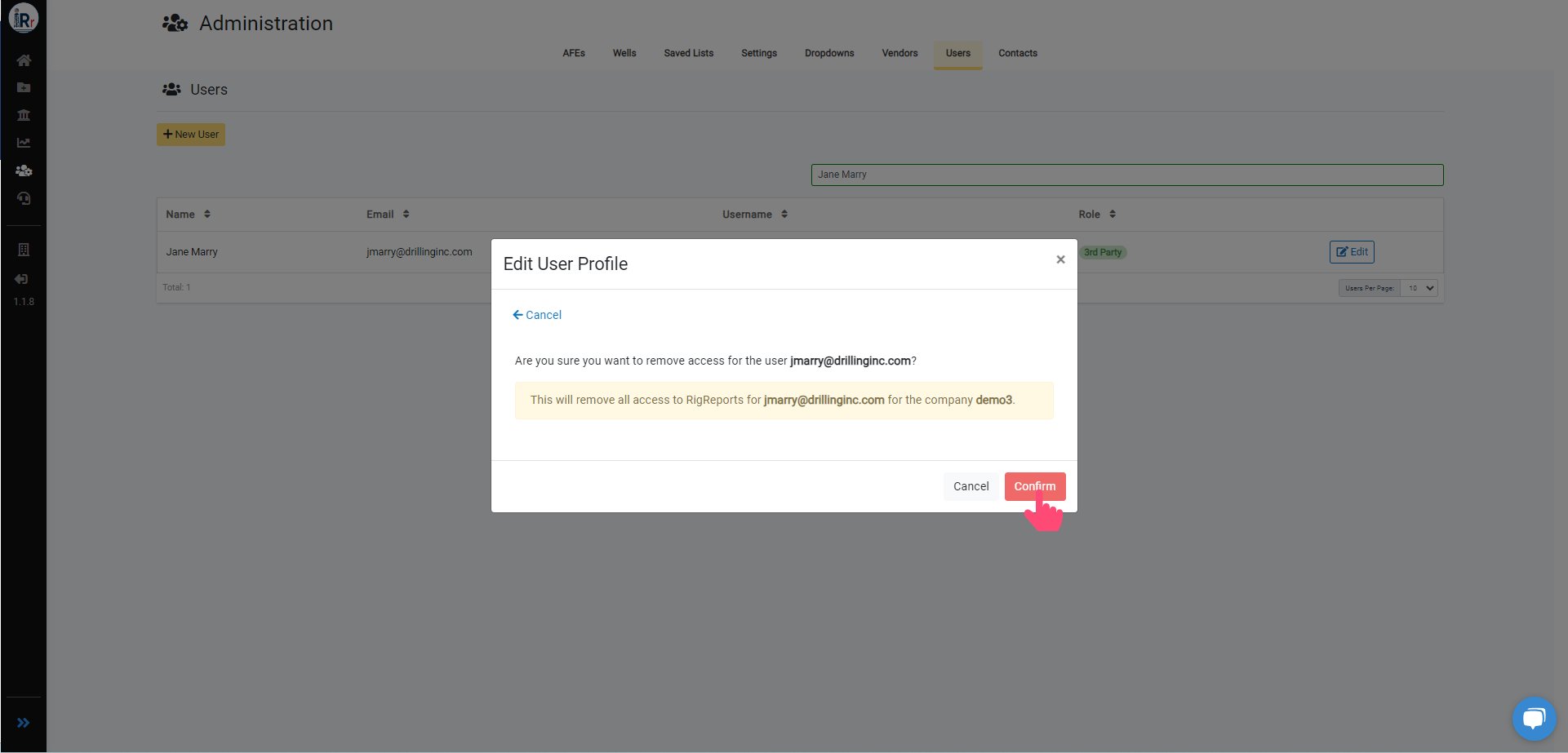
How do I update a user's full name or role?
See also: steps for editing a user’s name or role in RigReports.