
Release Notes - [09/26/2022]

🚀 New Features
  • An easier way to Add New Users
  • Import Vendors from a Template
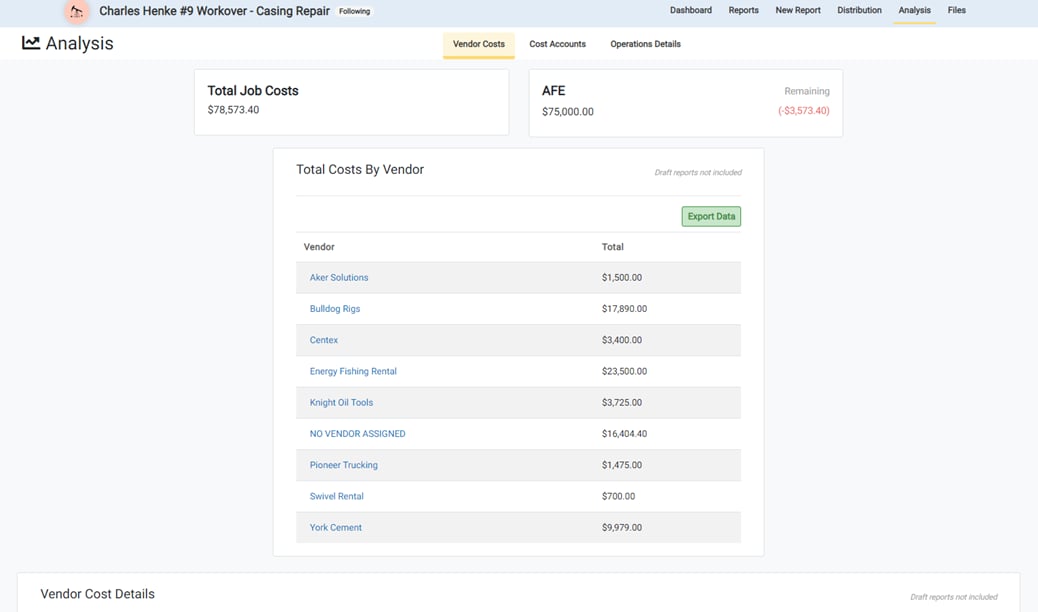
  • Vendor Cost Analysis
  • Administrators can now submit reports without approving
🔧 Fixes
  • Fixed issue with report selection in distribution settings
  • Fixed approval functionality when job status is “Not Started”
  • Fixed attachment uploads with special characters
  • Fixed hourly job log data failures
✨ Improvements
  • Renamed “Import Saved Lists” and “Import Lists from Previous Jobs” to “Clone Saved Lists” and “Clone Lists from Previous Jobs”
  • Vendors that are “NOT APPROVED” are now disabled in the Select Vendor list for Cost Entry
  • Job Distribution lists are now sorted by the date/time they were created

Create New Users
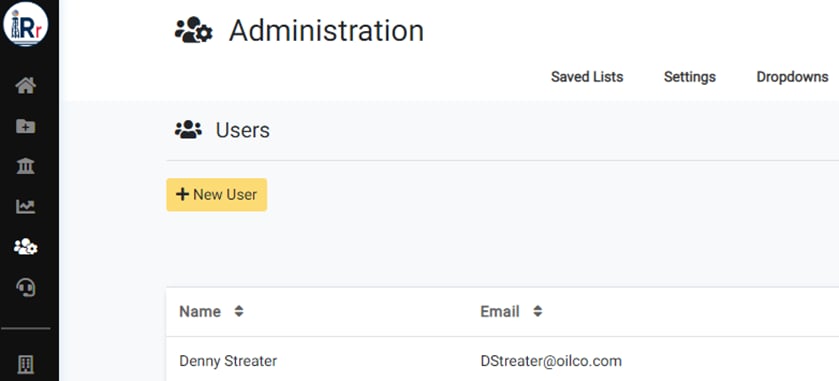
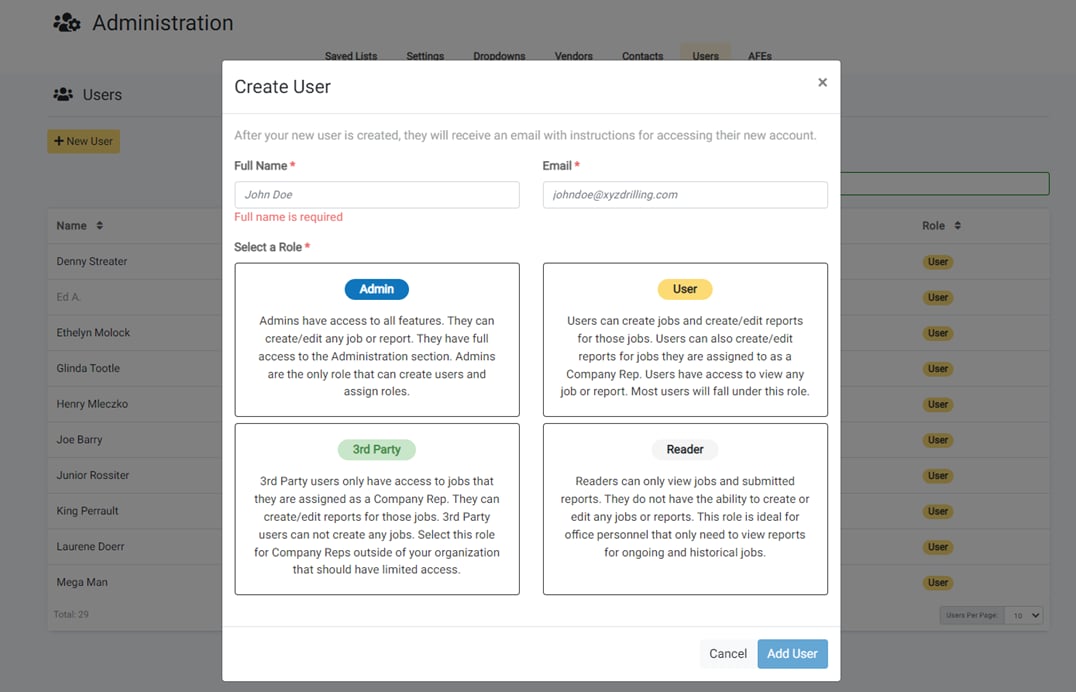
Create New Users Admin-level users can now create new users for their company from the Users tab on the Administration page.

Enter New User’s Information

Enter New User's Information Enter the name, email address, and select the role (level of permissions) for the new user. New users will be emailed instructions for accessing their new account. You can also view all existing users and their current RigReports role from this page.

Import Vendors from a Template

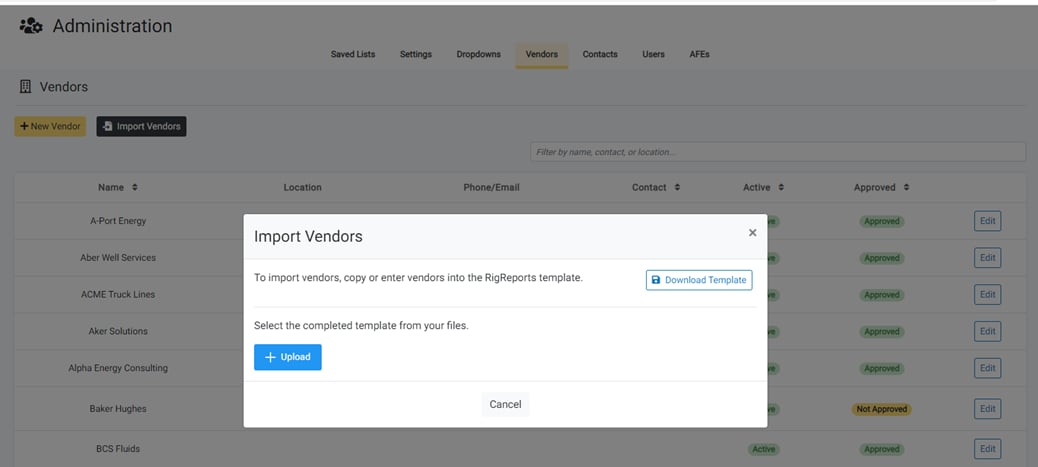
Import Vendors from a Template Vendors and vendor lists can now be imported using a downloadable template from the Vendors tab on the Administration page. Enter or paste the vendor information into the template with optional columns for various contact information.

Vendors are Checked for Conflicts

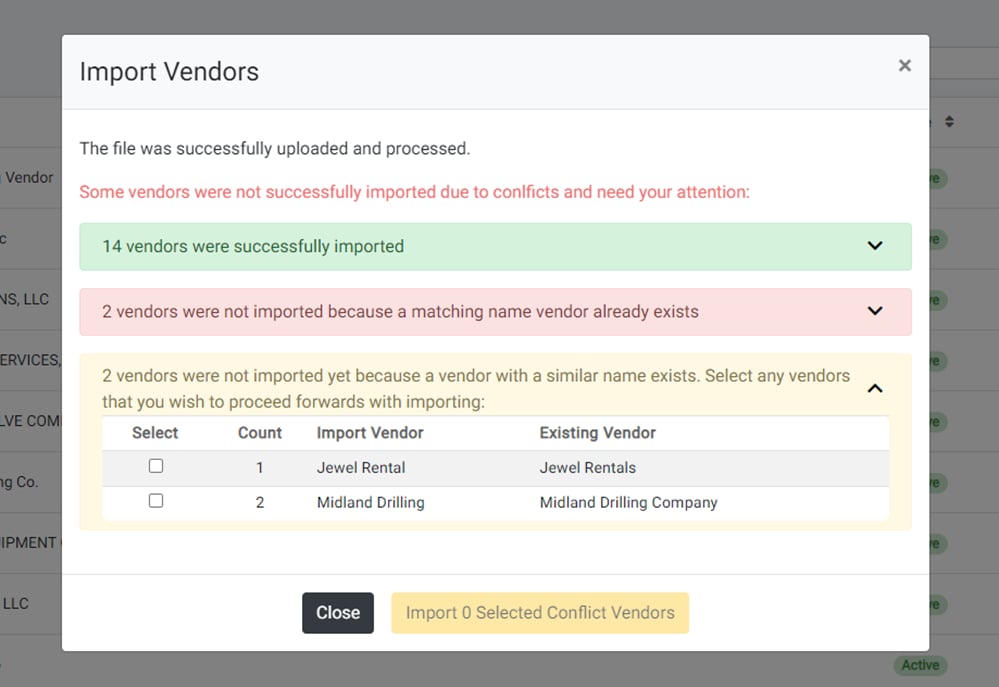
Vendors are Checked for Conflicts The system analyzes uploaded vendor templates to identify potential conflicts with existing vendors in your organization before importing.

New Submit Options for Admins

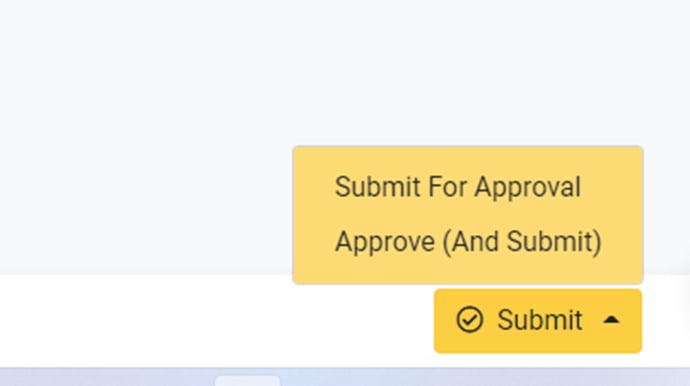
New Submit Options for Admins Administrators can now submit the report for approval without approving it simultaneously, notifying designated approvers that content is ready for their review. Previously, admins could only submit while also approving in one action.

Vendor Cost Analysis

Vendor Cost Analysis Users can now view costs per vendor throughout a job with a dedicated tab on the Job Analysis page displaying vendor cost totals.

View Cost Breakdown

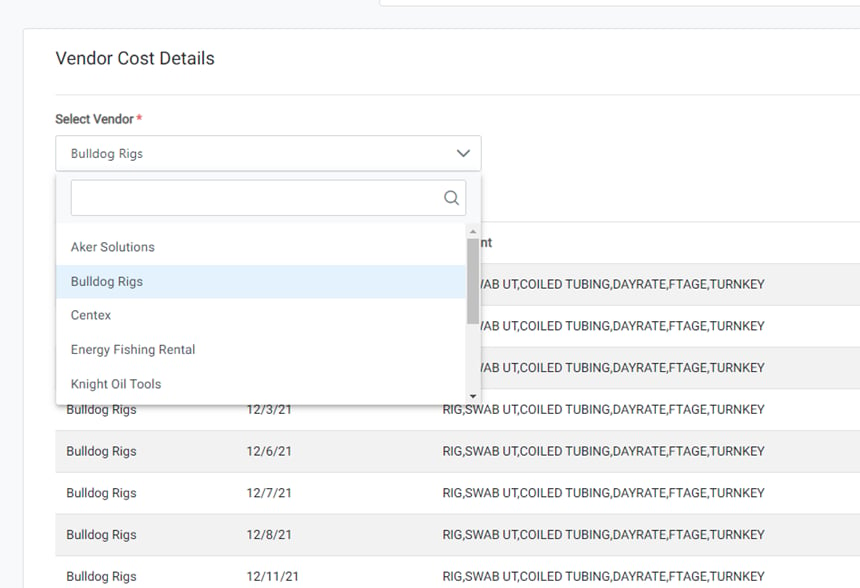
View Cost Breakdown Select vendors from the dropdown menu to review their individual cost breakdowns.

View Each Vendor Cost

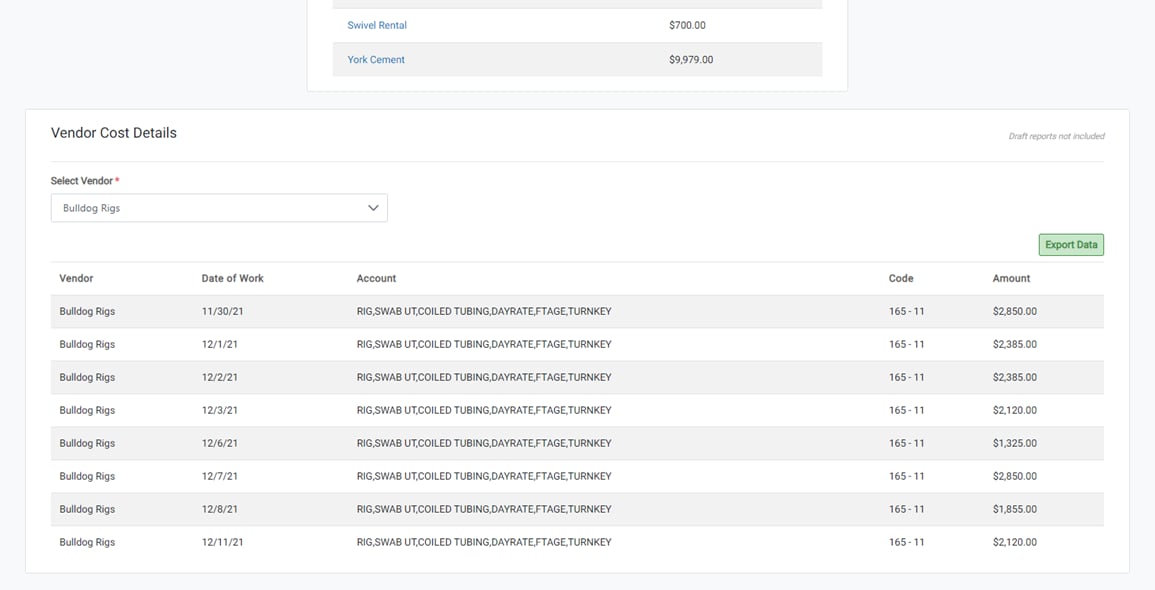
View Each Vendor Cost Clicking on a vendor name will display a table of each cost entry with the account, amount, and date of work that it was entered.

Minor Feature Updates

  • Renamed “Import Saved Lists” and “Import Lists from Previous Jobs” to “Clone Saved Lists” and “Clone Lists from Previous Jobs”
  • Vendors that are “NOT APPROVED” are now disabled in the Select Vendor list for Cost Entry and labeled accordingly
  • Job Distribution lists are now sorted by the date/time they were created, so that list order is persistent