
Release Notes - [02/06/2026]
🚀 New Features- BHA Groups are now live in RigReports. This replaces the previous BHA functionality on all new jobs.
- Track BHAs as groups with numbers, names, run dates, pull dates, and reasons for removal.
- Clone the configurations from previous BHA Groups for drilling programs with similar BHAs on multiple wells.
- Display multiple BHA configurations on a single report.
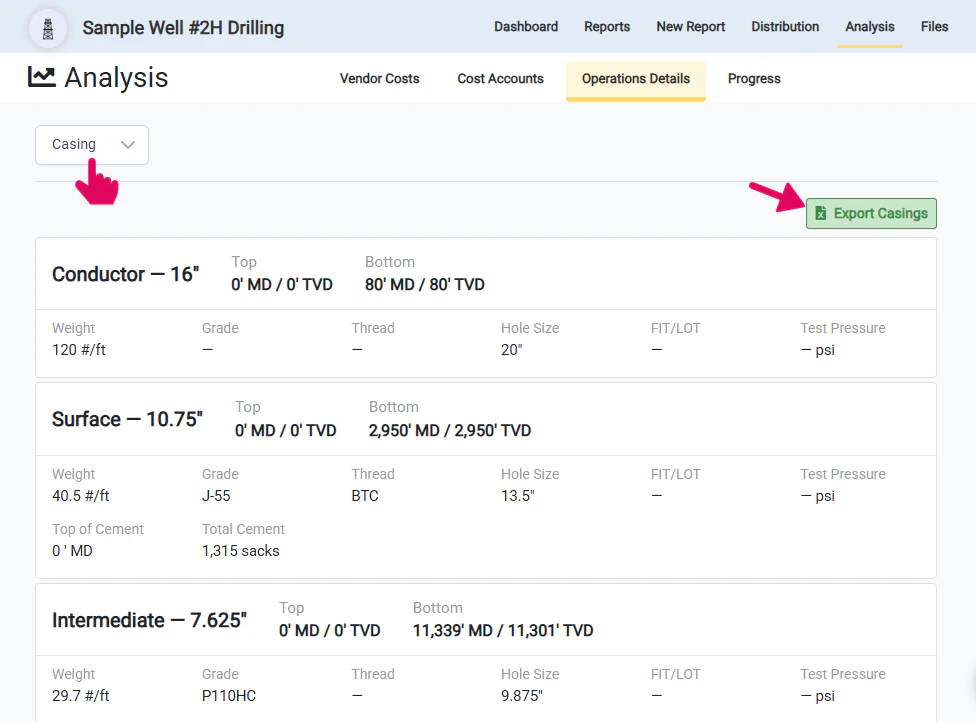
- Users can now view complete Casing and BHA Groups records directly from the Operations Details Analysis section of the job and export them to a spreadsheet
- The directional survey import functionality now smoothly handles duplicate surveys within the import file that were previously causing all imports to fail
- A bug was fixed with the update casing functionality that was not allowing the user to clear the FIT/LOT
BHA Groups
BHA Groups replaces the previous BHA functionality with powerful capabilities designed for modern drilling operations. This enhanced system allows you to:- Assign custom names and numbers to your BHA configurations
- Track run dates and pull dates for each assembly
- Document reasons for removal.
Previous Job BHAs
BHA Groups will be automatically available for all new jobs created going forward. Jobs that were created before the release of BHA Groups will continue to use the previous BHA functionality by default. If you have an existing job that you would like converted to use BHA Groups functionality, please contact support for assistance with the simple migration.Create a new BHA Group
Click New BHA Group
To enter the components for a BHA to display on a report, you will need to create a new BHA Group. To create a new BHA group, click the +New BHA Group button to open up a window to add the necessary details.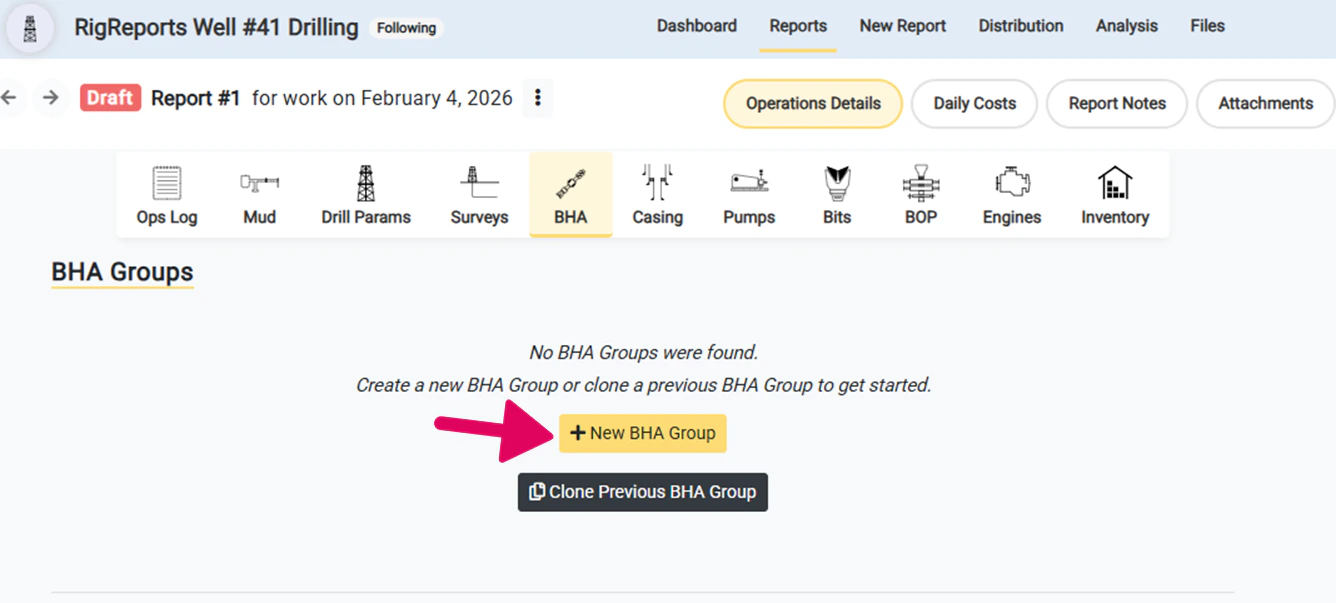
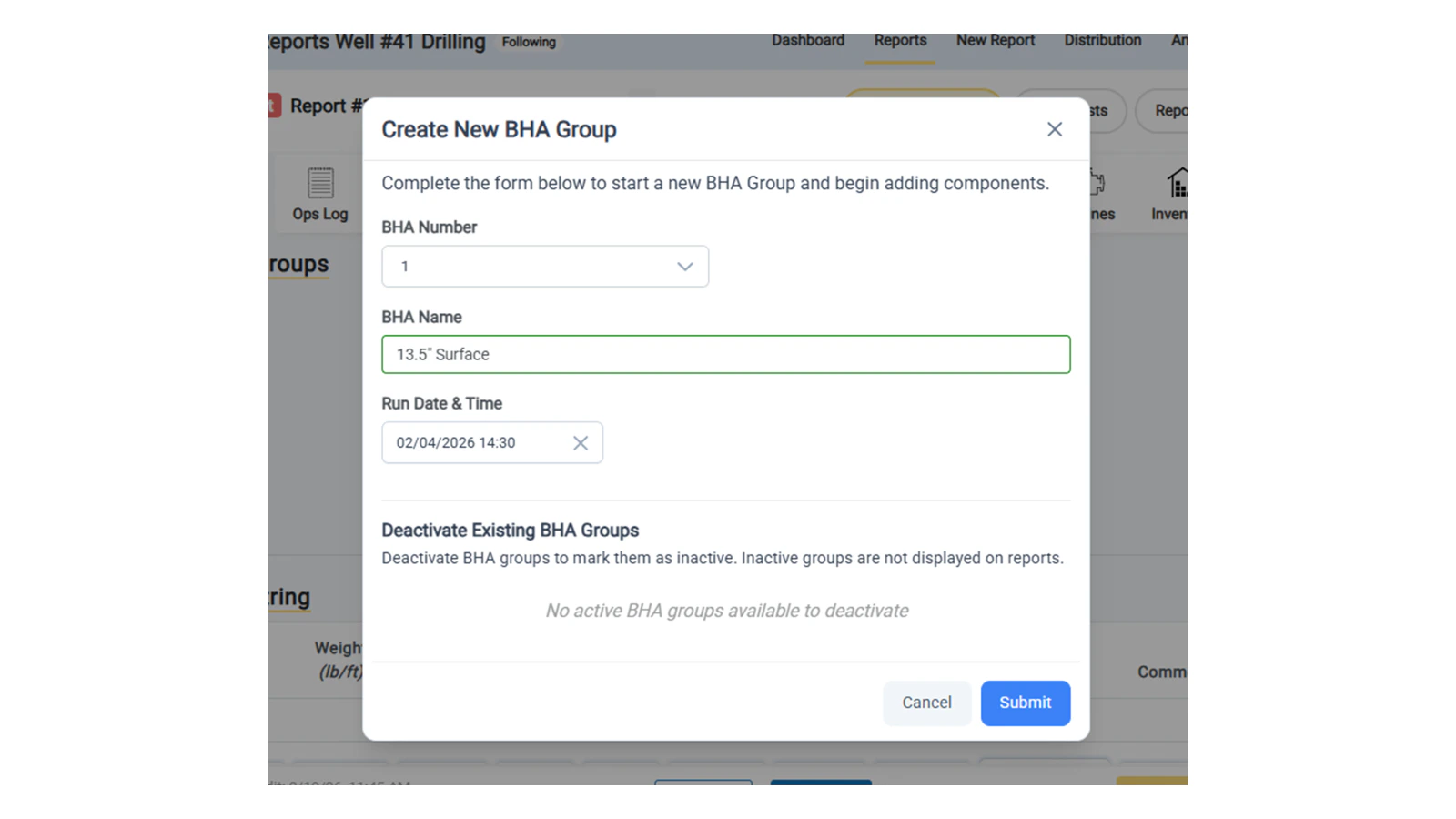
Complete the New BHA Group form
To create a new BHA group, complete the form with the optional details of the BHA group including:- BHA Group Number
- BHA Name — This can include the bit size and casing string or any other identifying details that you would like to include
- Run Date and Time — The run date and time defaults to the date of work and 12:00
Choose to Deactivate Any Existing BHAs
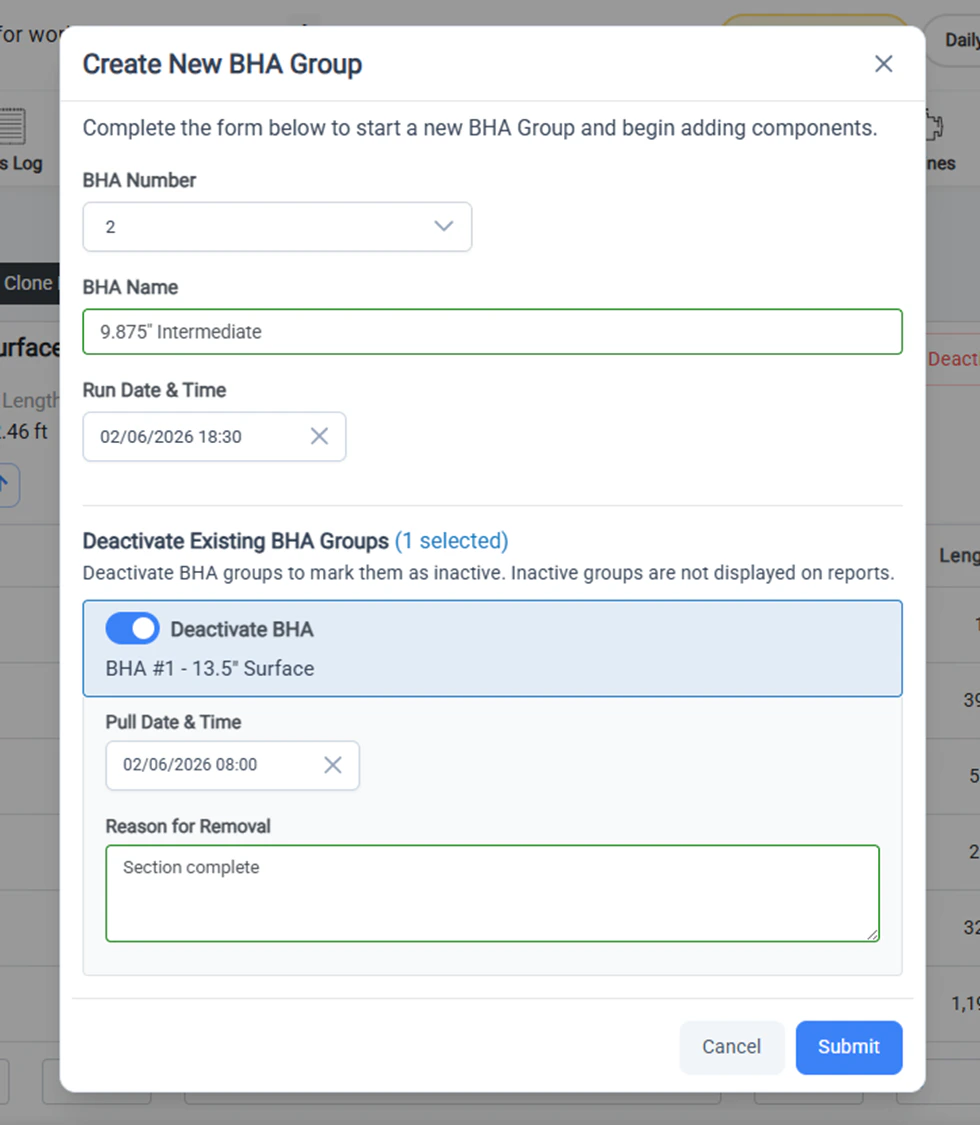
Before submitting the new BHA group, you can decide whether or not to deactivate any existing BHA groups.Deactivating a BHA Group marks them as inactive. Inactive groups are not displayed on the reports.
- If you would like to deactivate the existing group, you can record the Pull Datetime and the Reason For Removal (i.e. motor failure).
- If you would like to keep the existing group as active, simply turn off the toggle for the desired group.
Add the components for the new BHA group
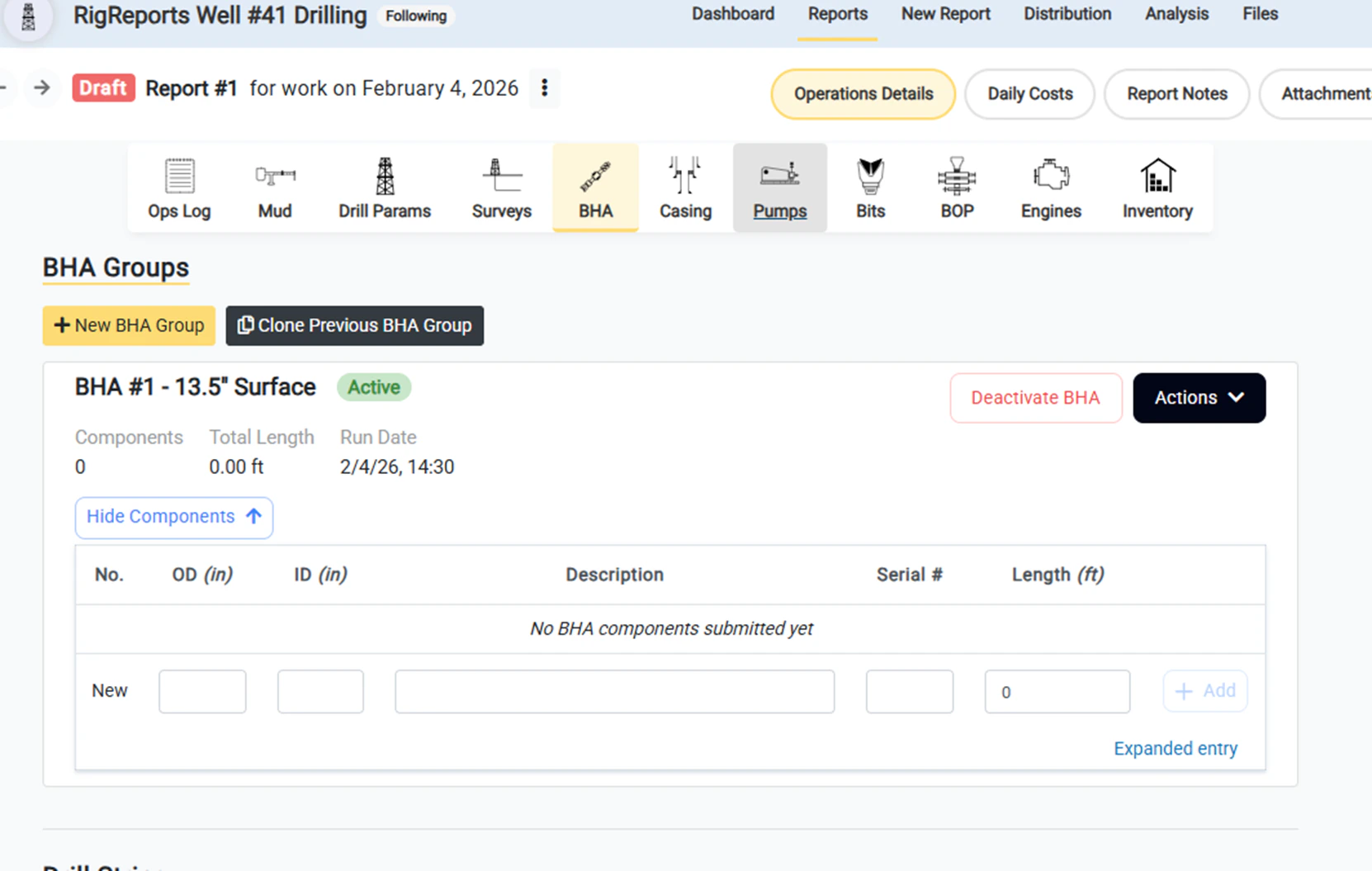
Your new BHA group is now displayed at the top of the page and available to enter the components of the BHA group. The Active tag indicates that this group is now active and will be displayed on this report. This BHA group will remain Active and displayed on reports until it is deactivated. Enter each component individually. You can record the following details for each component:- OD
- ID
- Description
- Serial Number
- Length
Edit BHA Group
Open BHA Group Editor
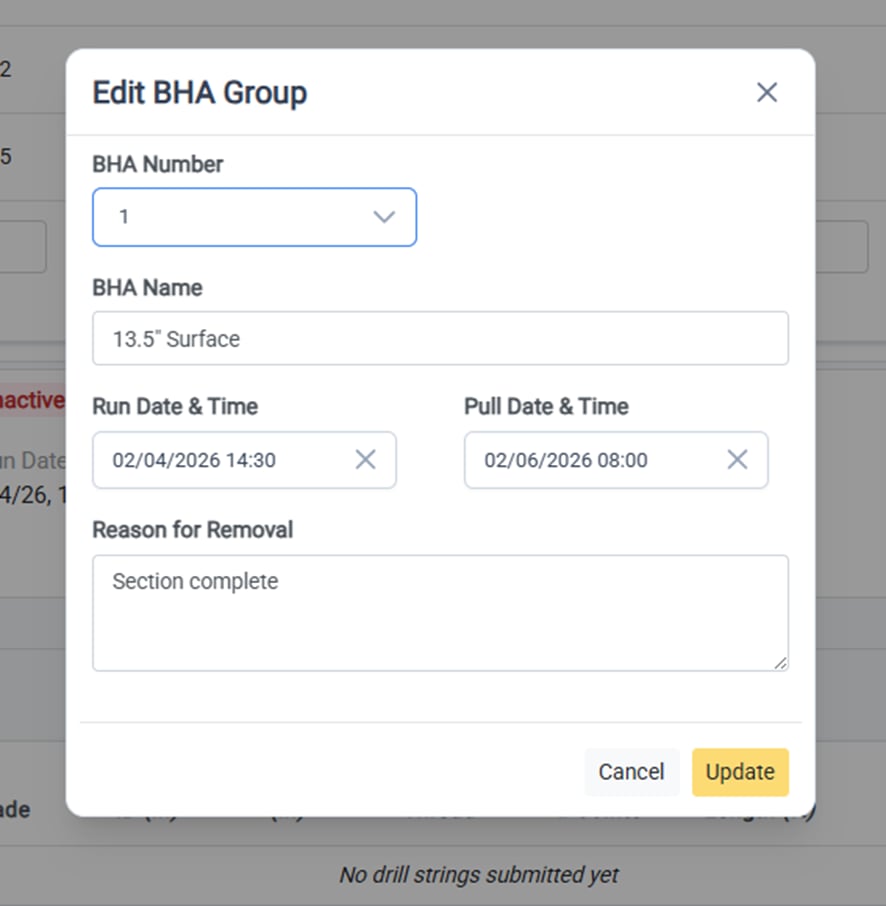
To edit the details of an active or inactive BHA group, click Actions on the side of the BHA Group header to open the dropdown menu. From there, select Edit BHA Group to open BHA Group editor form.
Edit the BHA Group Details
The following details of the BHA Group can be edited at any time:- BHA Number
- BHA Name
- Run Date & Time (BHA install date)
- Pull Date & Time (BHA removal date)
- Reason for removal
Clone a previous BHA Group
Open the Clone BHA Group Window
One of the best features of BHA groups is the ability to clone previous BHA Group components for drilling programs. Even if some of the components of the group have changed slightly, cloning previous groups can provide a template with most of the components. To get started with cloning a BHA group, click the Clone Previous BHA Group button to open the clone BHA group window.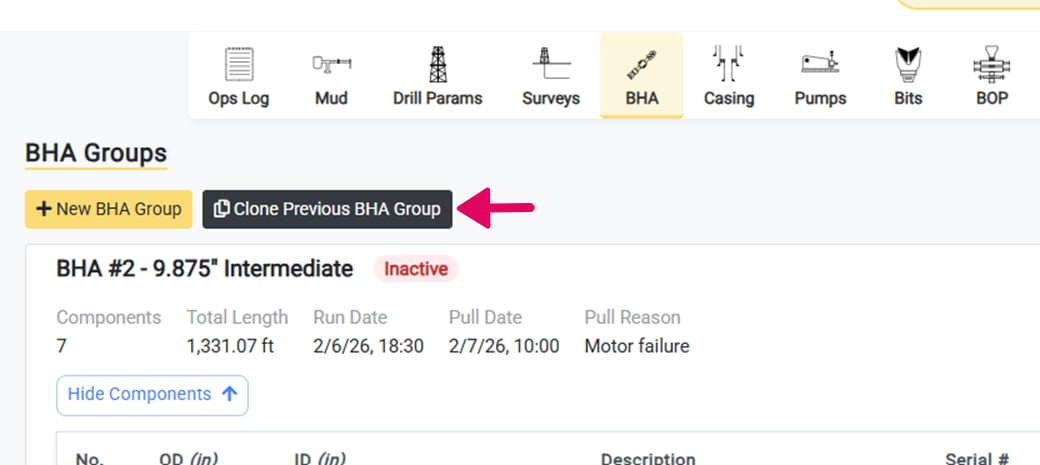
Select the BHA Group to Clone
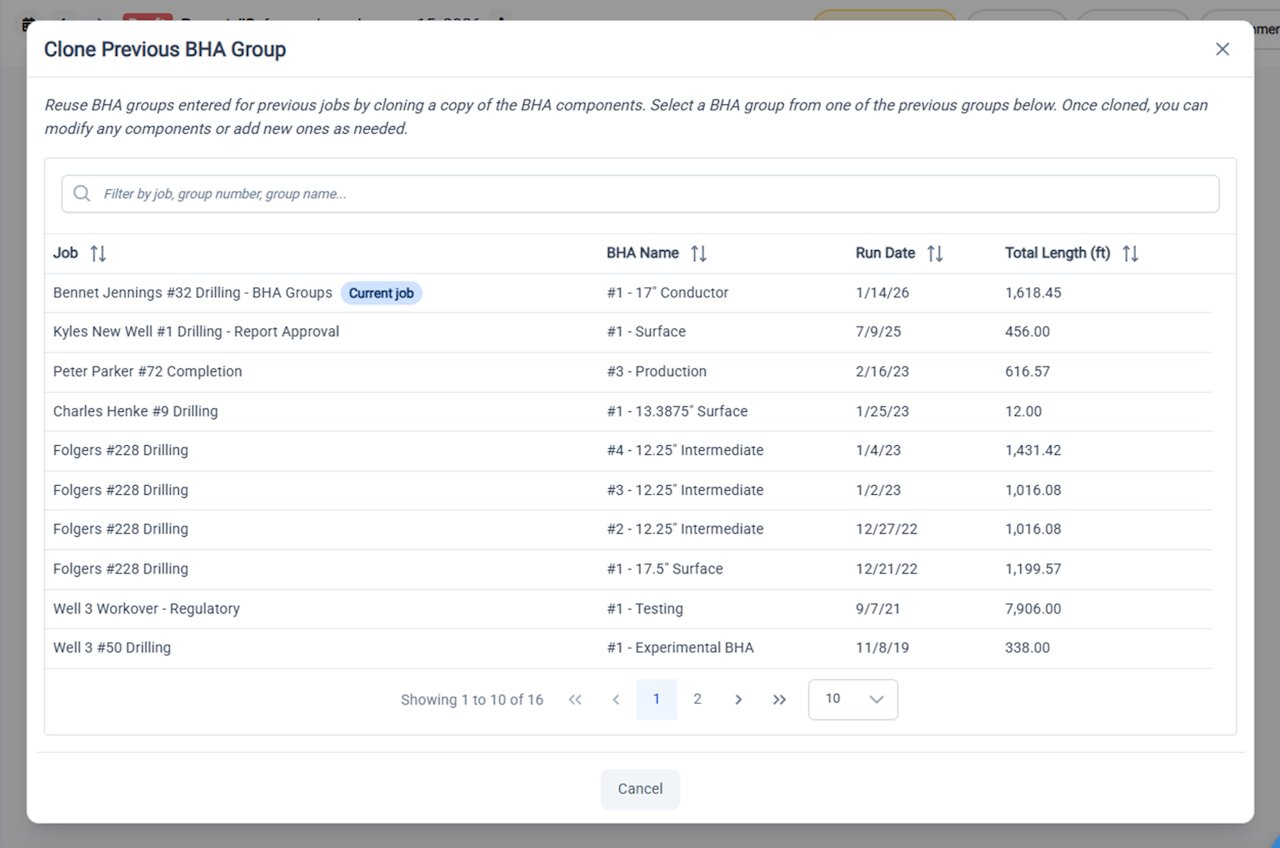
In the window that opens, you will have access to the previous BHA groups that were entered for your organization. You can search by job, group number, or group name. You can also sort by run date or total length. Once you have found the desired BHA group, click the group to review the components and proceed.Any BHA that was entered prior to the release of the BHA Groups functionality is still available for cloning. These groups were generated automatically. They do not have names and the numbers were assigned automatically and might be inconsistent with your organization’s records.
Review the BHA Group Components
Once you have selected the desired group to clone, you will have the opportunity to review all of the details and components of the selected BHA group. To proceed with cloning, click Next. Otherwise, you can use the Back button to select another group.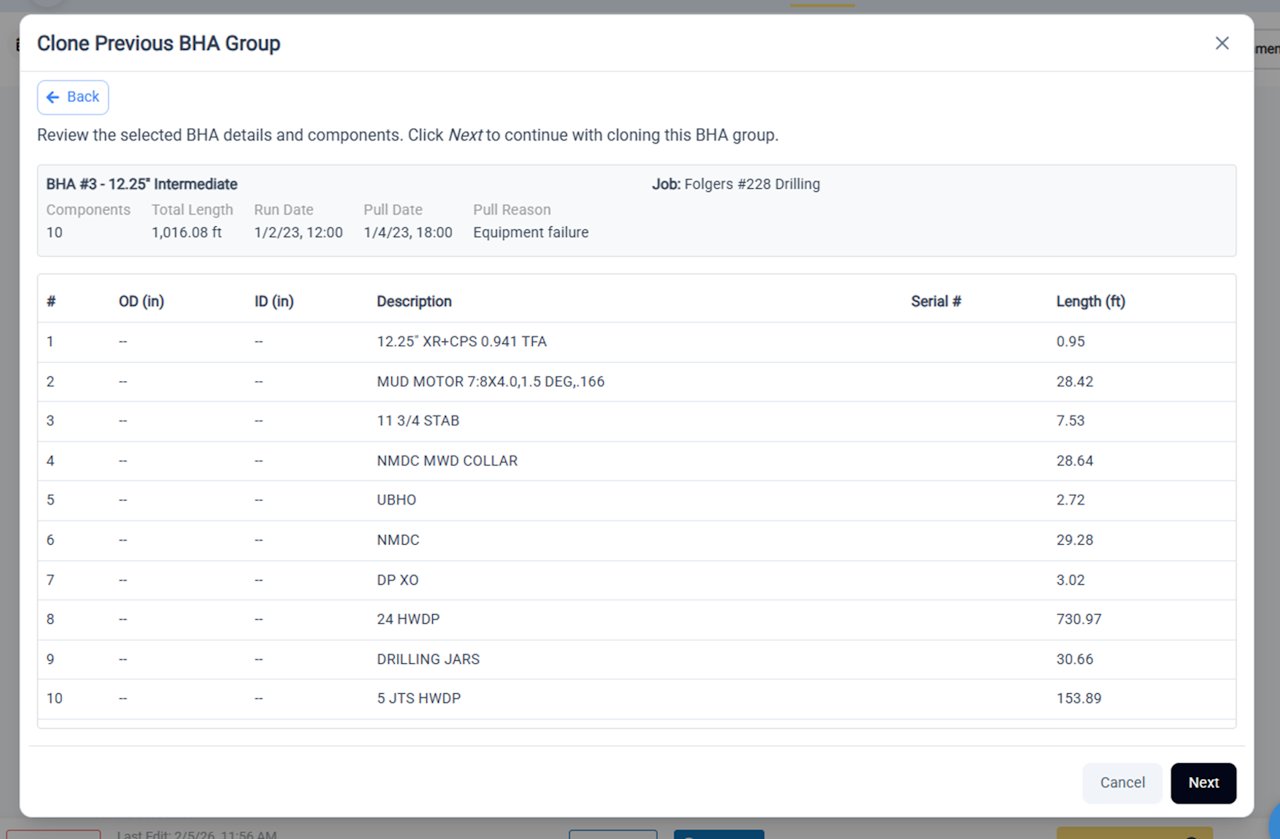
Enter the New BHA Group Details and Deactivate Groups
To complete the BHA group cloning process:- Select the new BHA group number
- Enter the new BHA name
- Enter the Run date & time
- Deactivate any existing BHA groups
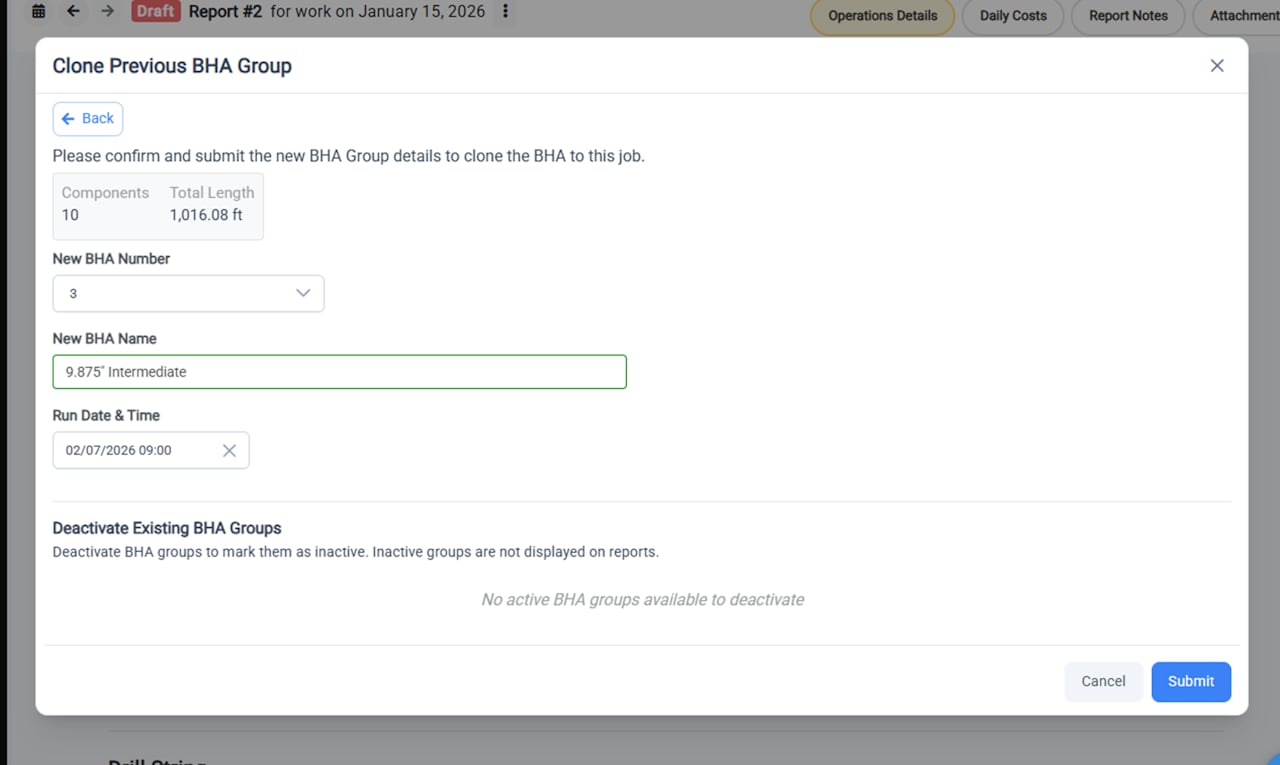
Newly Cloned BHA Group is Now Active
Once your BHA Group is fully cloned it will display at the top of the page as an Active BHA group. You can now:- Modify any of the cloned components that might have changed
- Add any new components
- Edit the order of the components
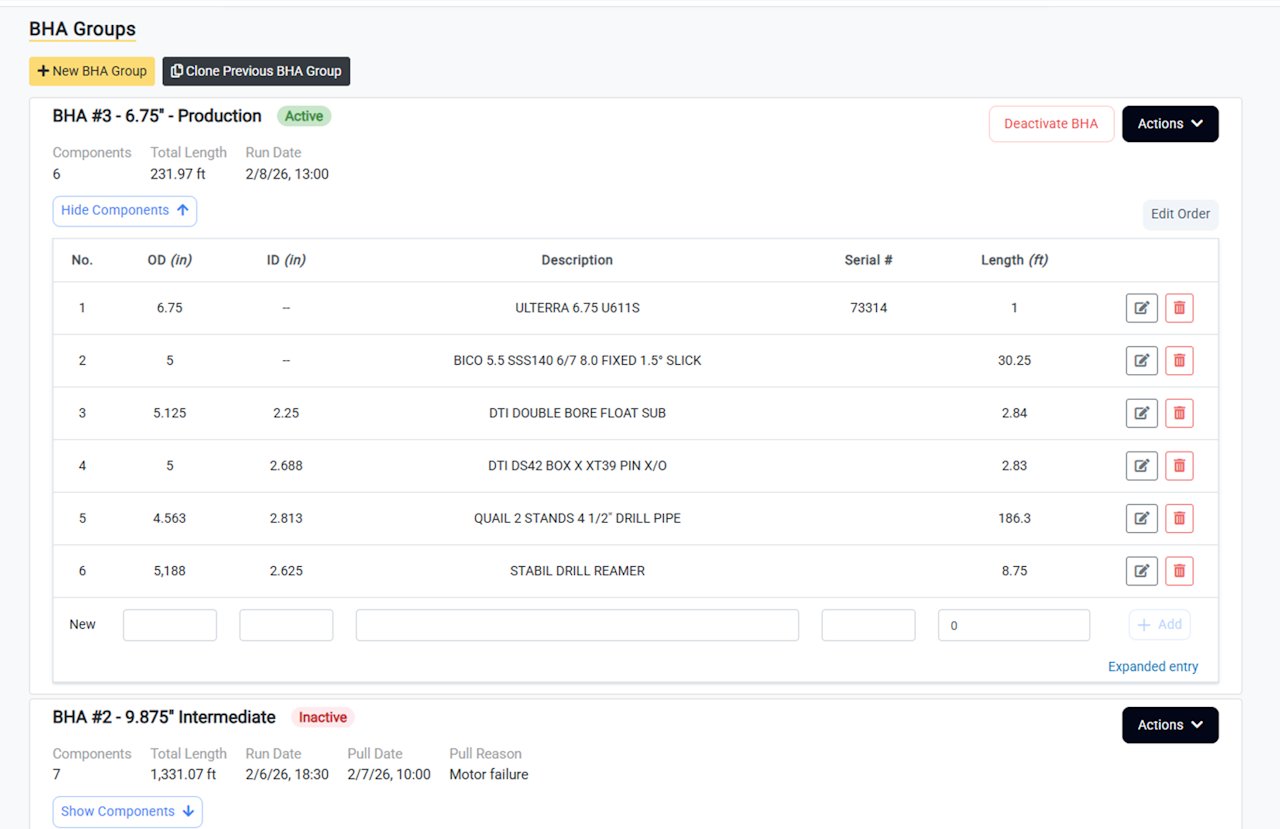
To quick clone a BHA Group that is within the current job, select Clone BHA Group from the Actions dropdown menu.
Deactivate a BHA Group
Deactivating a BHA Group
Deactivating a BHA Group updates a BHA Group from a status of Active to Inactive. What is the difference?- Active BHA Groups are displayed on the daily report.
- Inactive BHA Groups are not displayed on the daily report and their components are collapsed by default in the editor.
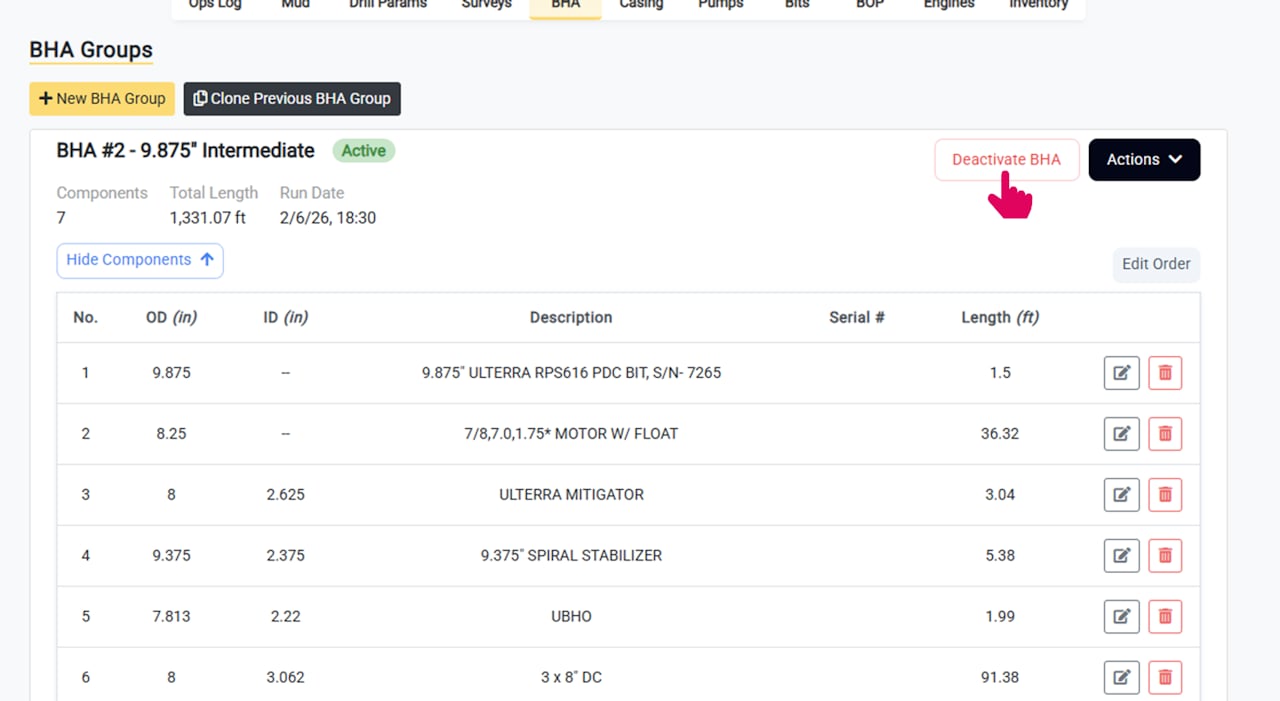
BHA Groups can also be deactivated automatically when creating or cloning a new BHA Group.
Complete the Deactivation Details
When deactivating a BHA Group you can enter the following details:- Pull Date and Time
- Reason for Removal (e.g. broken motor, section complete, etc.)
The Deactivated BHA Group is Displayed as Inactive
Once complete, the deactivated group is displayed as Inactive.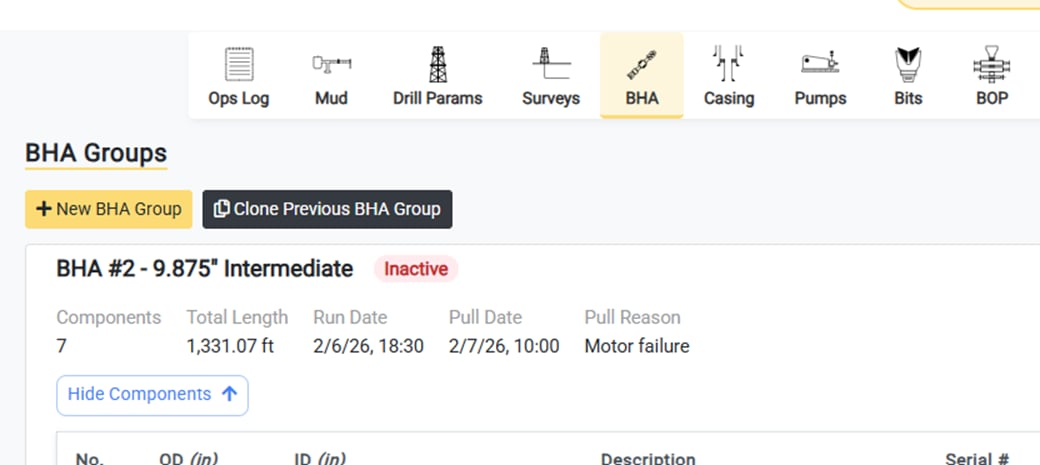
Job Analysis Improvements
Users can now access a full list of the Casing Strings or BHA Groups uses in a job from the Analysis page of the job. Users can also download the Casing or BHA record as an XLS file_ _with a single click using the Export button. Though this data is available in a similar format in the End of Job report, users have long requested a way to access throughout the job at any time. To access this- Go to the Analysis page of job
- Select the Operations Details tab
- Select Casing or BHA from the dropdown menu