Edit User
This guide provides clear steps for updating a user’s name or role in RigReports.Access User Management
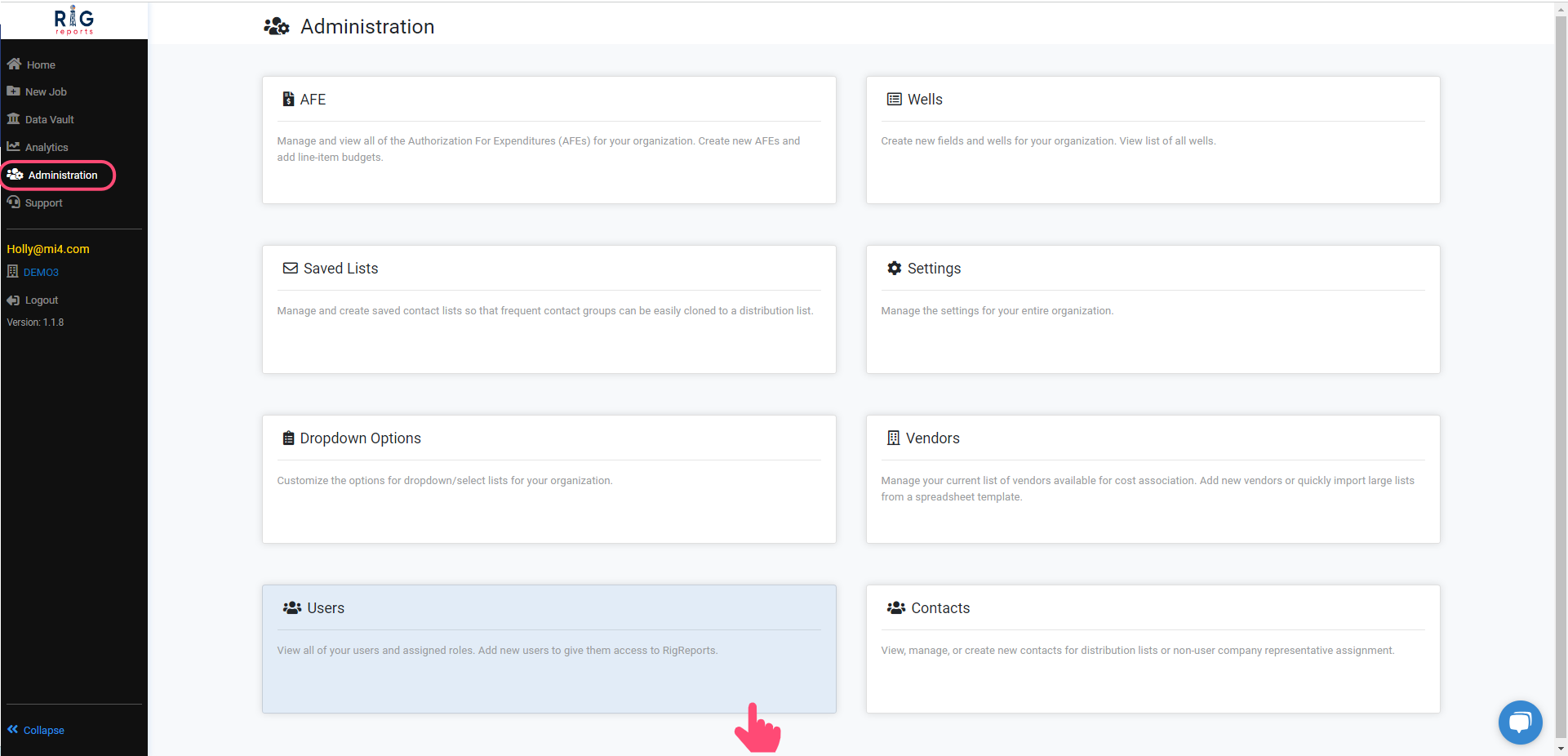
After logging in, navigate to the Administration tab, and select Users.Access to the User Management section is only available to users with a role of Administrator.
Locate the User
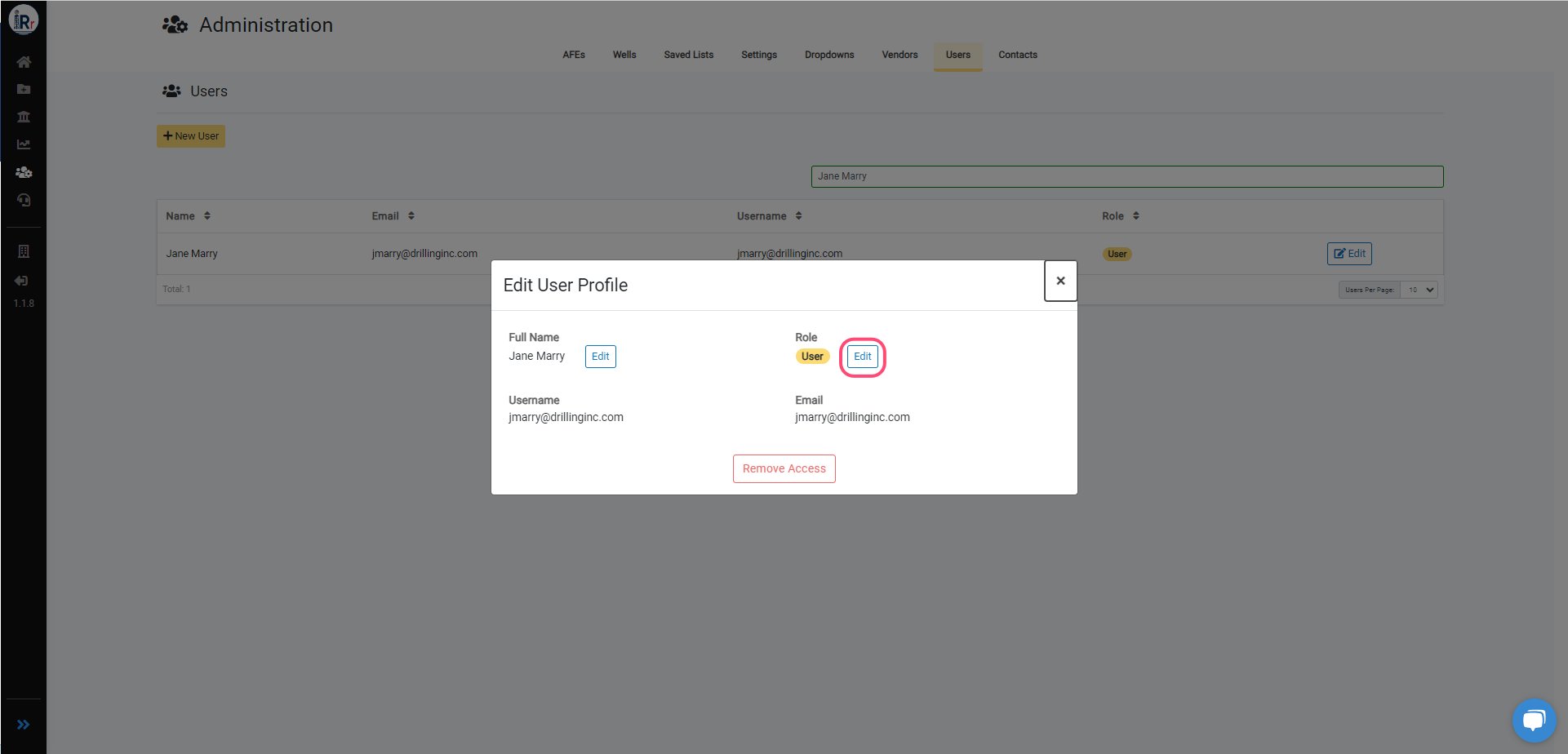
Find the user you wish to edit, then click the Edit button next to their role.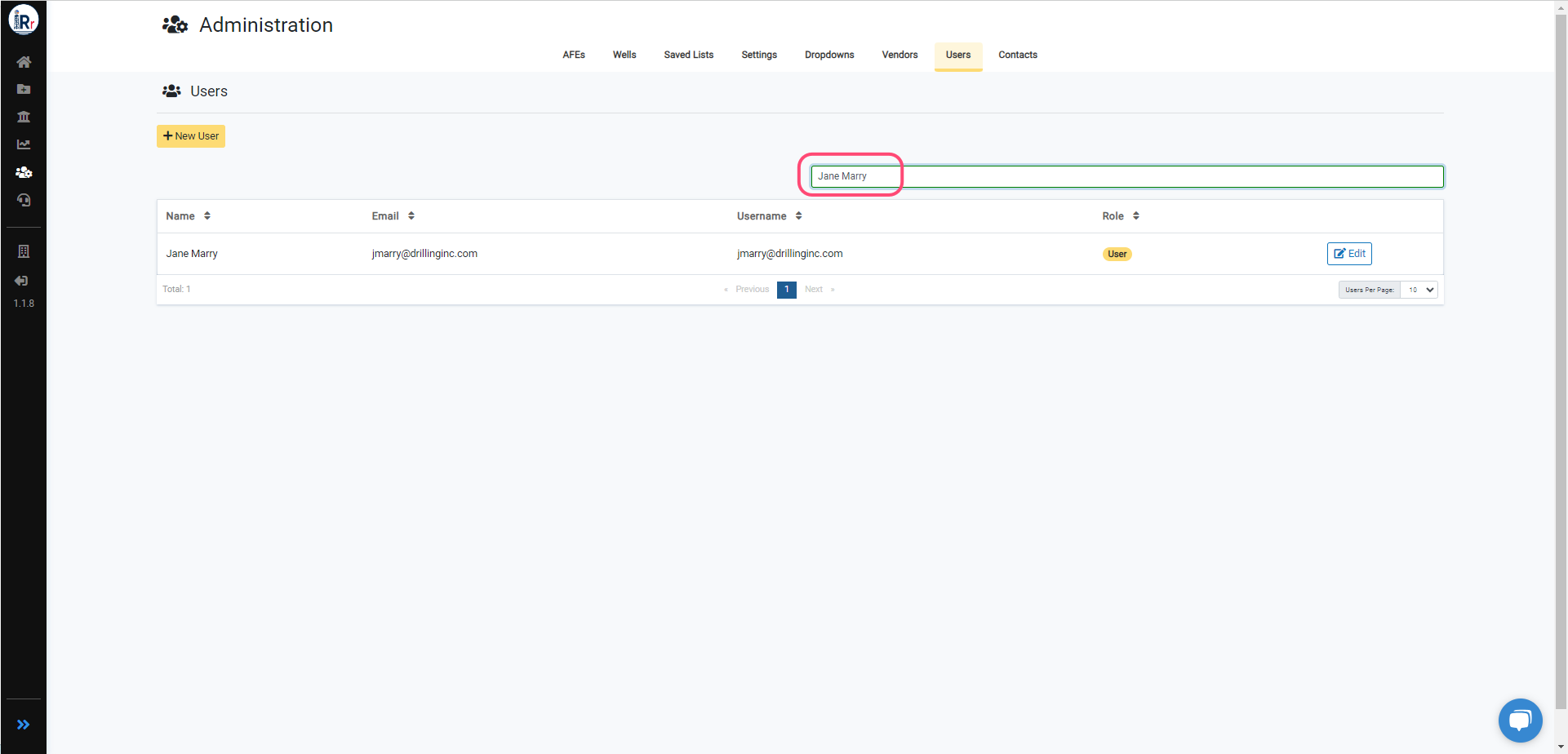
Edit Role
To edit a user’s role, click the Edit button next to the role and select the new role. Click the Submit button once you’ve made your modification.Role modifications will immediately affect a user’s access. If they do not immediately see all of their new privileges, please have them log out and log back in.
Edit Full Name
To edit a user’s full name, click the Edit button next to the full name and apply your new name. Click the Update button once you’ve made your modification.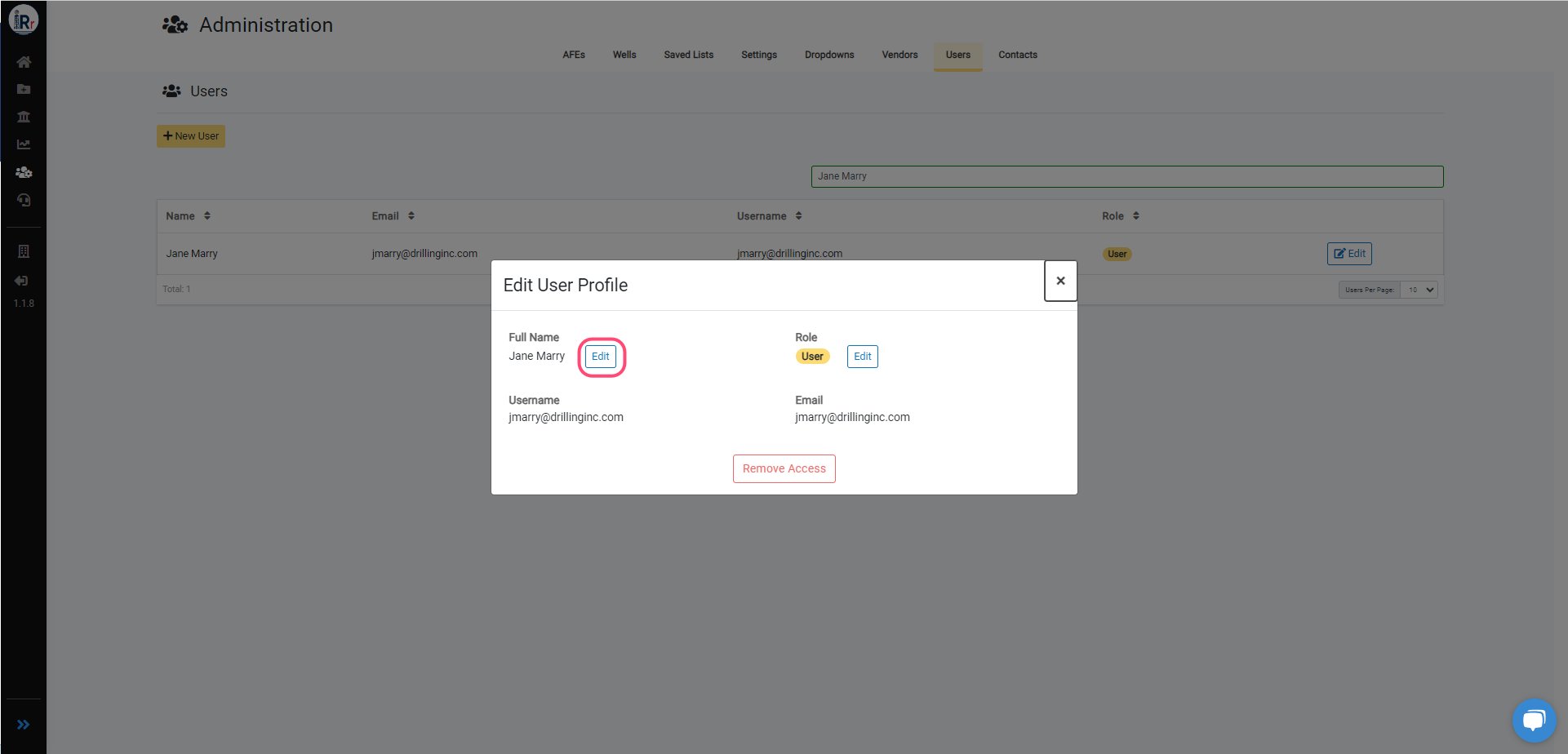
How do I remove a user's access?
See also: steps for removing a user’s access to RigReports.