
Release Notes - [03/01/2023]

🚀 New Features
  • Afternoon Update Reports
  • New Stimulation entry options and Import
  • Well Files
  • Report distribution status table
  • Improved Admin menu and interface
🔧 Fixes
  • Fixed issue with some AFE options not being retrieved when editing a job
  • Fixed minor issue with saving Settings changes

Afternoon Update Reports
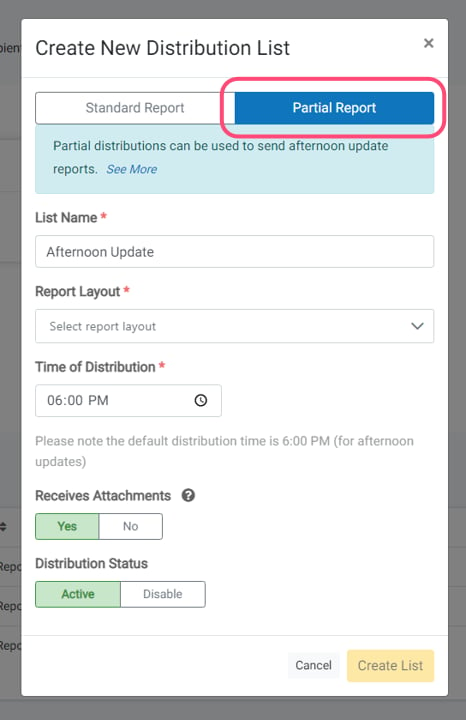
Afternoon Update Reports Companies can now schedule mid-afternoon distribution reports (typically 6:00 PM) in addition to standard morning reports. Select Partial Report option when creating distribution lists. These distribute the same day as the work date, even in draft status — no submission is required before distribution. It is recommended to use “operations only” layouts like “Daily Drilling Operations No Costs” for these reports.

New Stim Entry Options and Import

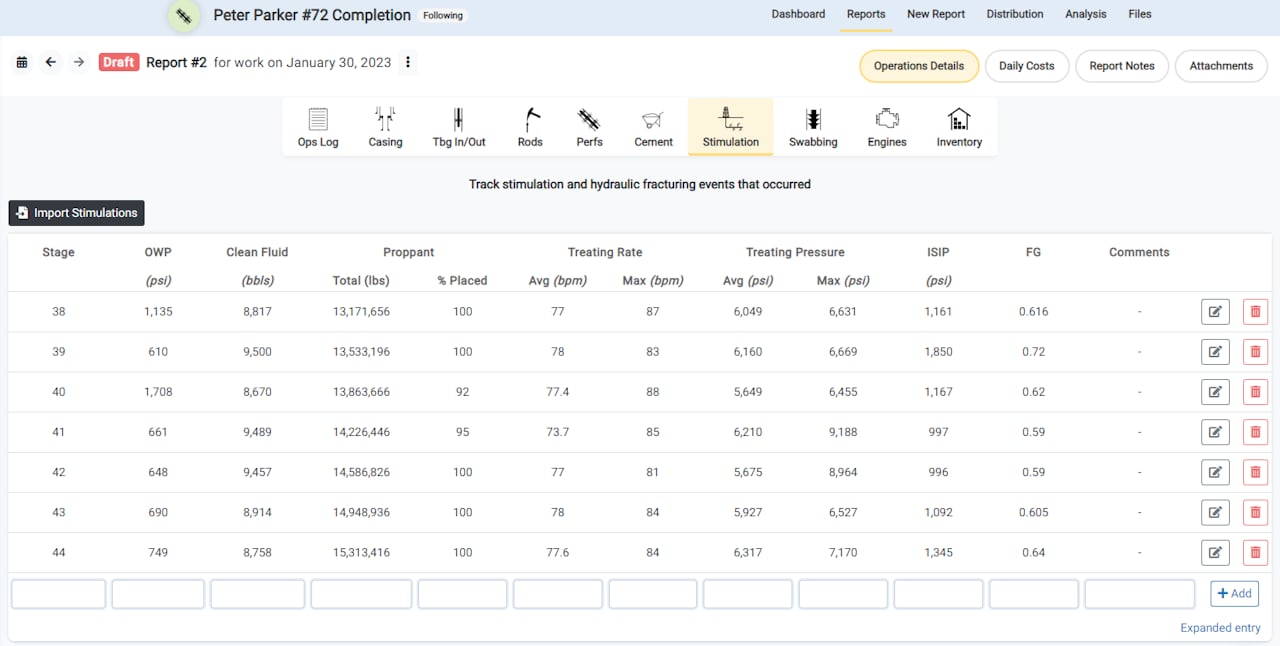
New Stim Entry Options and Import The Stimulations entry component has been enhanced for workover and completion jobs, with new stage-based data fields for hydraulic fracturing completions. New parameters include OWP pressure, fluid amounts, proppant quantities, and treating rates.

Import Stimulations

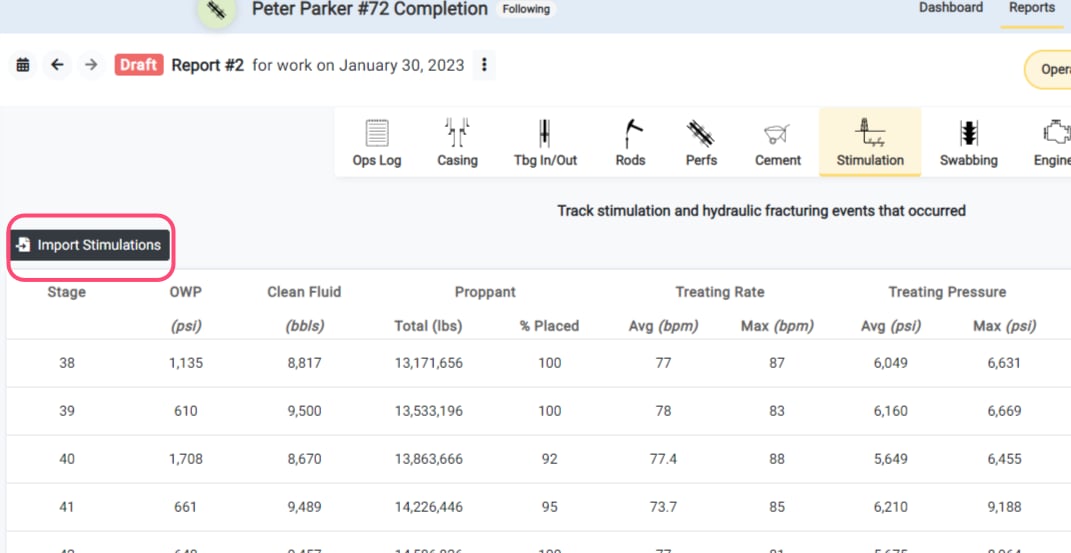
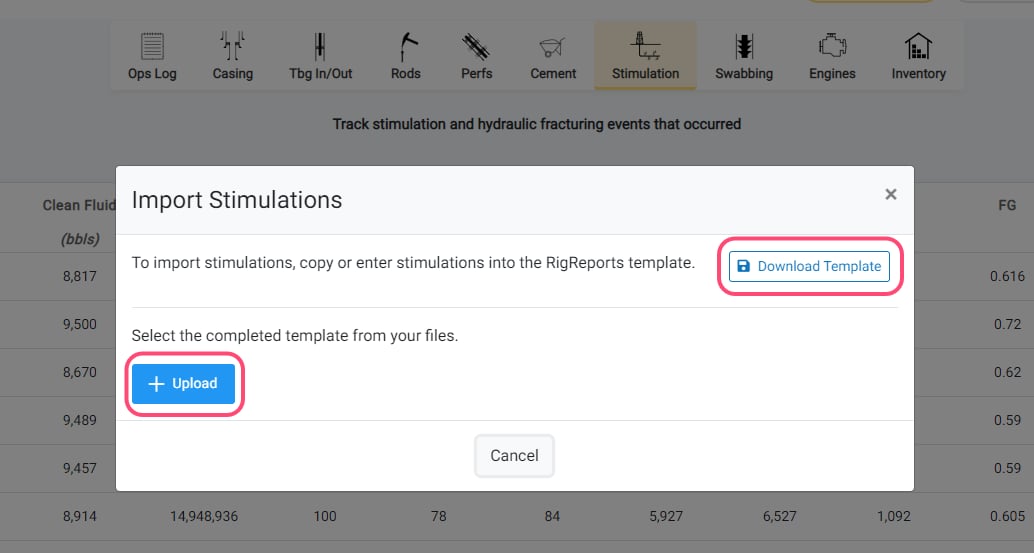
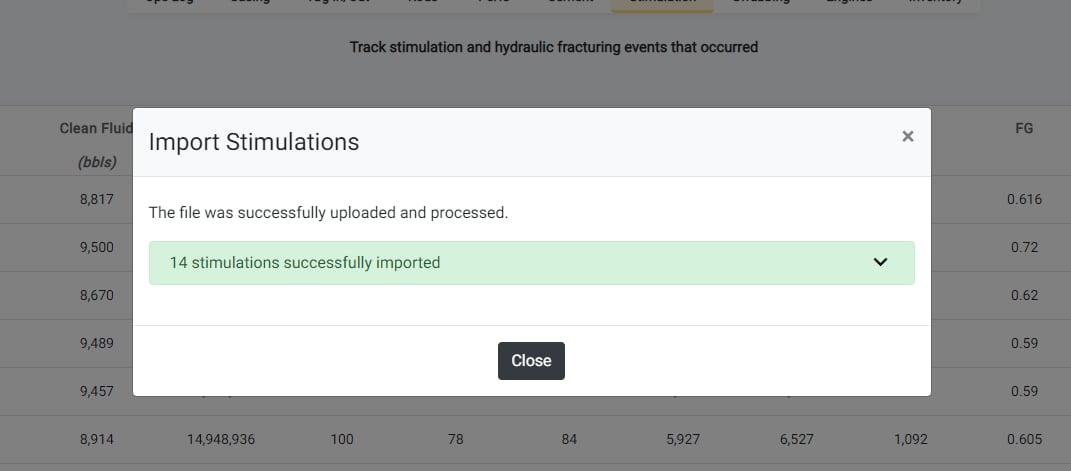
Import Stimulations - Step 1 Import Stimulations - Step 2 Import Stimulations - Step 3 To use the Import Stimulations feature, click the Import Stimulations button, download the provided Excel template, complete the template with your stimulation data, and then upload the file to create new stimulation entries.

Well Files

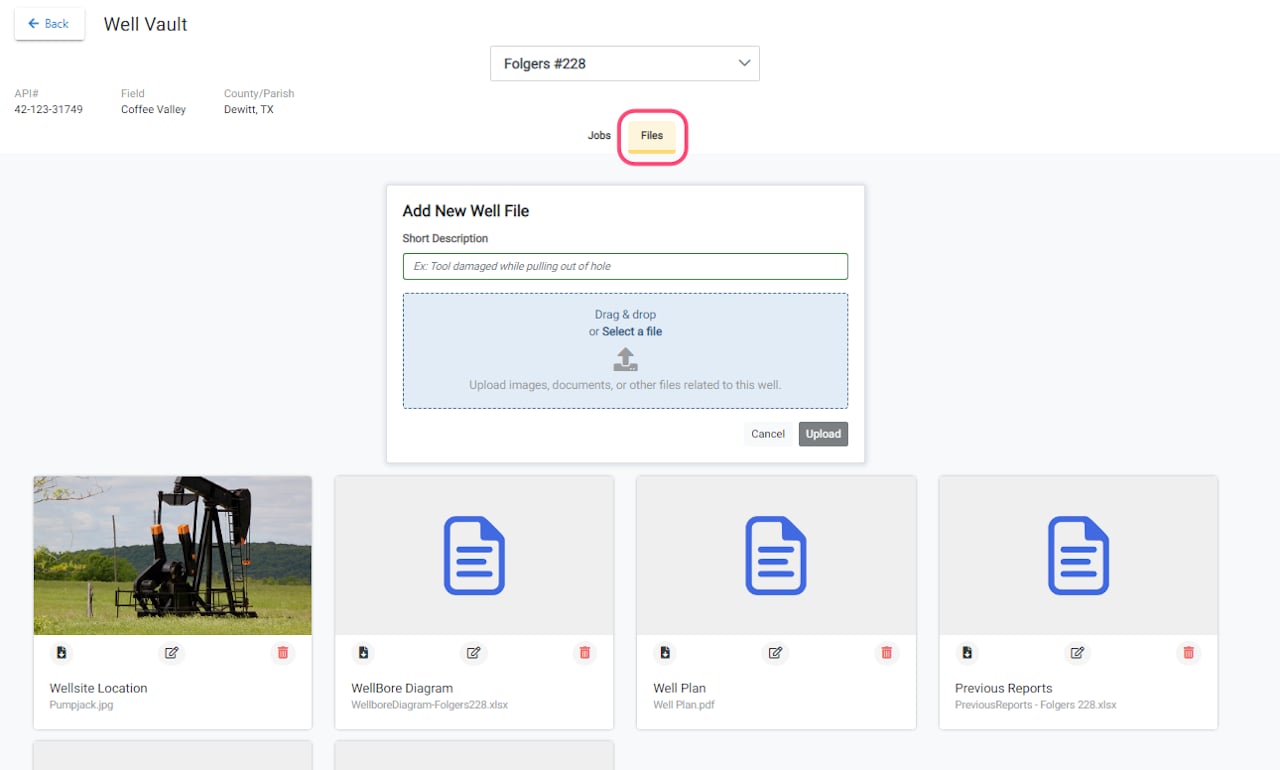
Well Files Users can now upload and manage files for a well that are not directly related to a job, enabling document storage and team access. Acceptable file types include wellsite photographs, wellbore diagrams, scanned historical reports, and other well-related documents. Adding descriptive information helps colleagues locate materials efficiently.

Report Distribution Status Table

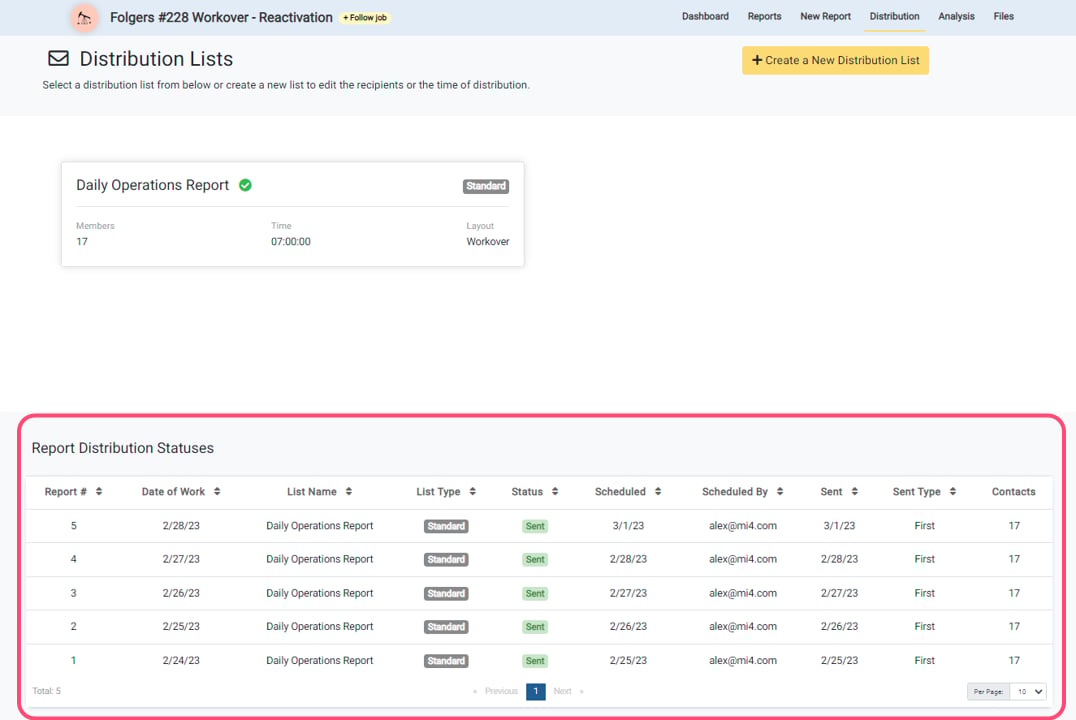
Report Distribution Status Table A new Report Distribution Status Table is now available on the Job Distribution page. This table tracks report distribution across jobs and displays scheduled reports pending distribution, already-distributed reports, the number of distribution lists per report, and re-distribution instances. The feature helps users verify whether reports have been sent.