
Release Notes - [07/19/2023]
🚀 New Features- Track Non-Productive Time (NPT) by Category and Vendor
- Improved analysis options for NPT Category and Vendor
- Swab Report functionality
- Expanded Personnel Hours component
- Update Report note and more details in the email for the report distributions
- Viscometer Dial Readings and Electrical Stability inputs for Mud in Drilling jobs
- Improved Drilling Report format
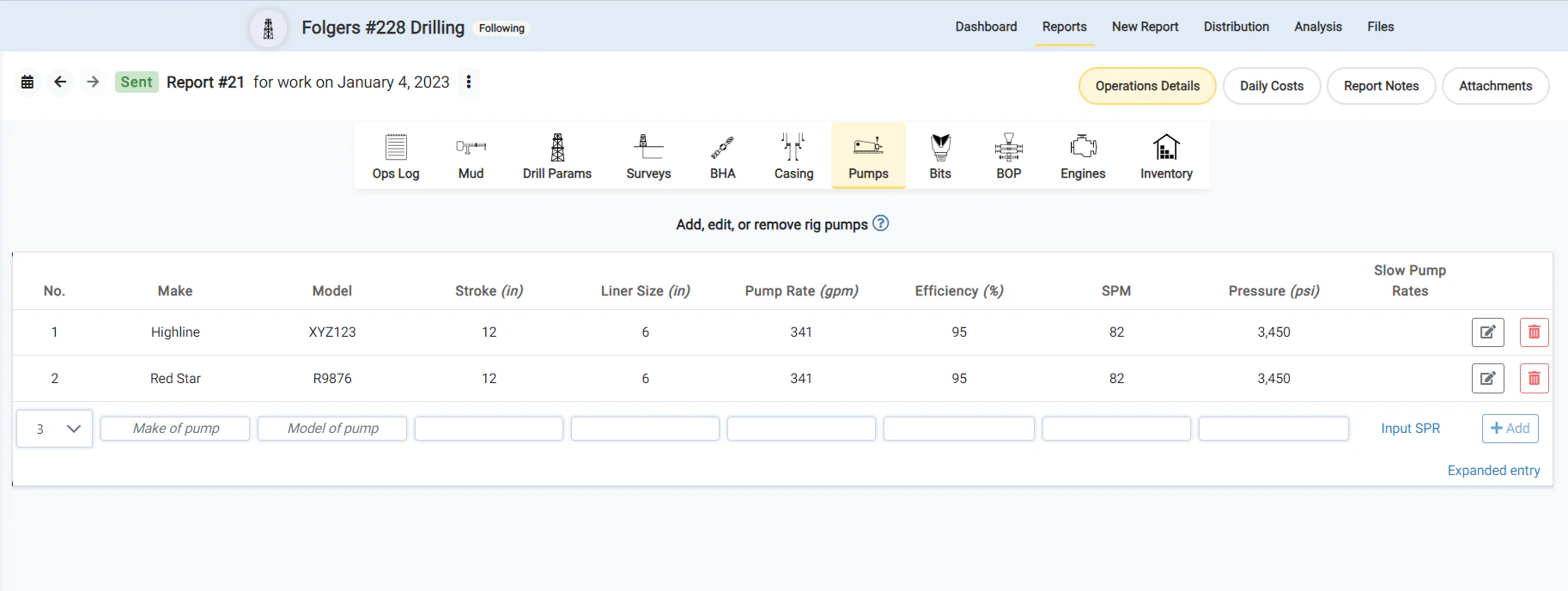
- Added Pump Make and Model for Pump Entry
- In email distribution, the report will now be the first attachment, allowing for quicker access
- Resolved minor issue causing Edit BHA submit to fail if the length value was not entered
Improved analysis options for NPT Category and Vendor
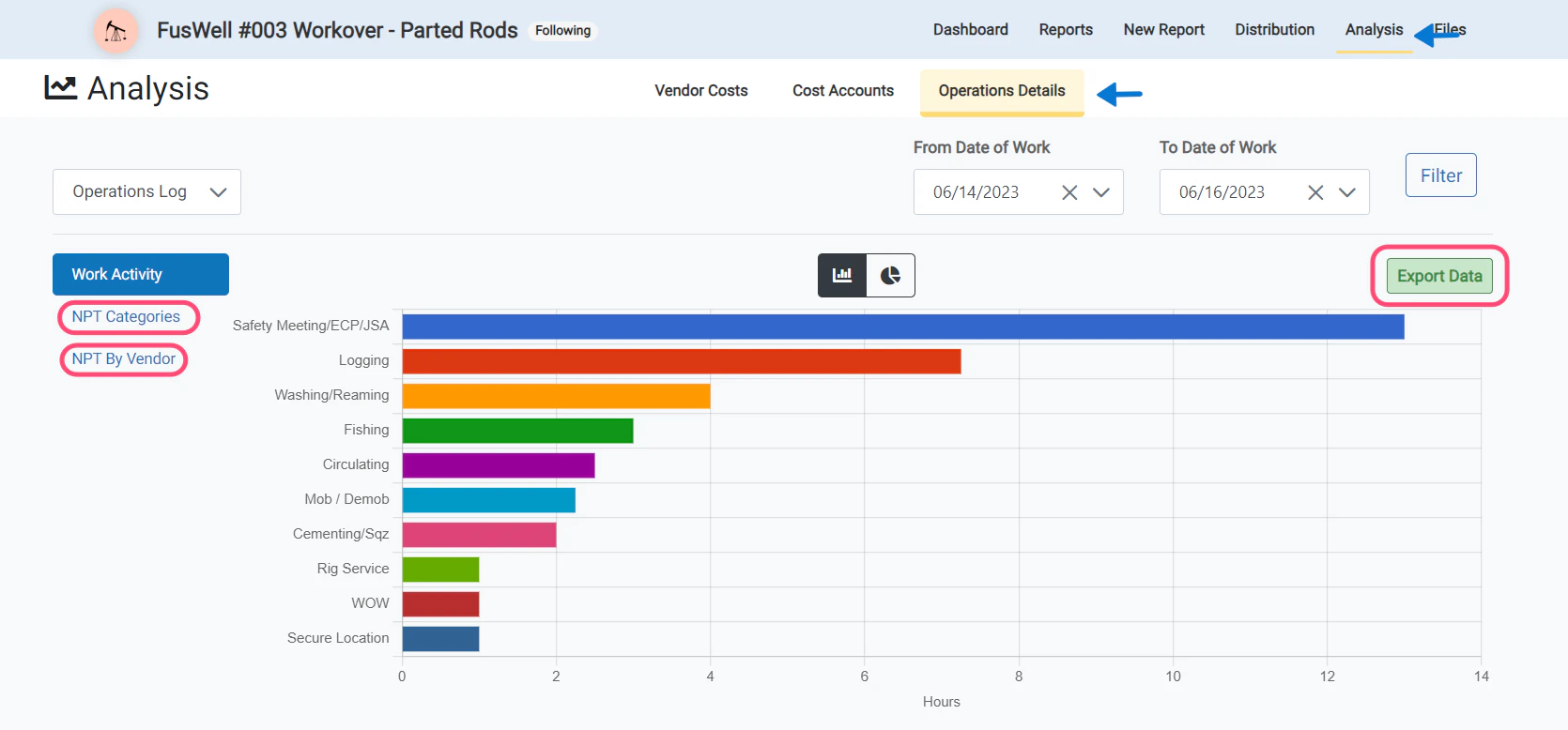
- The job analysis pages for the Operations Log NPT have been improved.
- Users can now see a chart and exportable table of the NPT categories breakdown.
Track Non-Productive Time (NPT) by Category and Vendor
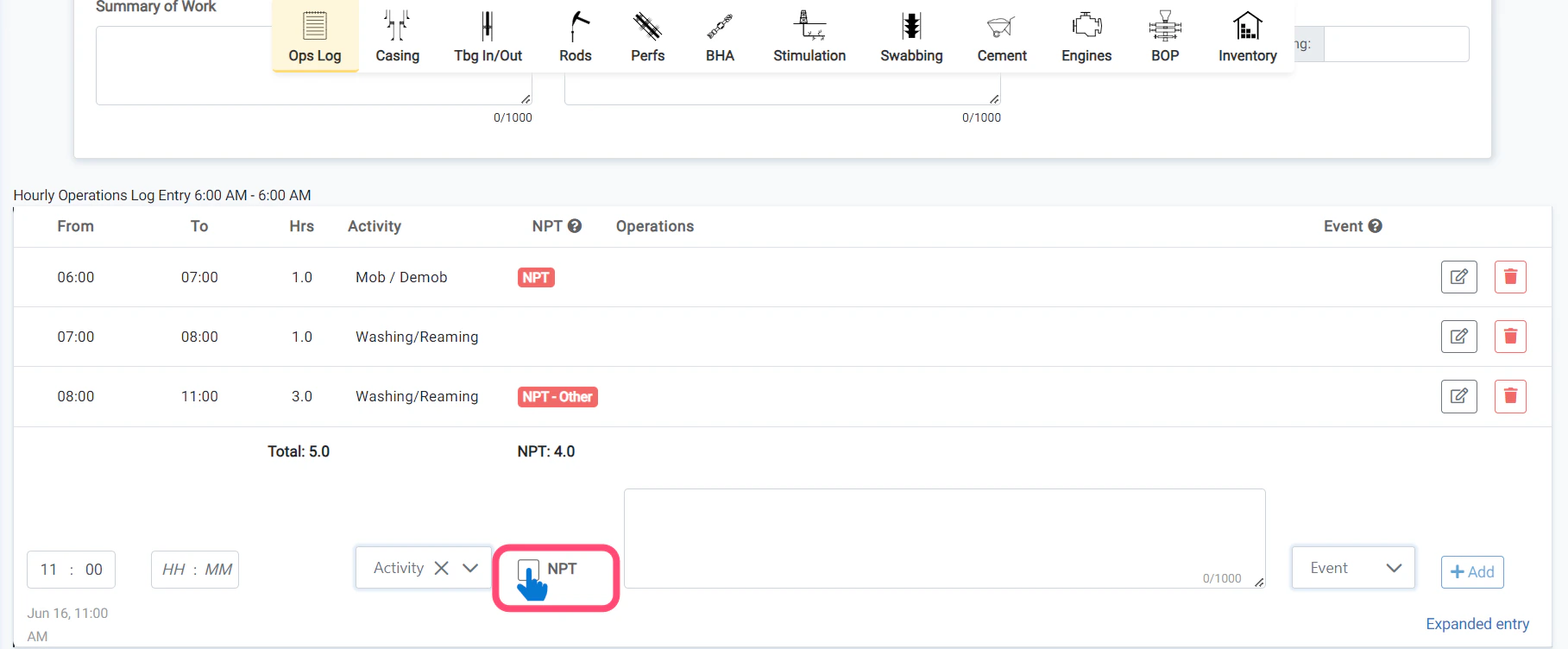
- NPT tracking is now available for all job types.
- Users now have the option to tag the category of the NPT and the vendor associated with the NPT.
- The NPT tagging and category will be displayed on the distributed report.
Reason for Updated Report in Email body
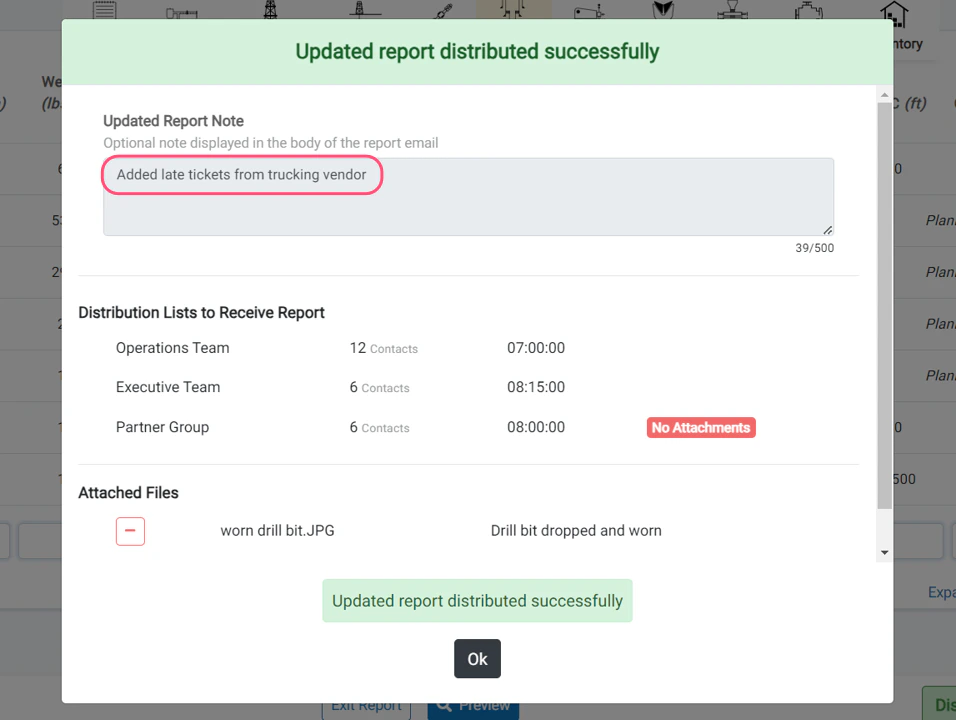
- We have also added the ability to include a Reason for Updated Report message when distributing updated reports.
- When users click the Distribute Updated Report button, they will now be prompted to enter the reason for the updated report.This message will be displayed in the body of the email so that recipients know why they are receiving the report for a 2nd or 3rd time.
Pump Make and Model for Pump entry
Daily Comments in Email body
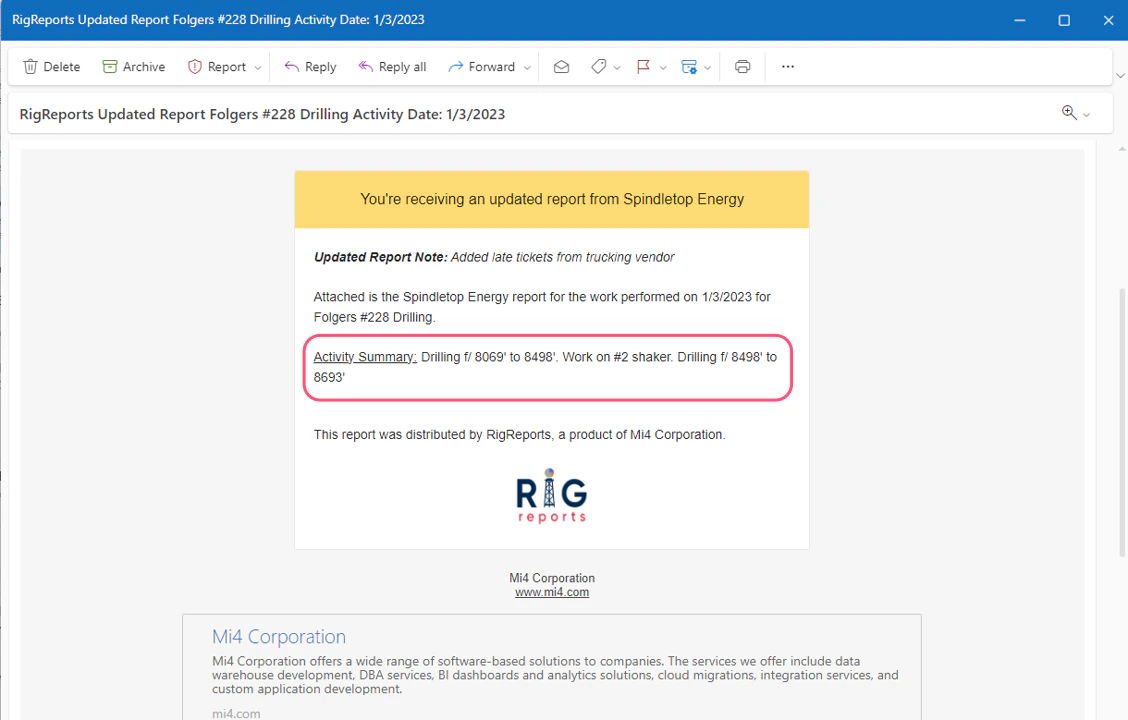
- With this new update, the Summary of Work for the report will now be displayed in the body of the email for the report distributions.
- This allows email recipients to quickly see the summary of the report without having to open the attachment.
Expanded Personnel Hours Component
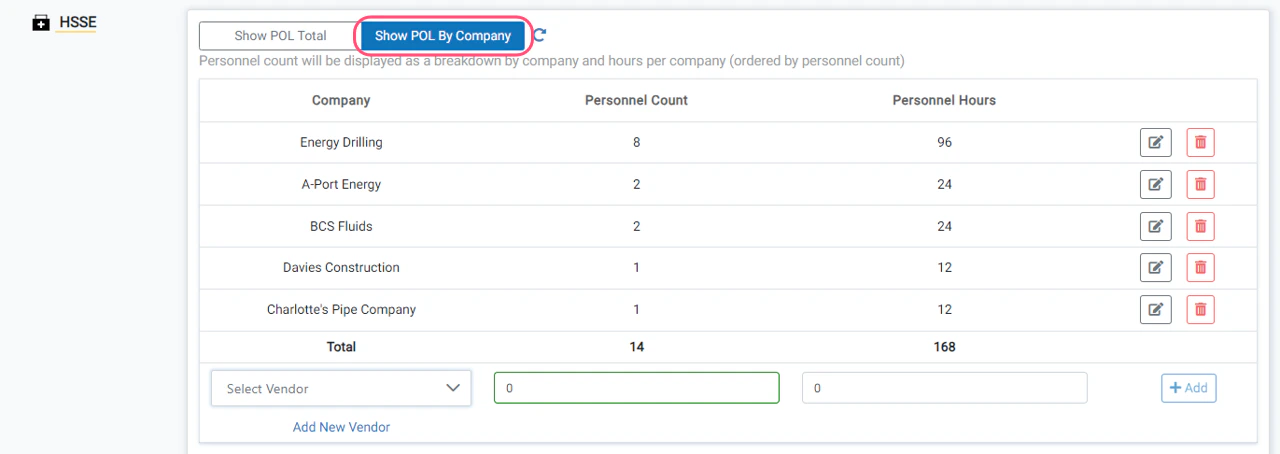
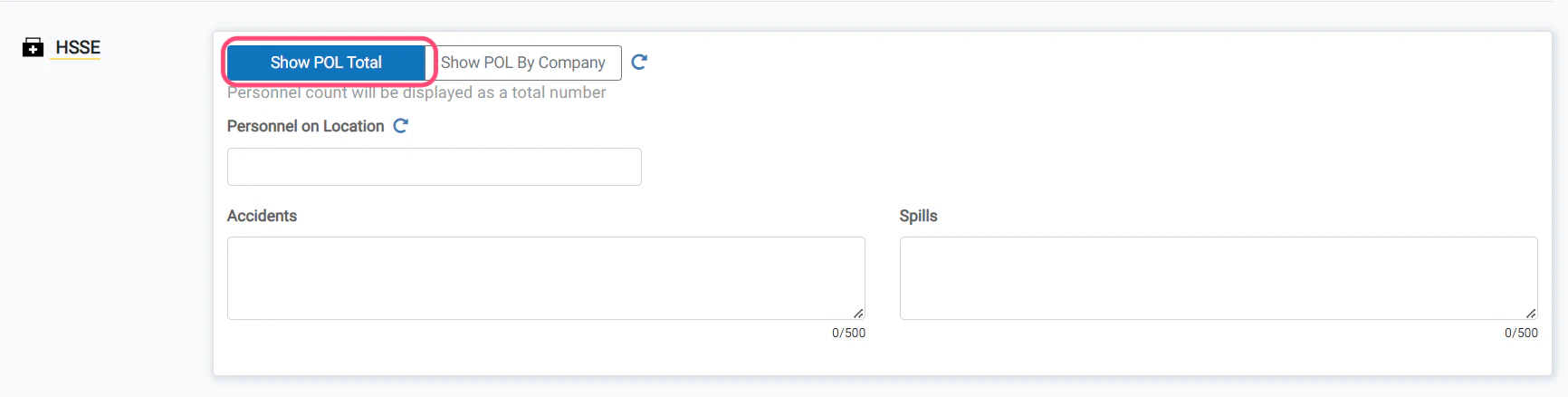
- We’ve added a 2nd option for tracking personnel on location.
- Users can now track personnel counts and total hours worked for each vendor on location.
Improved Drilling Report format
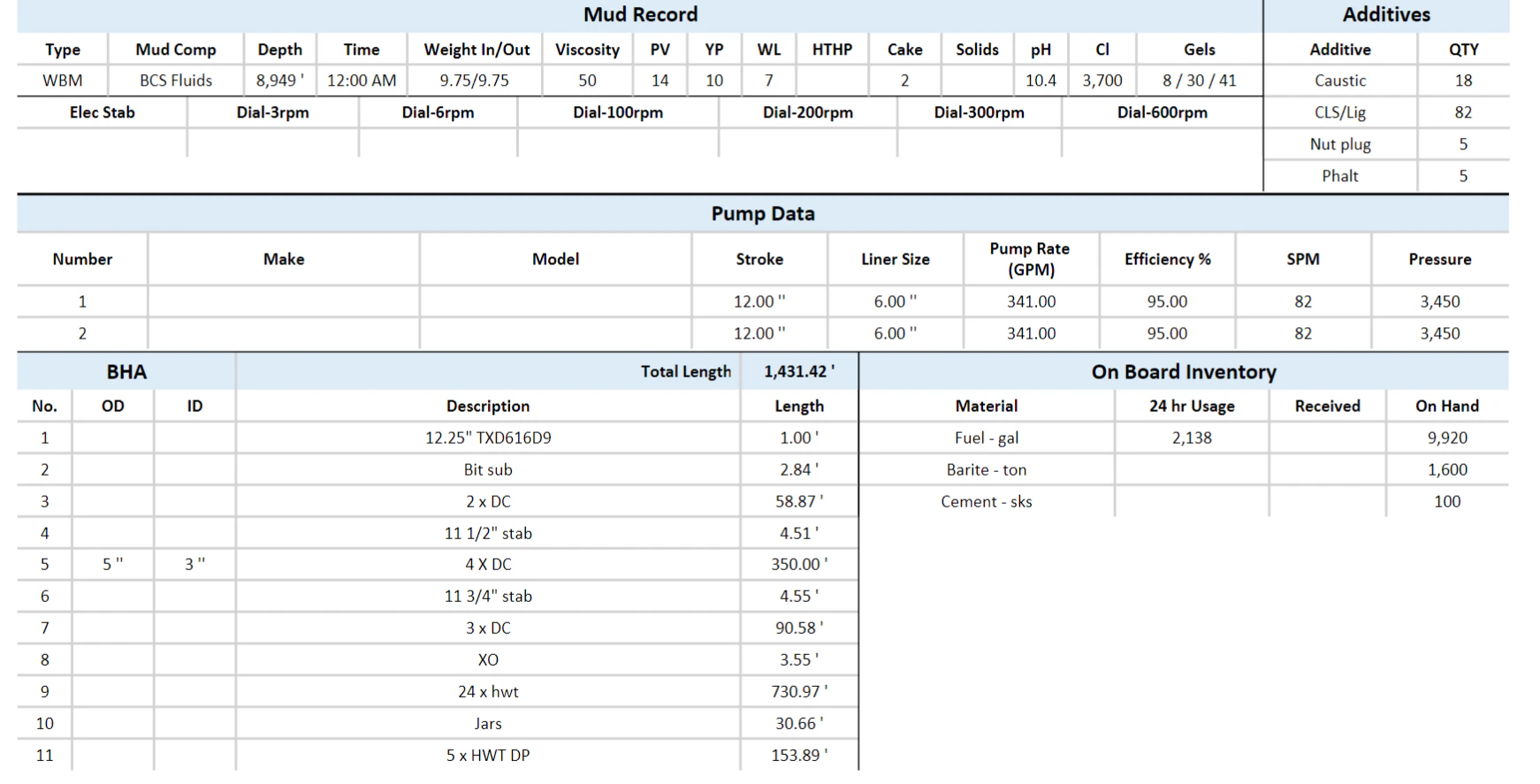
- The format of the Daily Drilling Report layout has been modified to improve spacing, consistency of layout, and allow for additional data. Several of the sections that were vertical are now horizontal.
- The Header, Activity Summary, Operations Log, Mud Record, HSE, and Costs are the only sections that will always be displayed. All other sections will only display if data has been recorded.
- The Mud Record is now displayed horizontally, allowing for the new input value to be included.
- The HSE section is now displayed horizontally, allowing for the POL by company display.
- The Pump Data is now displayed horizontally, allowing for the Make and Model values.
- The BHA and Inventory sections will remain vertically side-by-side.
Swab Report functionality
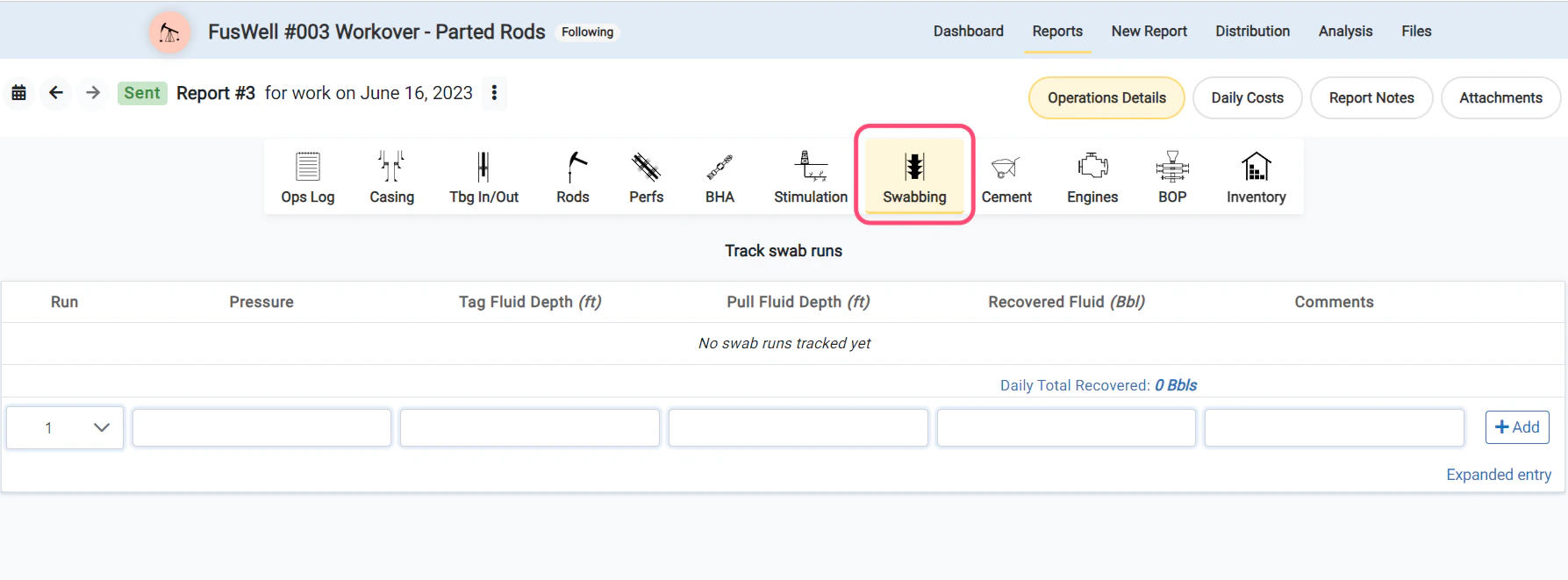
- Swab runs can now be tracked for Workover and Completion jobs in their own entry component.
- Record the run number, tag depth, pull fluid depth, and total fluid recovered.
- Track total fluid recovered over multiple report days.
Show POL By Company
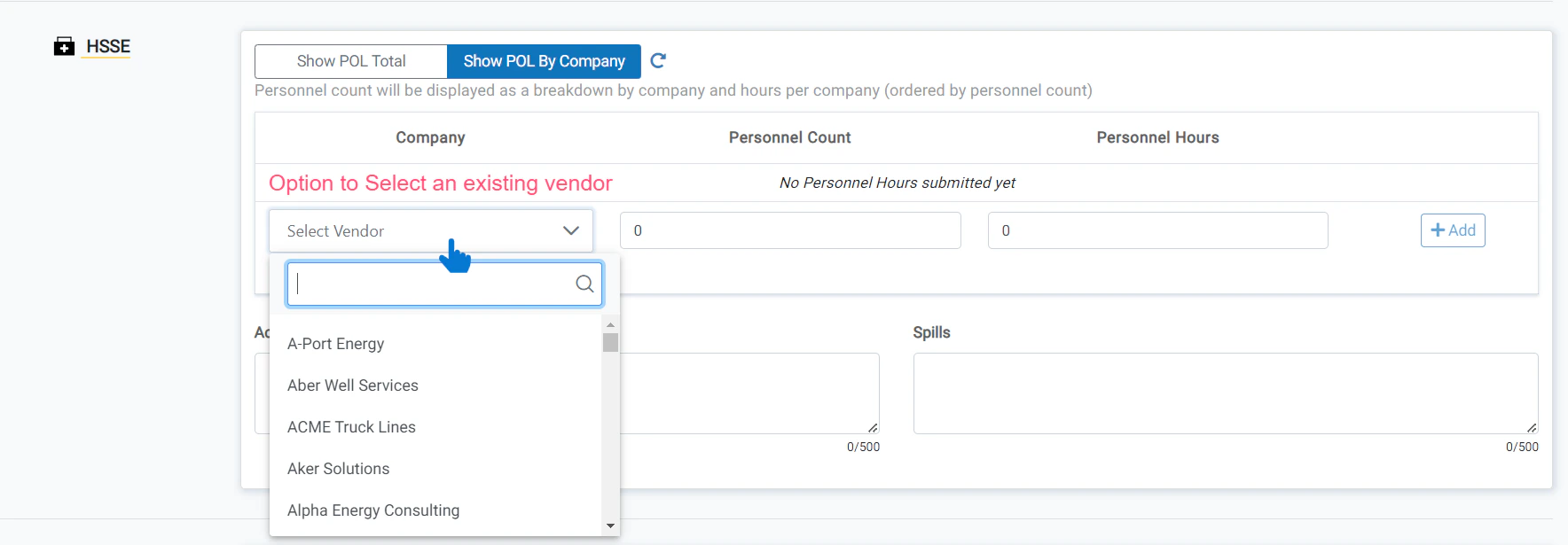
- When **Show POL By Company **is selected, you will be able to add each vendor.
- Select the vendor (or create a new one), enter the POL count for that vendor, and update the total personnel hours (if different).
Viscometer Dial Readings and Electrical Stability inputs for Mud entry
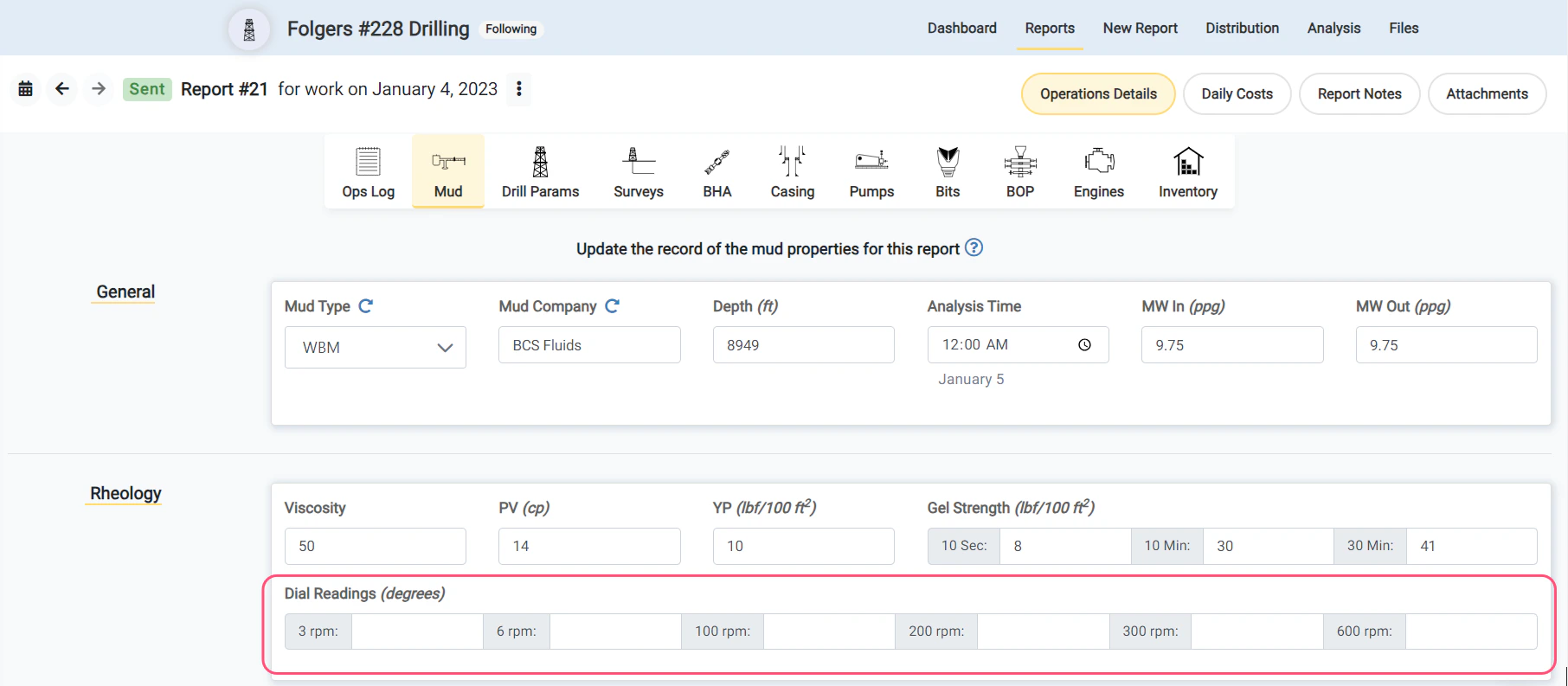
- Viscometer dial readings (at 3, 6, 100, 200, 300, 600 rpm) inputs are now available in the Mud record.
- An input for the Electrical Stability (ES) value is now available in the Mud record.
Show POL Total