
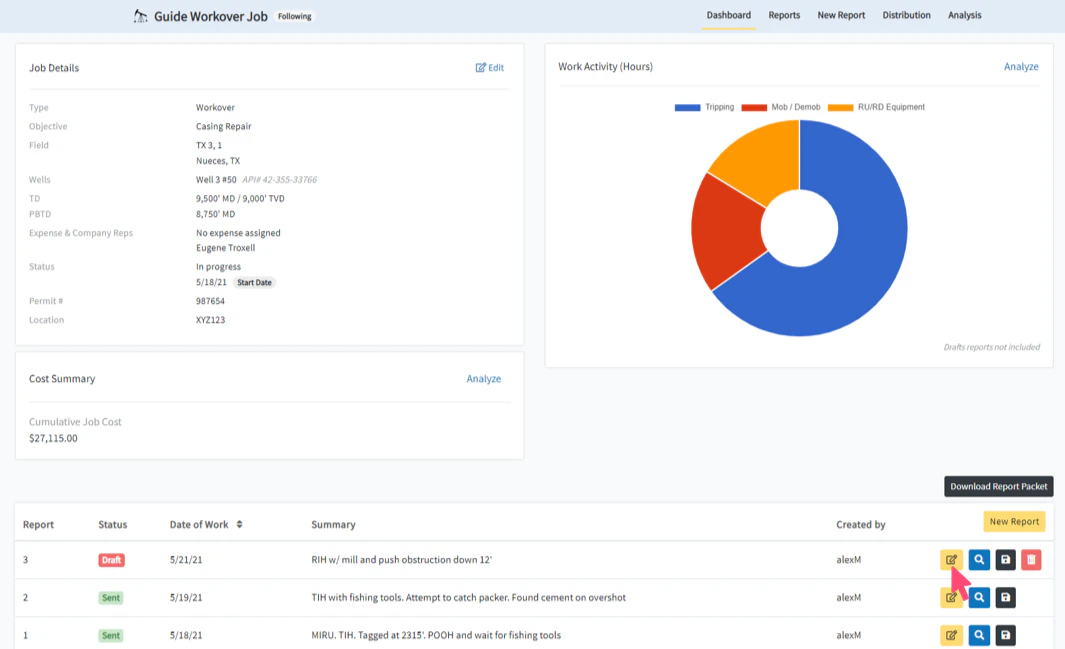
Select Edit Report
In this guide, we will be changing the Date of Work for Report #3 from 05/21/2021 to 05/20/2021. To get started, click on the Edit Report button from the Dashboard (or Reports page) for the report that you would like to change the date.The Date of Work for a report can be changed at any point prior to submitting the report.
Select Edit Date of Work
Click the Edit link next to the Date of Work (located at the top left of the report editing controls) to open a window with the available dates.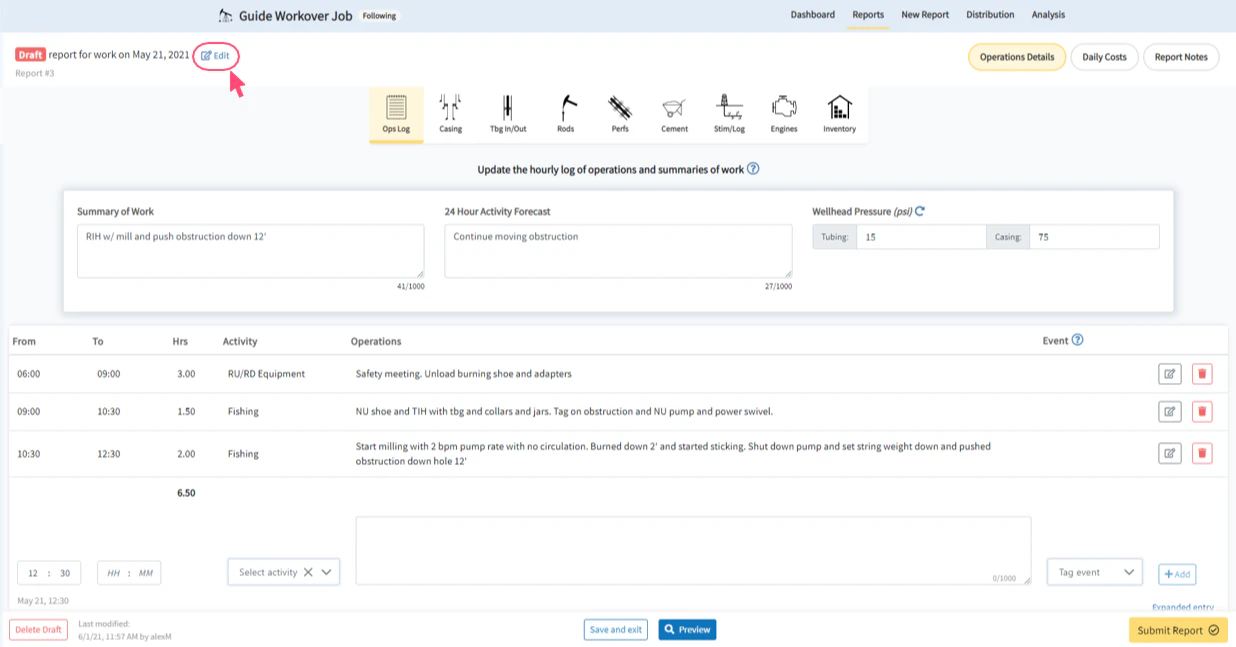
Choose the New Date of Work
The calendar displays the dates that are available for moving the report. All unavailable dates are greyed out and unclickable. From the calendar, select the new desired Date of Work for the report.A report date cannot be moved prior to an existing previous report or beyond an existing future report.In our example, report #2 already exists for 5/19/2021, so the new report date must be 5/20/2021 or later.
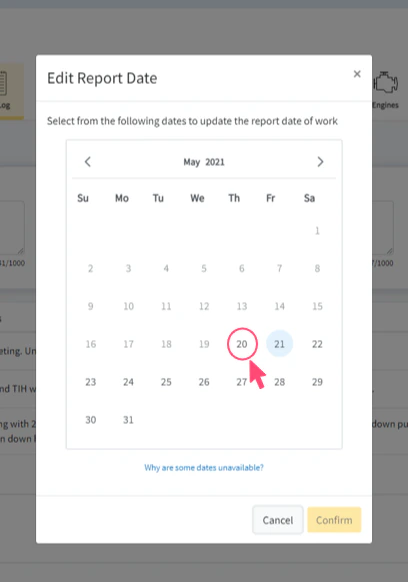
Select Confirm to Change the Date
Once the new desired Date of Work has been selected, click the Confirm button to submit the report date change. Upon succeeding, the browser will refresh the Edit Report page to retrieve your report with the new date settings.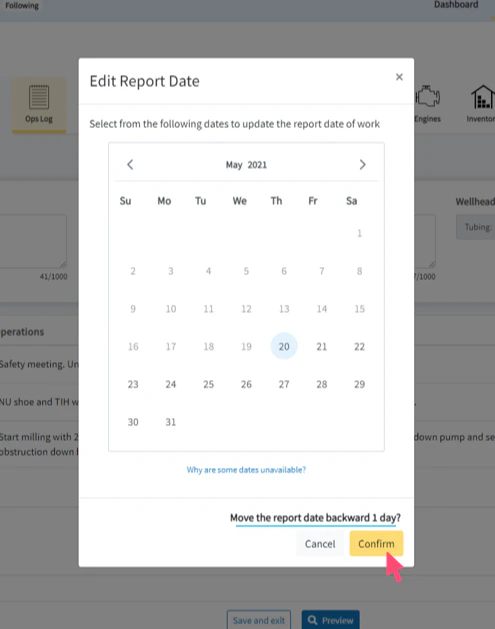
The Date of Work has been Changed
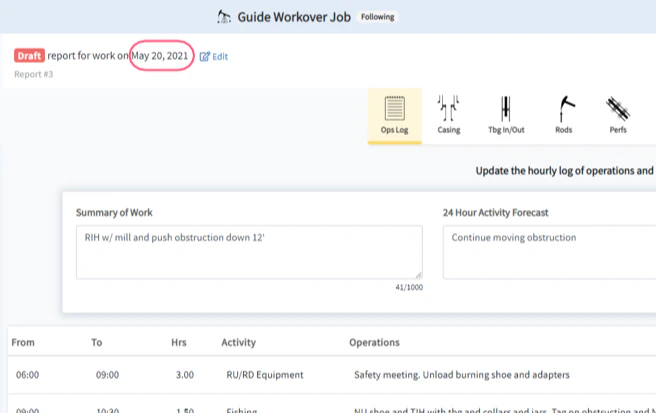
Once the Edit Report page has refreshed with your updated settings, confirm that the Date of Work in the top left of the report editing controls matches your newly selected date. You have successfully changed the Date of Work for a report.