
AFE Approval Requests
AFEs can be reviewed and approved in RigReports. Using this functionality, your team can track who has approved AFEs with our easy-to-use workflow. To create an AFE approval request, select the AFE you would like to begin the approval request workflow for from the AFE Management page.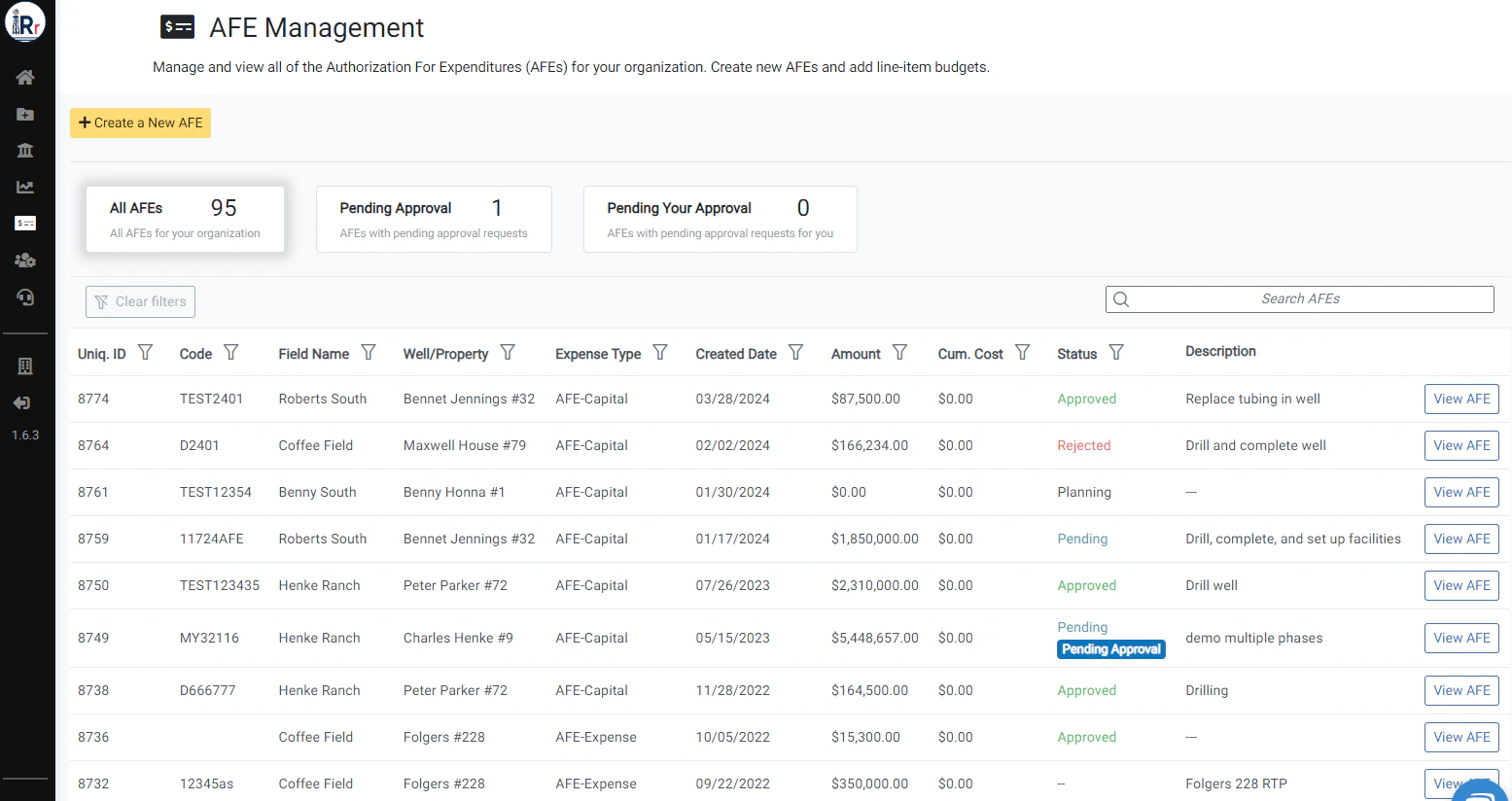
Create New Approval Request
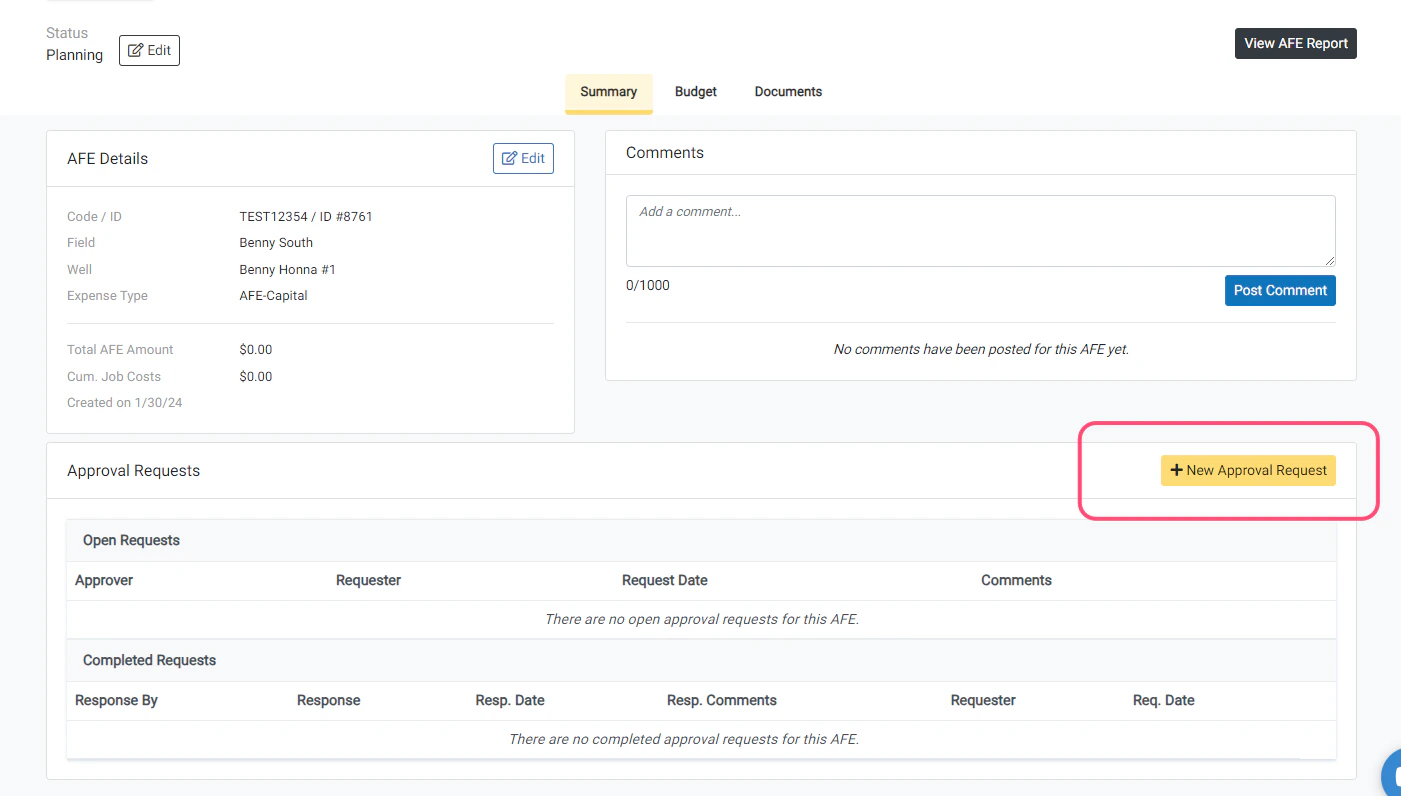
From the Summary page of the AFE, scroll down and click the New Approval Request button to start a new AFE approval request workflow.You can have multiple open approval requests for an AFE at any time if your company requires multiple approvers.
Complete the New Approval Request Form
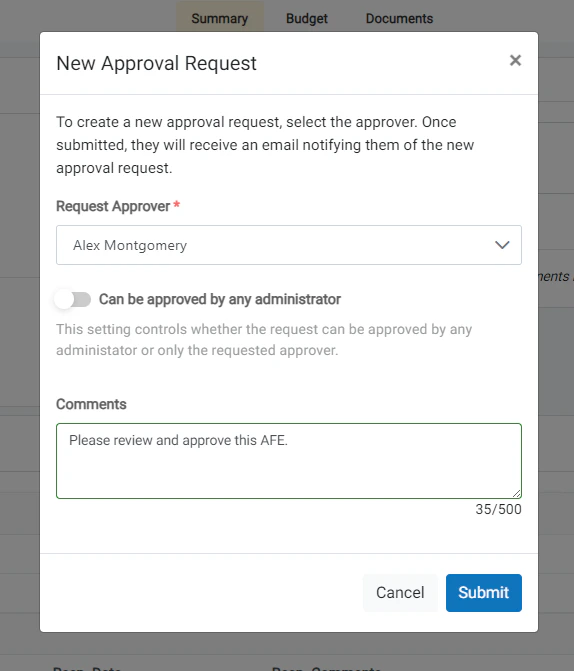
Using the pop-up window, complete the New Approval Request form.- Select the company member from whom you are requesting approval (only administrators for your organization will be available in the dropdown).
- Determine if you would like to turn on the Can be approved by any administrator setting.
- Add any comments that you feel are necessary (these will be included in the notification email).
If you toggle on the Can be approved by any administrator setting, all administrators will have the ability to respond to the Approval Request. If not, only the requested approver will have the ability to approve the request.
Submit the New Approval Request
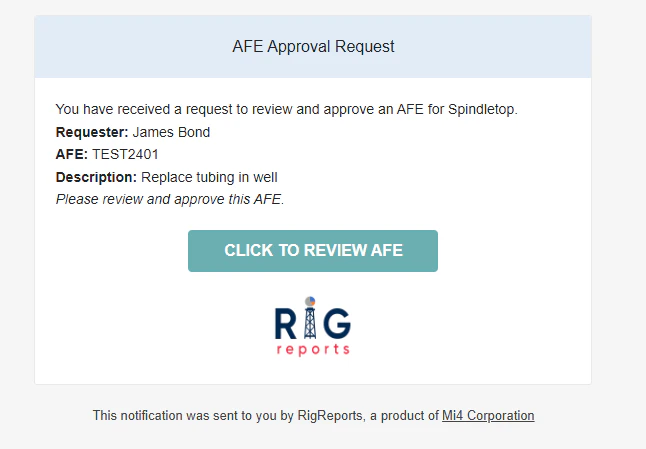
When the form is complete, click Submit to submit the new approval request. On success, you will receive a message informing you that the notification of the approval request has been emailed to the approver with a link to the AFE to review and approve.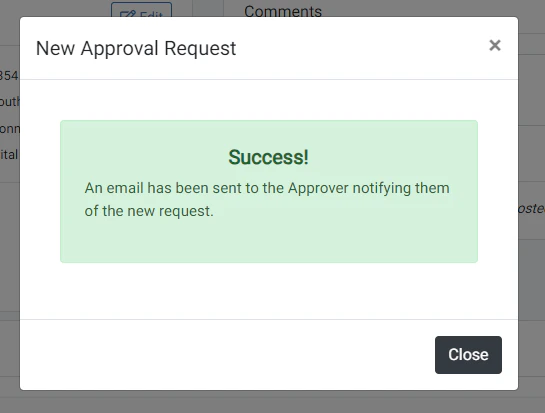
The Approver can now respond
The approver will receive an email that shows them the details of your request with a link to review and approve the AFE in RigReports.