
Edit Wells and Fields

This guide provides essential steps to edit a well or field in RigReports.

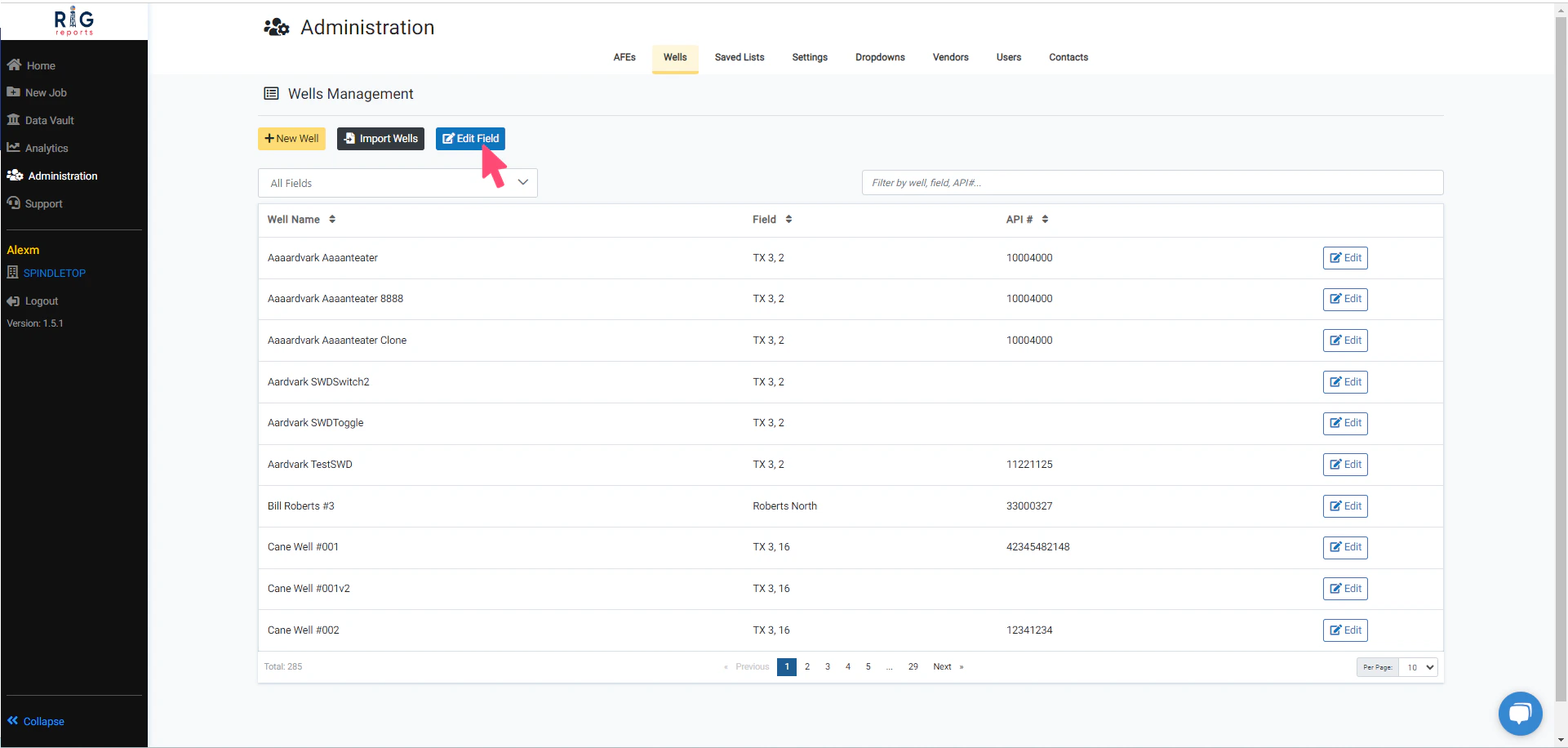
Edit Field

Edit Field To edit a field, please click on the** Edit Field** button. Access to the Wells Management page is only available to users with the role of Administrator

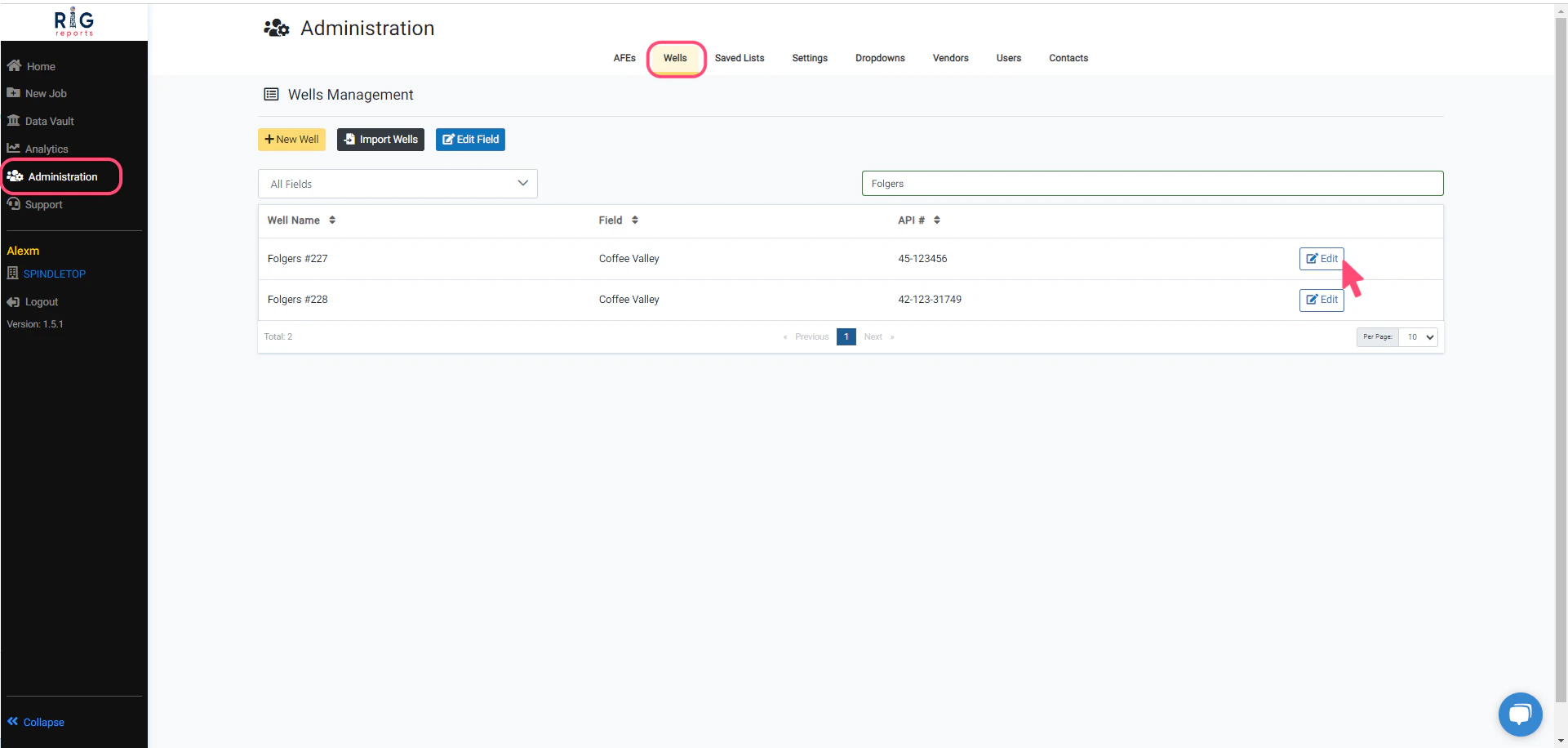
Edit Well

Edit Well Begin navigating to Wells Management from_ _Administration -> Wells. To make changes to a well, simply click on the **Edit **button in the row of the desired well. Access to the Wells Management page is only available to users with the role of Administrator

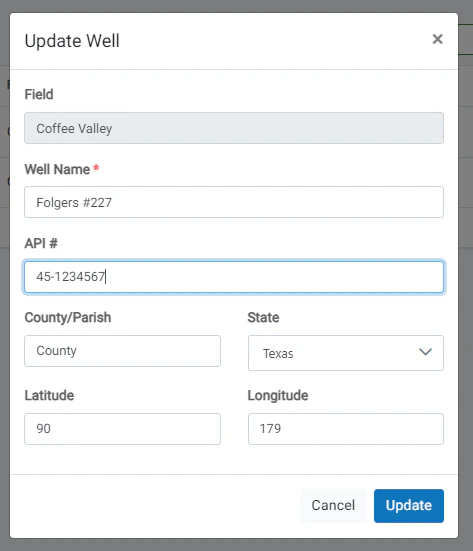
Edit Well Form

Edit Well Form To update a well, make your desired changes for the well properties. Then, click the **Update **button to save your changes. A message will pop up in the top right corner indicating that well was updated successfully.

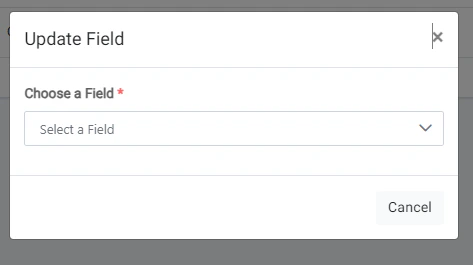
Choose a Field

Choose a Field Next, select the field that you would like to edit. Once the field is selected, you can modify the available field properties. After the desired field changes are complete, click the **Update **button to save changes.

Well Edit Restrictions

Well Edit Restrictions
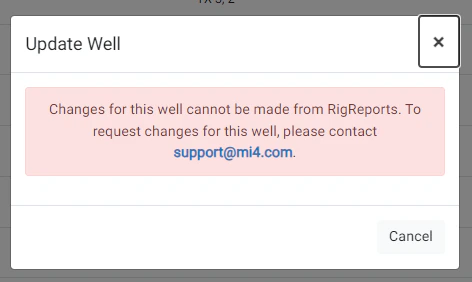
  • Please note that some wells cannot be modified from RigReports.
  • You will need to support@mi4.com for any changes to these wells due to the complexity of timeline modifications affecting production data.

Field Updated Success
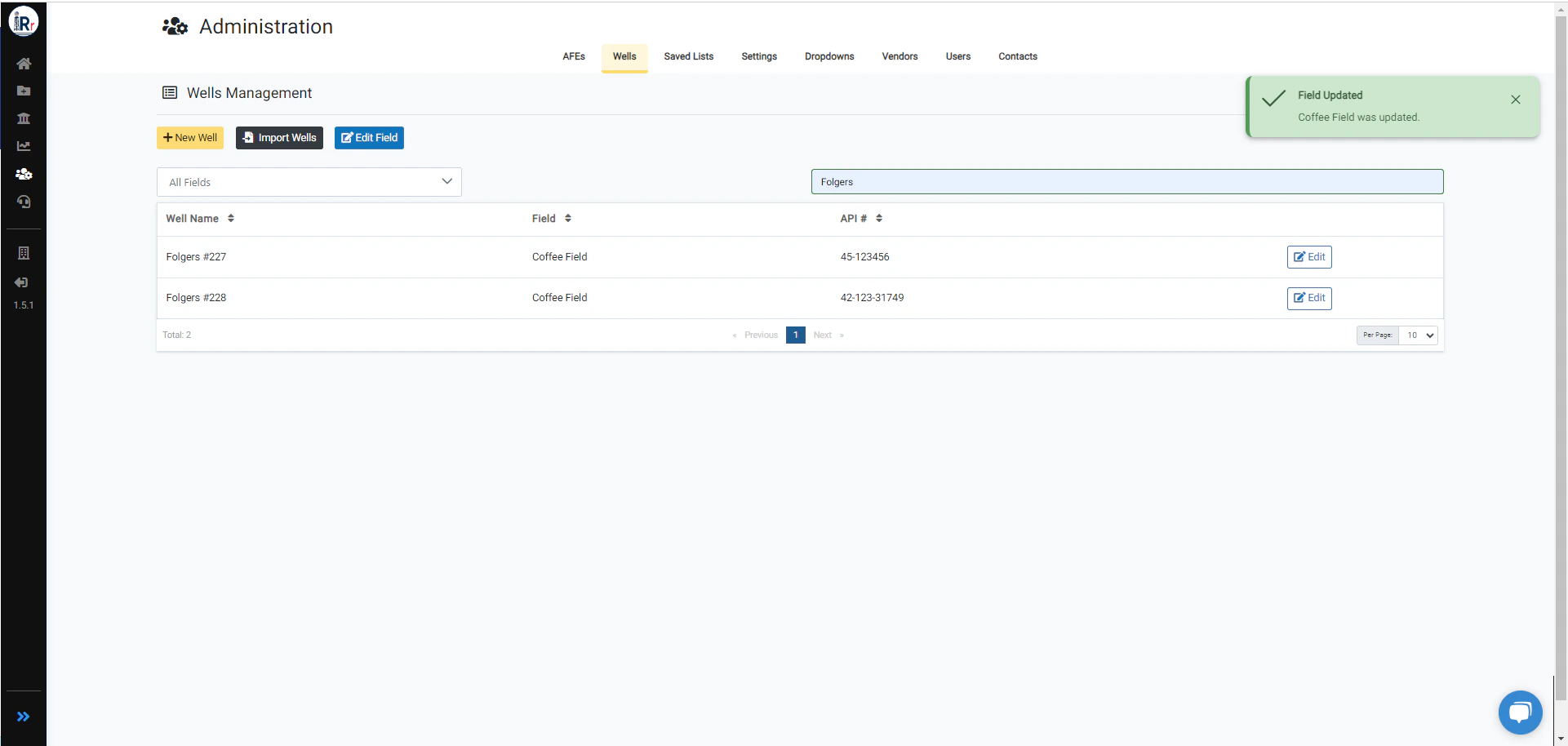
Field Updated Success A message will pop up after the field is updated successfully.