> ## Documentation Index
> Fetch the complete documentation index at: https://docs.rigreports.com/llms.txt
> Use this file to discover all available pages before exploring further.
# Copy Wellbore Diagram
## Open the Copy Wellbore Diagram Window
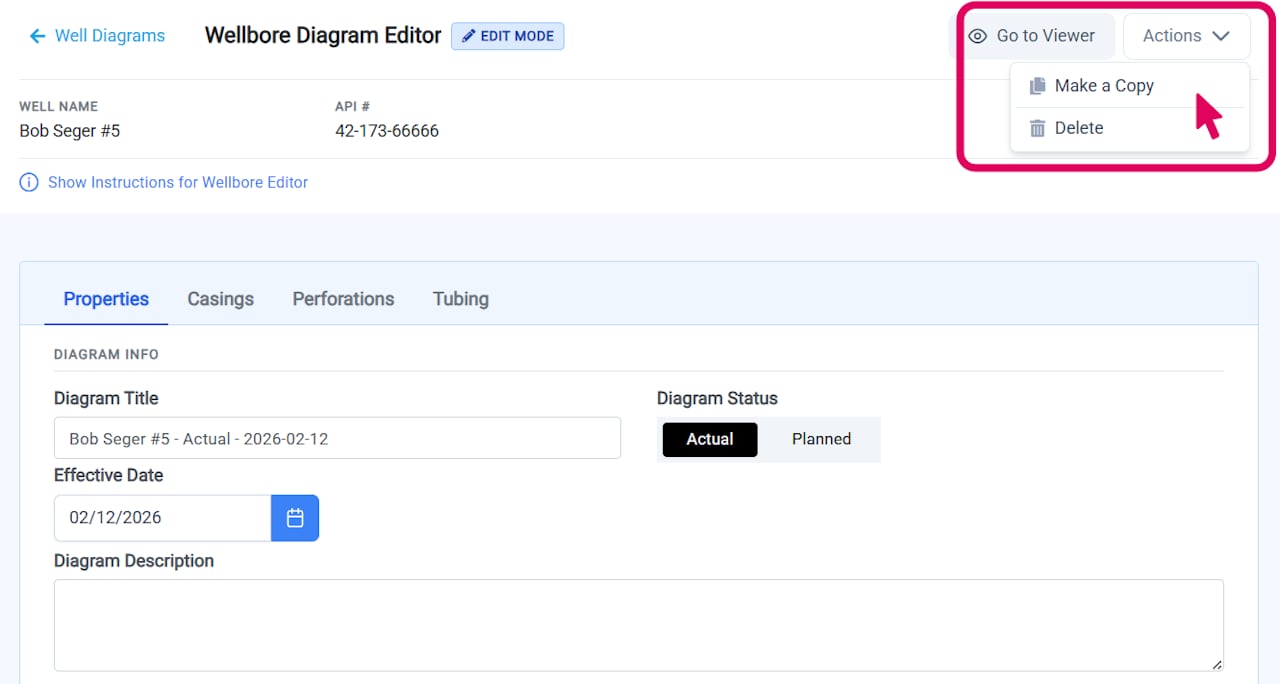
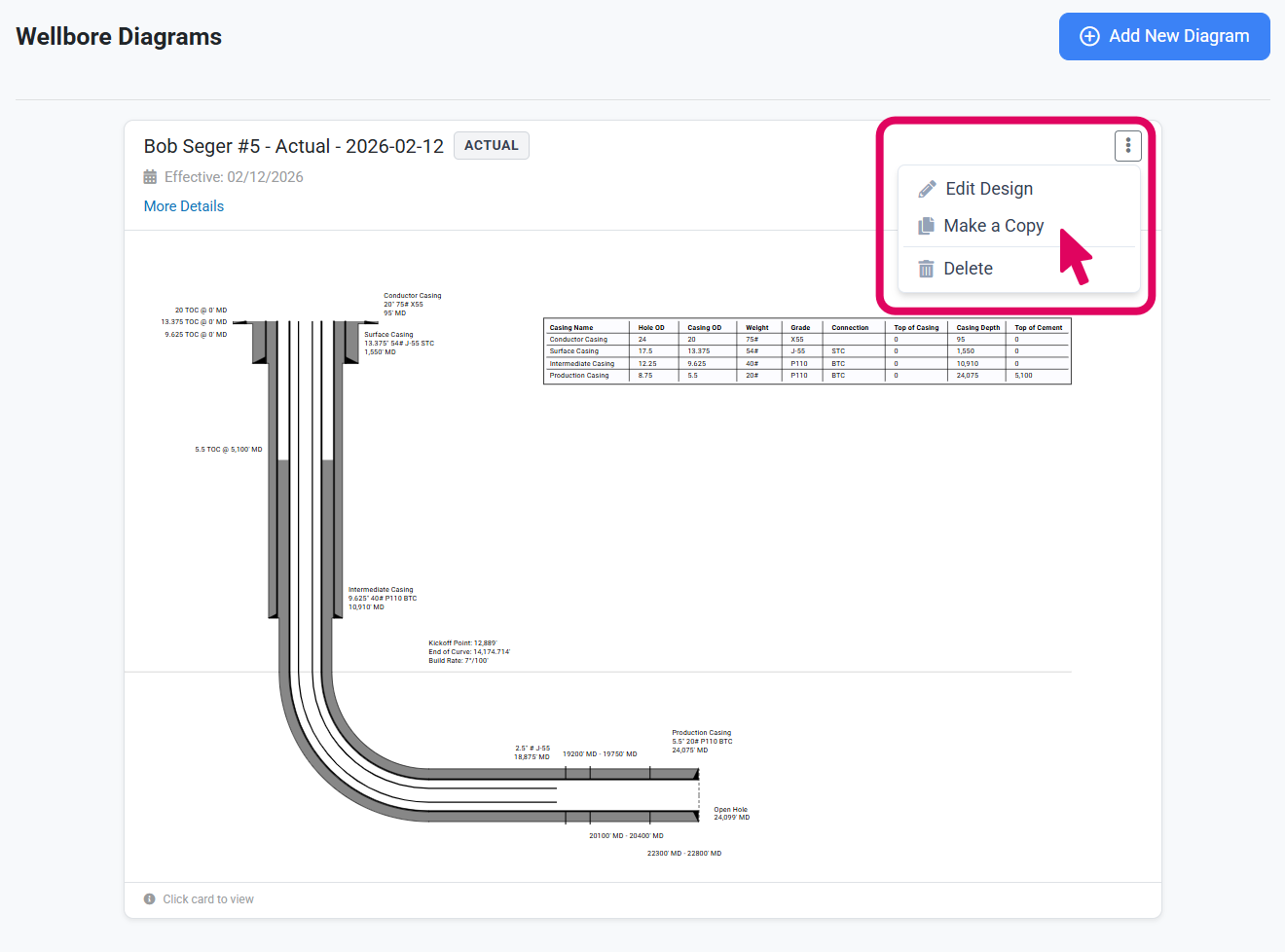
To create a copy of an existing wellbore diagram, locate the diagram you want to duplicate. You can access the copy function from three locations:
**From the list page** - Click the three-dot menu button in the bottom right corner of any diagram card and select **Make a Copy**.
**From the editor** - Click the three-dot menu button at the top of the editor and select **Make a Copy**.
**From the viewer** - Click the three-dot menu button at the top of the viewer and select **Make a Copy**.
The copy modal will open, displaying information about the source diagram.
 ## Review and Customize
**Review Source Diagram**
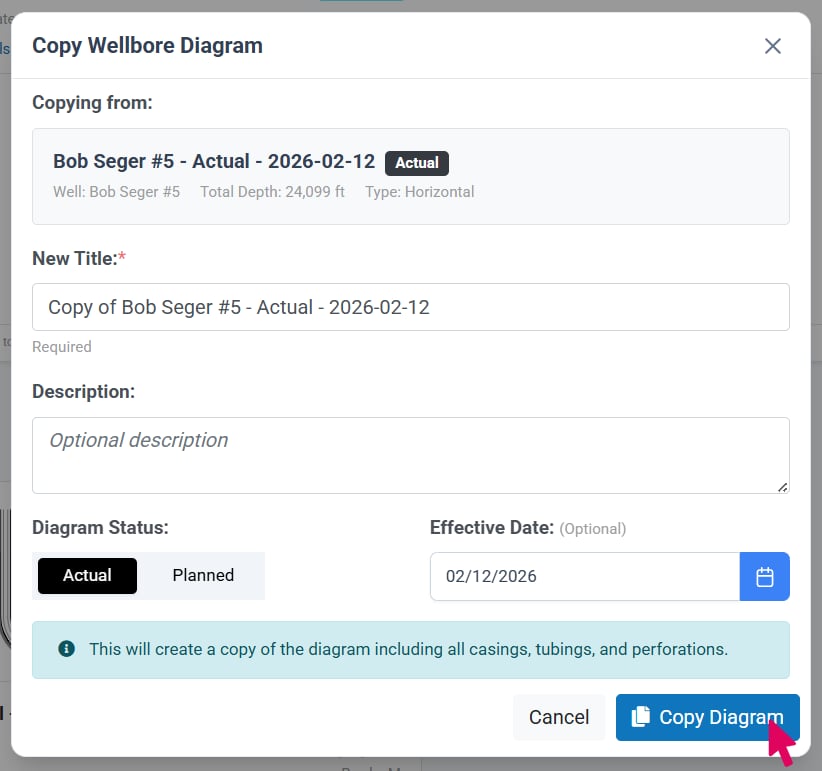
The copy diagram window displays information about the diagram you're copying to confirm you've selected the correct source: original diagram title, description, well name, API number, creation date and creator.
**Customize**
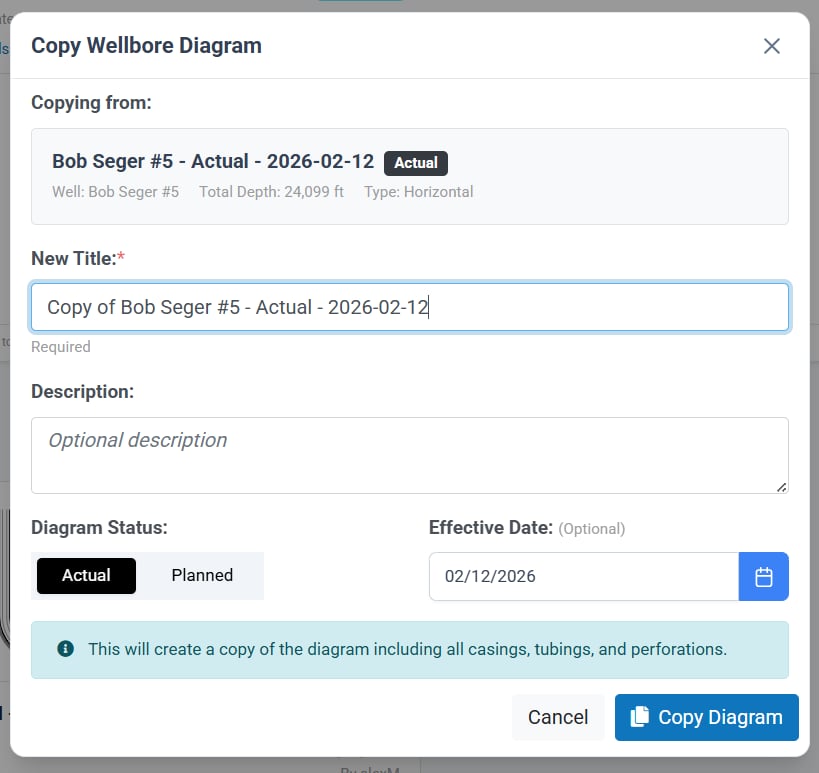
The new diagram's fields are pre-filled with data from the source diagram. You can update the new diagram's title, description, diagram type and date before creating the copy.
The copy operation duplicates all diagram data: design configuration, casings, perforations, and tubing.
## Review and Customize
**Review Source Diagram**
The copy diagram window displays information about the diagram you're copying to confirm you've selected the correct source: original diagram title, description, well name, API number, creation date and creator.
**Customize**
The new diagram's fields are pre-filled with data from the source diagram. You can update the new diagram's title, description, diagram type and date before creating the copy.
The copy operation duplicates all diagram data: design configuration, casings, perforations, and tubing.
 ## Create the Copy
After customizing your new diagram's details, review all fields to ensure everything is correct. When ready, click **Copy Diagram** at the bottom of the modal.
Once the copy is made, you will be automatically navigated to the editor for your new diagram.
## Create the Copy
After customizing your new diagram's details, review all fields to ensure everything is correct. When ready, click **Copy Diagram** at the bottom of the modal.
Once the copy is made, you will be automatically navigated to the editor for your new diagram.