> ## Documentation Index
> Fetch the complete documentation index at: https://docs.rigreports.com/llms.txt
> Use this file to discover all available pages before exploring further.
# Version 2.4.8
## Release Notes - \[08/29/2026]
**🚀 New Features**
* Total Footage Drilled on Bit Records
* Bit Record Export (PDF/XLSX)
* Homepage View Preference
🌟 **Enhancements**
* Draft reports are now visible in the report viewer preview to users without report-editing privileges
* Various improvements to the mobile experience
**🔎 Bug Fixes**
* Fixed a bug that caused duplication issues for source components when editing a BHA Group immediately after it was cloned
* Improved handling for dark browser themes in Google Chrome and Microsoft Edge — some input components were not properly visible when a dark browser theme was applied
## Total Footage Drilled on Bit Records
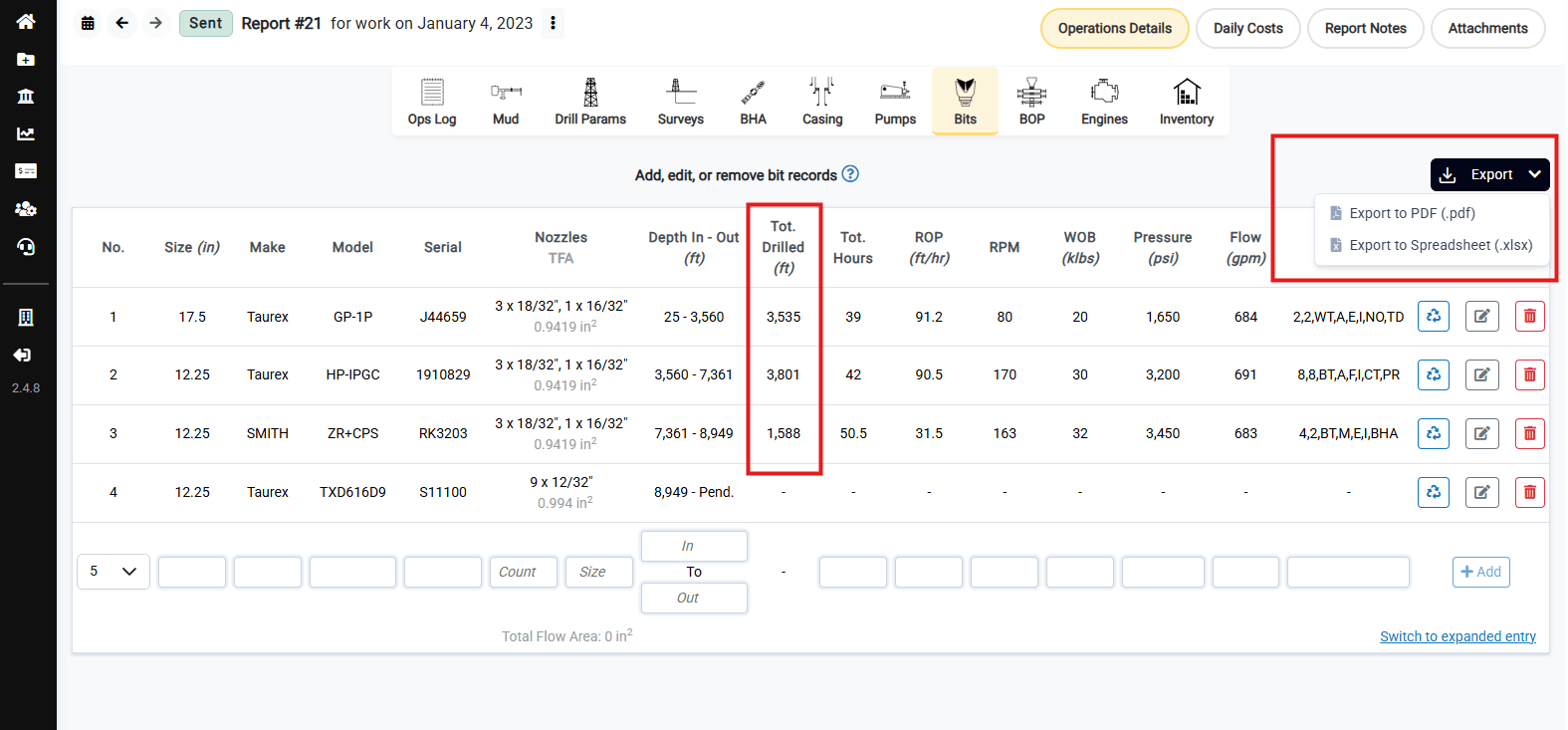
The Bits table on the report editor page now calculates and displays **Tot. Drilled (ft)** for each bit record, based on the entered depth in and depth out. This total is calculated automatically and updates immediately as depths are entered or changed, so there's no need to calculate footage by hand.
 ## Bit Record Export
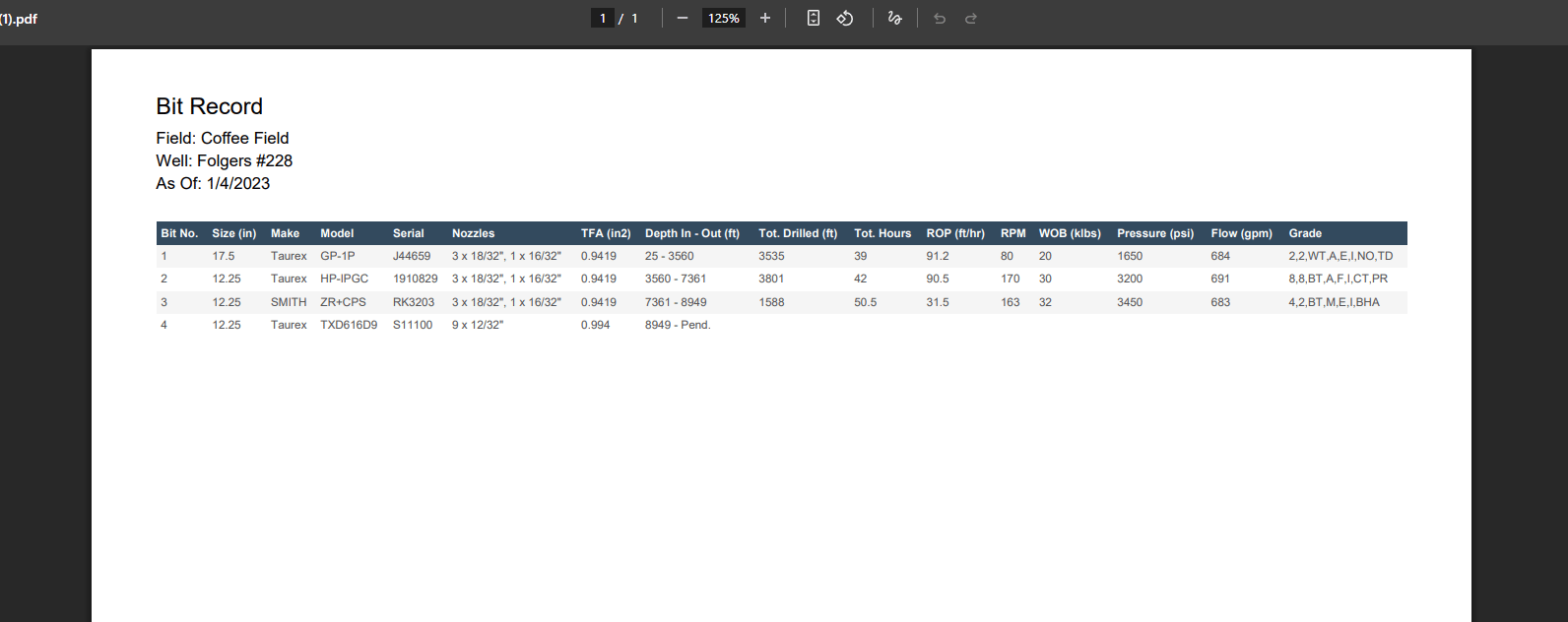
The Bit Record can now be exported directly from the report editor page. Click **Export** above the Bits table and choose **Export to PDF (.pdf)** or **Export to Spreadsheet (.xlsx)** to download the current bit record, including the new Total Drilled column.
## Bit Record Export
The Bit Record can now be exported directly from the report editor page. Click **Export** above the Bits table and choose **Export to PDF (.pdf)** or **Export to Spreadsheet (.xlsx)** to download the current bit record, including the new Total Drilled column.
 ## Homepage View Preference
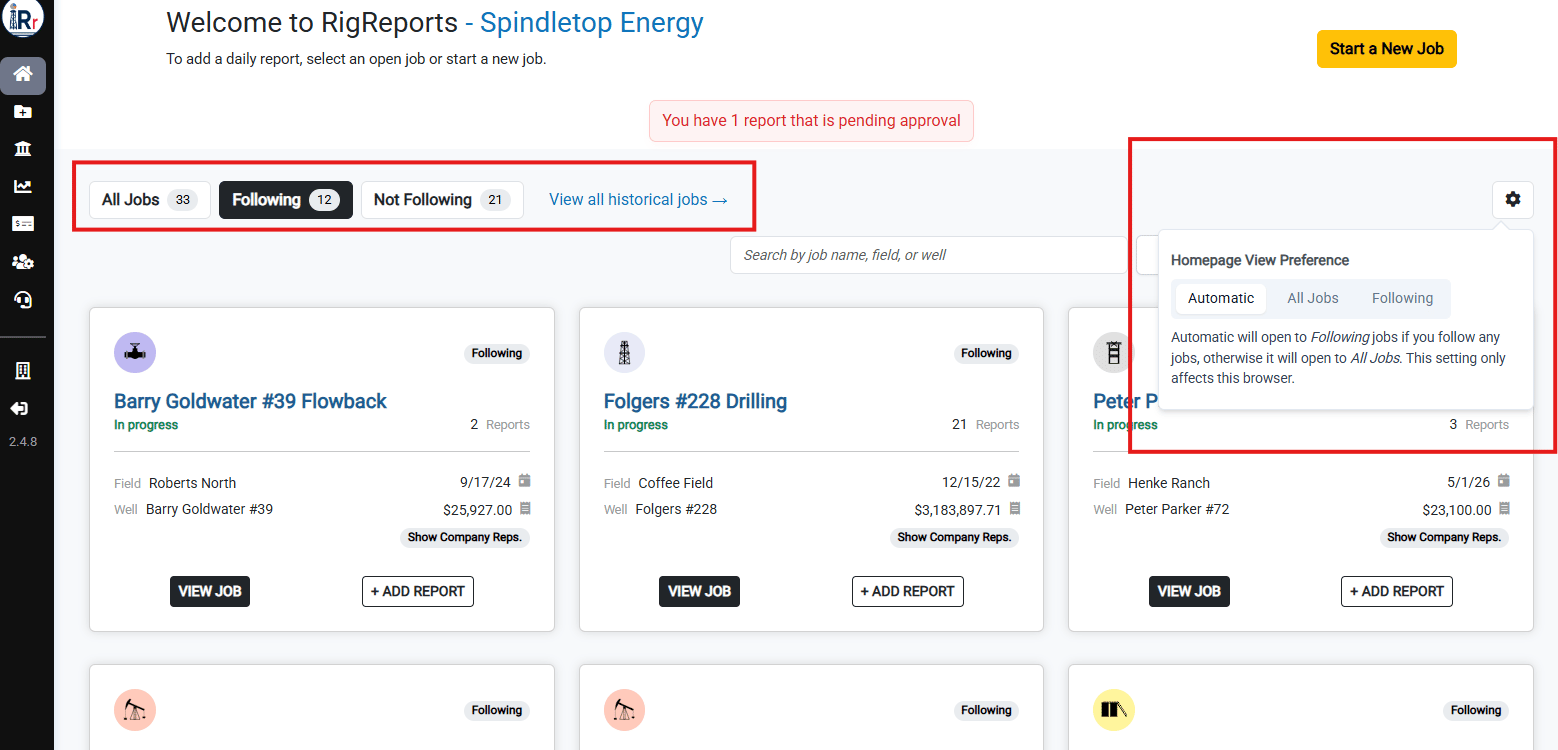
The Homepage job list now defaults intelligently based on your followed jobs: if you aren't following any jobs, it opens to **All Jobs** instead of an empty **Following** tab.
You can also set your own preference. Click the settings icon next to the job list tabs to choose between **Automatic** (opens to Following if you follow any jobs, otherwise All Jobs), **All Jobs**, or **Following**. This preference is remembered per browser.
## Homepage View Preference
The Homepage job list now defaults intelligently based on your followed jobs: if you aren't following any jobs, it opens to **All Jobs** instead of an empty **Following** tab.
You can also set your own preference. Click the settings icon next to the job list tabs to choose between **Automatic** (opens to Following if you follow any jobs, otherwise All Jobs), **All Jobs**, or **Following**. This preference is remembered per browser.
 ## Enhancements
### Draft Reports Now Visible in the Report Viewer
Previously, a report still in **Draft** status was hidden from the report viewer preview for users who did not have permission to edit reports on that job. Draft reports are now visible in the report viewer preview to all users with access to the job. This change only affects visibility in the preview — editing privileges for draft reports are unchanged.
### Mobile Experience Improvements
Various improvements were made to optimize the experience of viewing RigReports on a mobile device or phone.
## Enhancements
### Draft Reports Now Visible in the Report Viewer
Previously, a report still in **Draft** status was hidden from the report viewer preview for users who did not have permission to edit reports on that job. Draft reports are now visible in the report viewer preview to all users with access to the job. This change only affects visibility in the preview — editing privileges for draft reports are unchanged.
### Mobile Experience Improvements
Various improvements were made to optimize the experience of viewing RigReports on a mobile device or phone.