> ## Documentation Index
> Fetch the complete documentation index at: https://docs.rigreports.com/llms.txt
> Use this file to discover all available pages before exploring further.
# Version 1.6.4
## Release Notes - \[03/30/2024]
**🚀 New Features**
* AFE Management page moved from the Administration section to its own page
* AFE Summary, Budget, and Documents pages
* AFE Report
* AFE Comments
* AFE Approval Requests
* Create AFE Approval Requests
* Respond to AFE Approval Requests
* Cancel or Resend AFE Approval Requests
## AFE Management Page
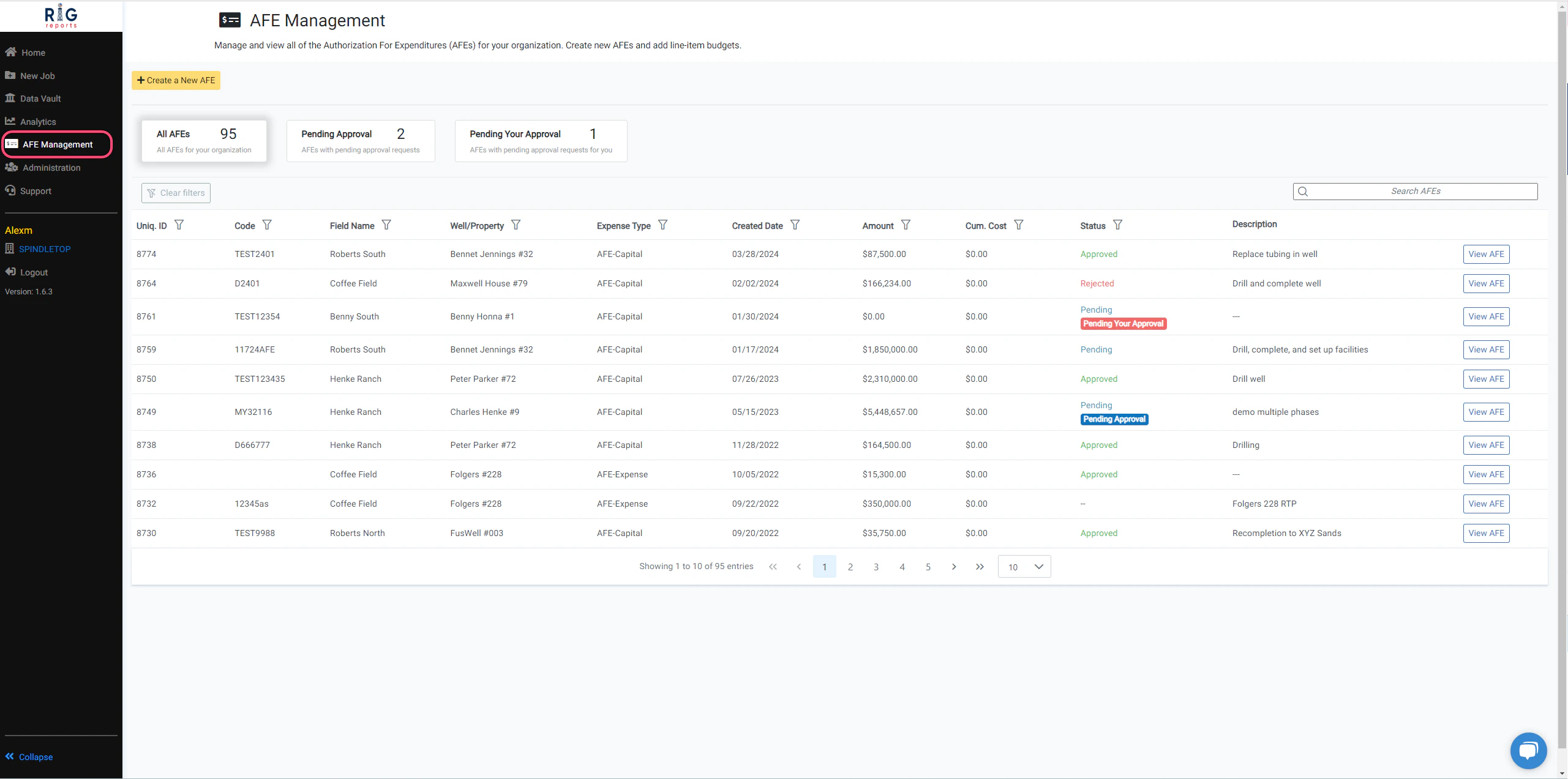 We've upgraded!
To provide you with more features we have moved this section to its very own page! 📝
AFE Management can now be accessed from it's own link in the side navigation menu. For the immediate future, you will be redirected to the new page when you click on AFE Management from the Administration menu page.
## AFE Approval Requests
AFEs can be reviewed and approved in RigReports. Using this functionality, your team can track who has approved AFEs with our easy-to-use workflow.
To create an AFE approval request, select the AFE you would like to begin the approval request workflow for from the AFE Management page.
## AFE Summary, Budget, and Documents
We've upgraded!
To provide you with more features we have moved this section to its very own page! 📝
AFE Management can now be accessed from it's own link in the side navigation menu. For the immediate future, you will be redirected to the new page when you click on AFE Management from the Administration menu page.
## AFE Approval Requests
AFEs can be reviewed and approved in RigReports. Using this functionality, your team can track who has approved AFEs with our easy-to-use workflow.
To create an AFE approval request, select the AFE you would like to begin the approval request workflow for from the AFE Management page.
## AFE Summary, Budget, and Documents
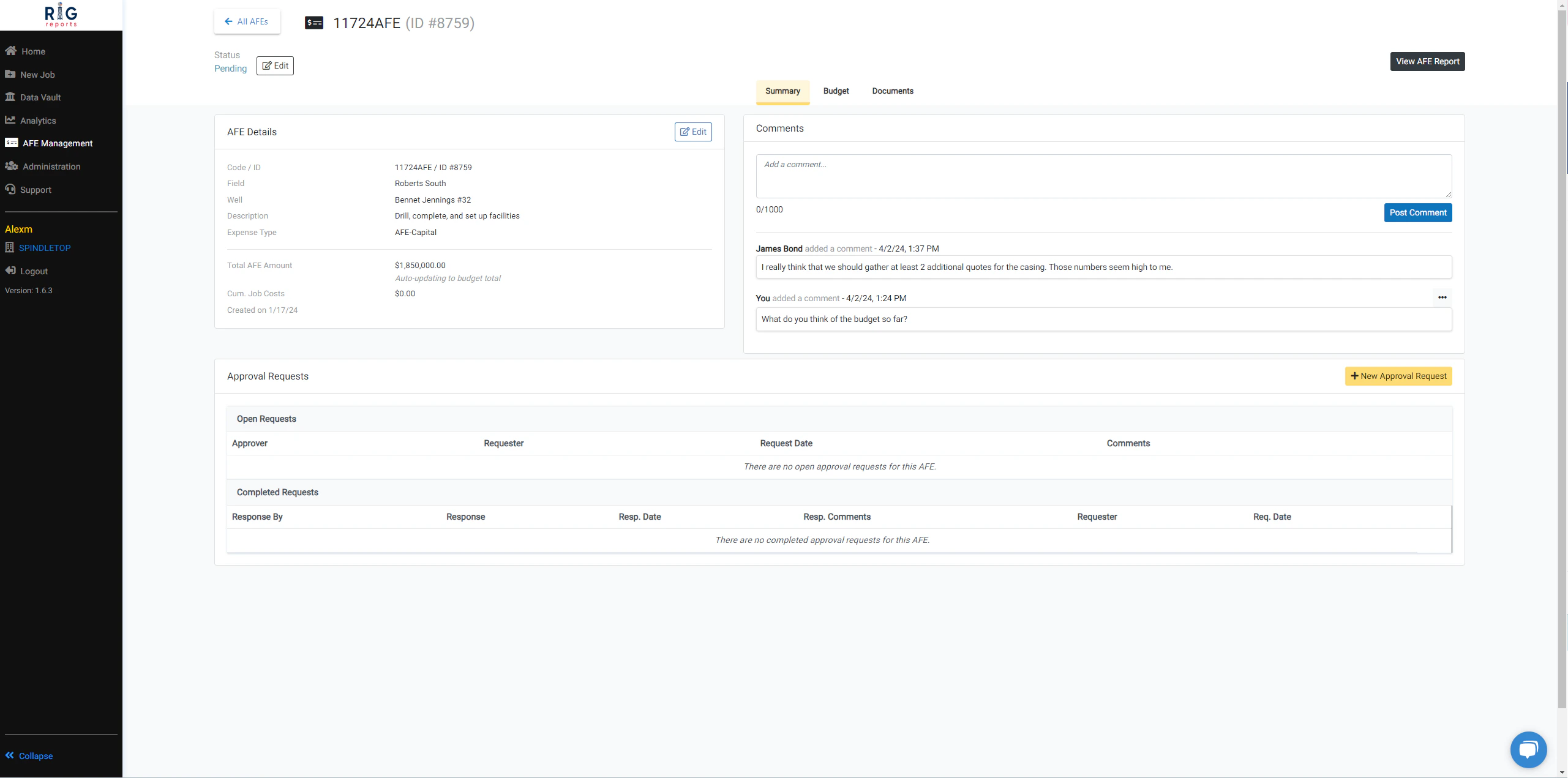 After clicking the "View AFE" button, you'll be directed to a summary page.
## AFE Comments
After clicking the "View AFE" button, you'll be directed to a summary page.
## AFE Comments
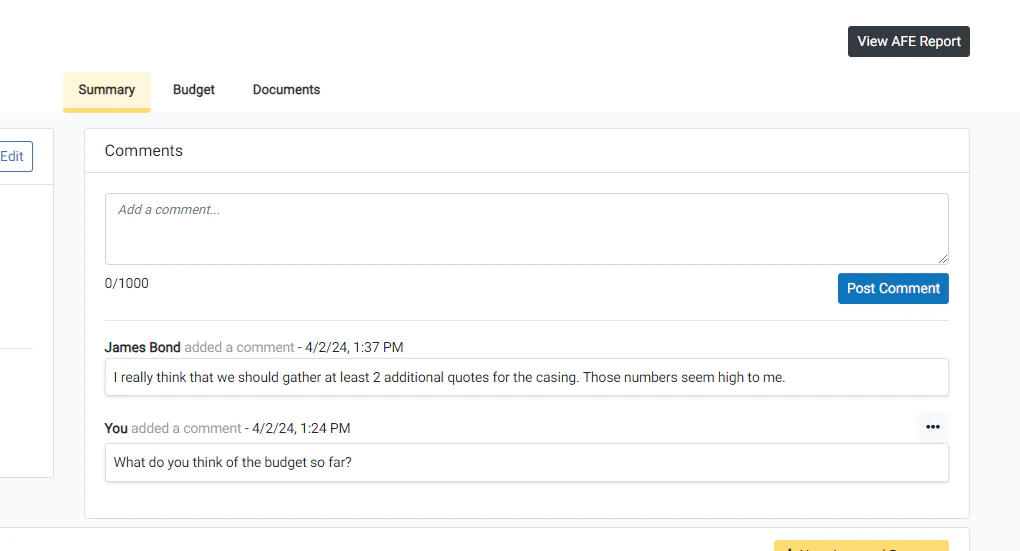 You can now add comments on AFEs for your team to view. Use the Comments section to engage in recorded discussions around decisions that need to be made on the AFE.
## Budget
You can now add comments on AFEs for your team to view. Use the Comments section to engage in recorded discussions around decisions that need to be made on the AFE.
## Budget
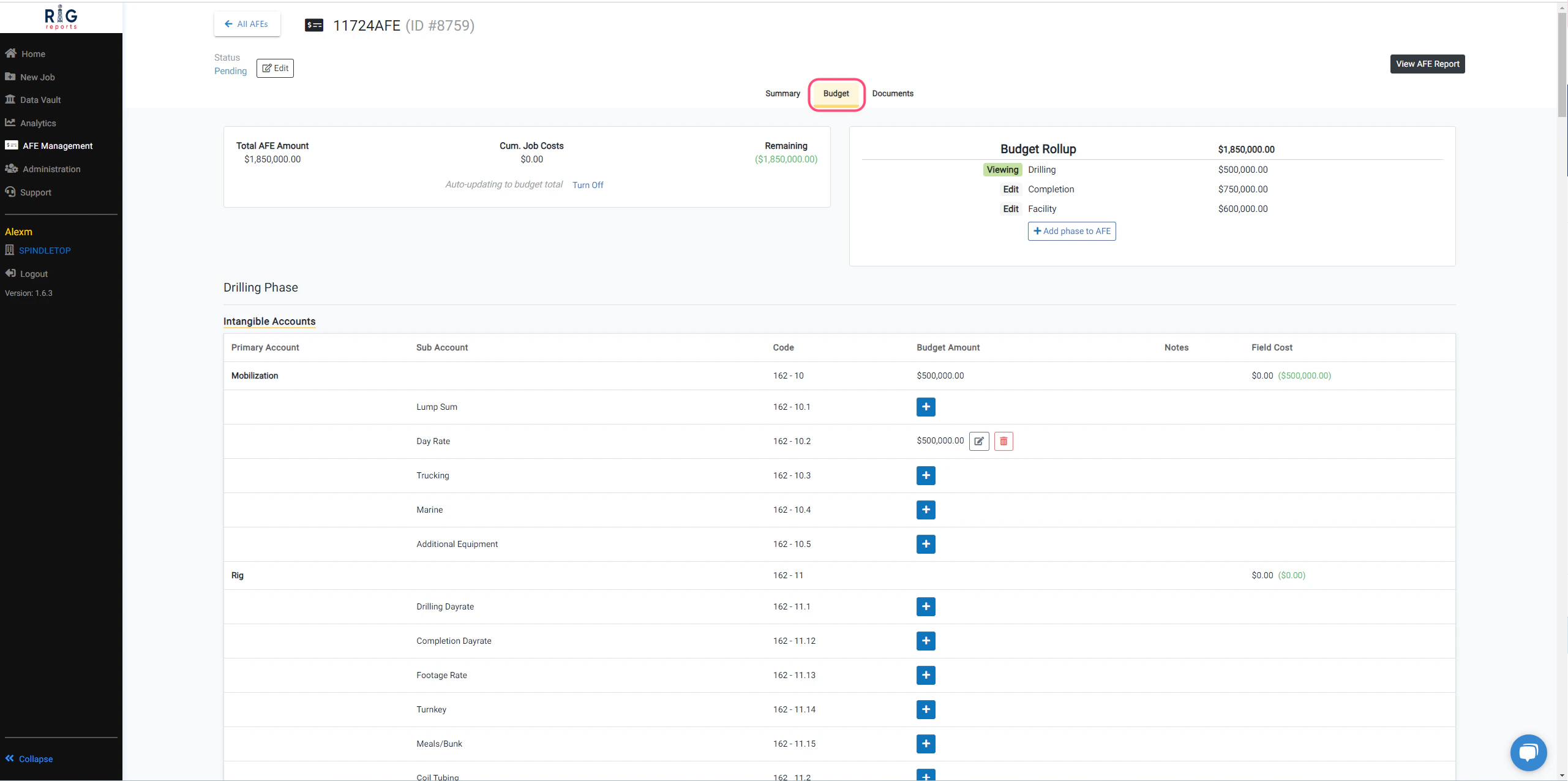 From the Budget tab, you can continue to create detailed line-item budgets for each of your operational phases for an AFE.
## AFE Report
From the Budget tab, you can continue to create detailed line-item budgets for each of your operational phases for an AFE.
## AFE Report
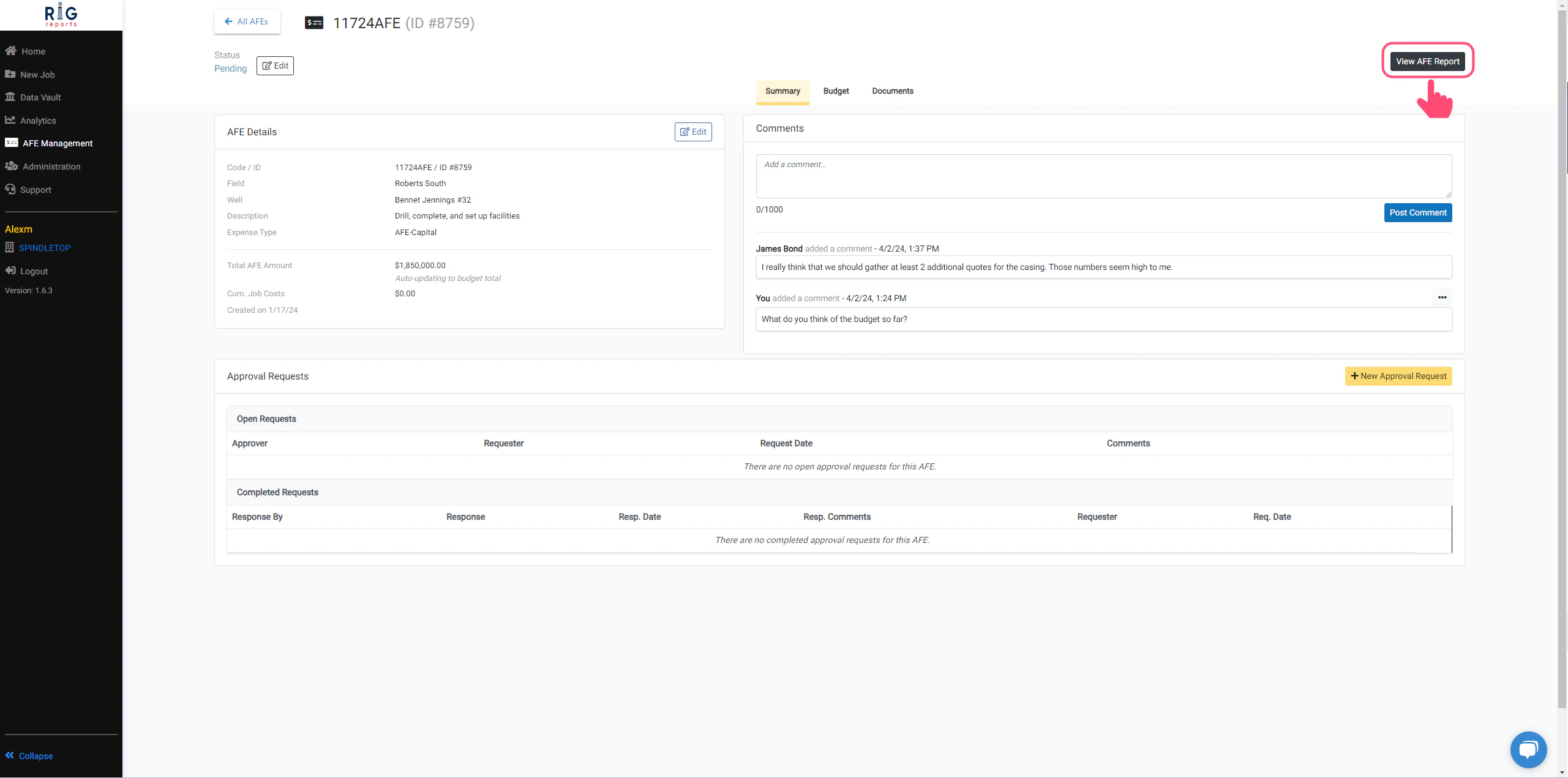 As requested, you can now download, print, and share a report with the line-item budget details of your AFE. Use this report to share the final details of your AFE with your team.
Access the AFE report with a simple click on the "View AFE Report" button.
Click the **View/Download Report** button to download a PDF copy of the report.
## Documents
As requested, you can now download, print, and share a report with the line-item budget details of your AFE. Use this report to share the final details of your AFE with your team.
Access the AFE report with a simple click on the "View AFE Report" button.
Click the **View/Download Report** button to download a PDF copy of the report.
## Documents
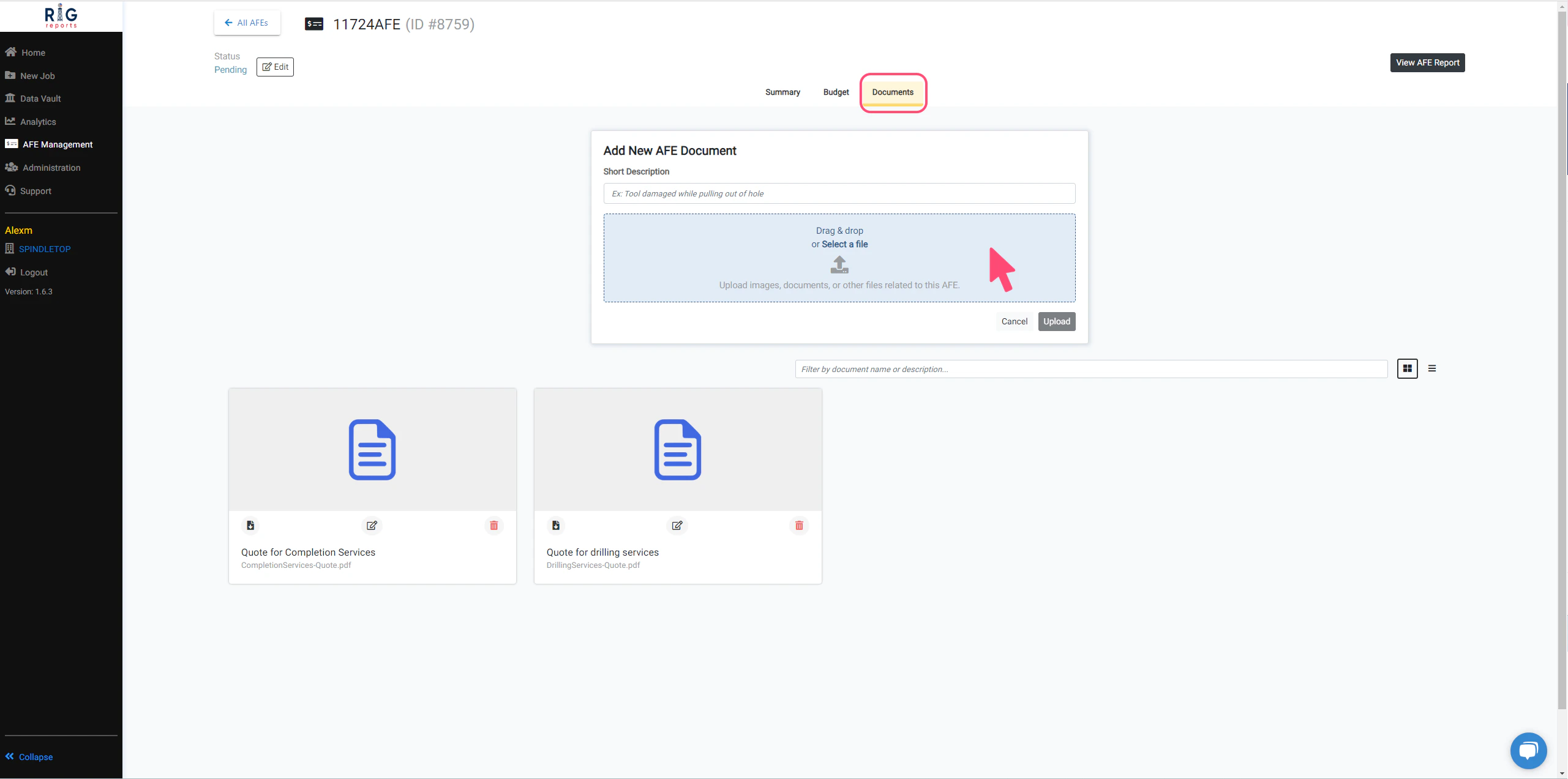 Store and manage all of the documents related to an AFE in one place! You can share estimates, plans and any other files related to the AFE with your team.
Simply navigate to the Documents tab to access everything you need. 🗂️
Drag & drop or Select a file to upload a document.
## Cancel or Resend AFE Approval Requests
## Create AFE Approval Request
## Respond to AFE Approval Request
## Respond to AFE Approval Request
## Cancel or Resend AFE Approval Requests
Store and manage all of the documents related to an AFE in one place! You can share estimates, plans and any other files related to the AFE with your team.
Simply navigate to the Documents tab to access everything you need. 🗂️
Drag & drop or Select a file to upload a document.
## Cancel or Resend AFE Approval Requests
## Create AFE Approval Request
## Respond to AFE Approval Request
## Respond to AFE Approval Request
## Cancel or Resend AFE Approval Requests