> ## Documentation Index
> Fetch the complete documentation index at: https://docs.rigreports.com/llms.txt
> Use this file to discover all available pages before exploring further.
# Version 1.5.1
## Release Notes - \[12/20/2023]
**🚀 New Features**
* Add Wells and Fields
* Edit Wells and Fields
* Import Wells
* Edit and Remove Users
* Plugs entry component
* New company access available immediately
## Plugs entry component
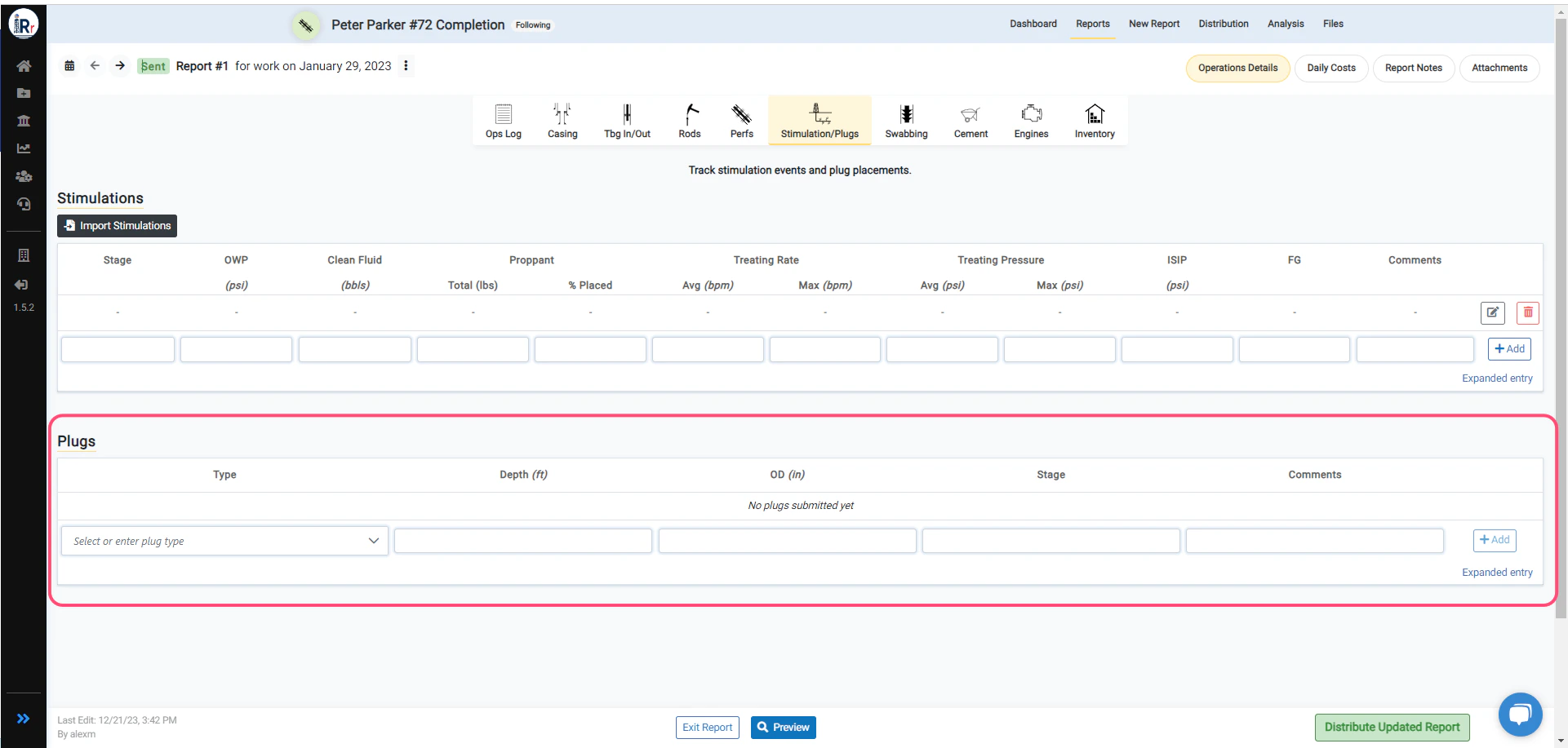 Plugs entry has been added in \_Workover \_and \_Completion \_jobs. Users can now add new plugs in the report easily.
## New Company Access
Plugs entry has been added in \_Workover \_and \_Completion \_jobs. Users can now add new plugs in the report easily.
## New Company Access
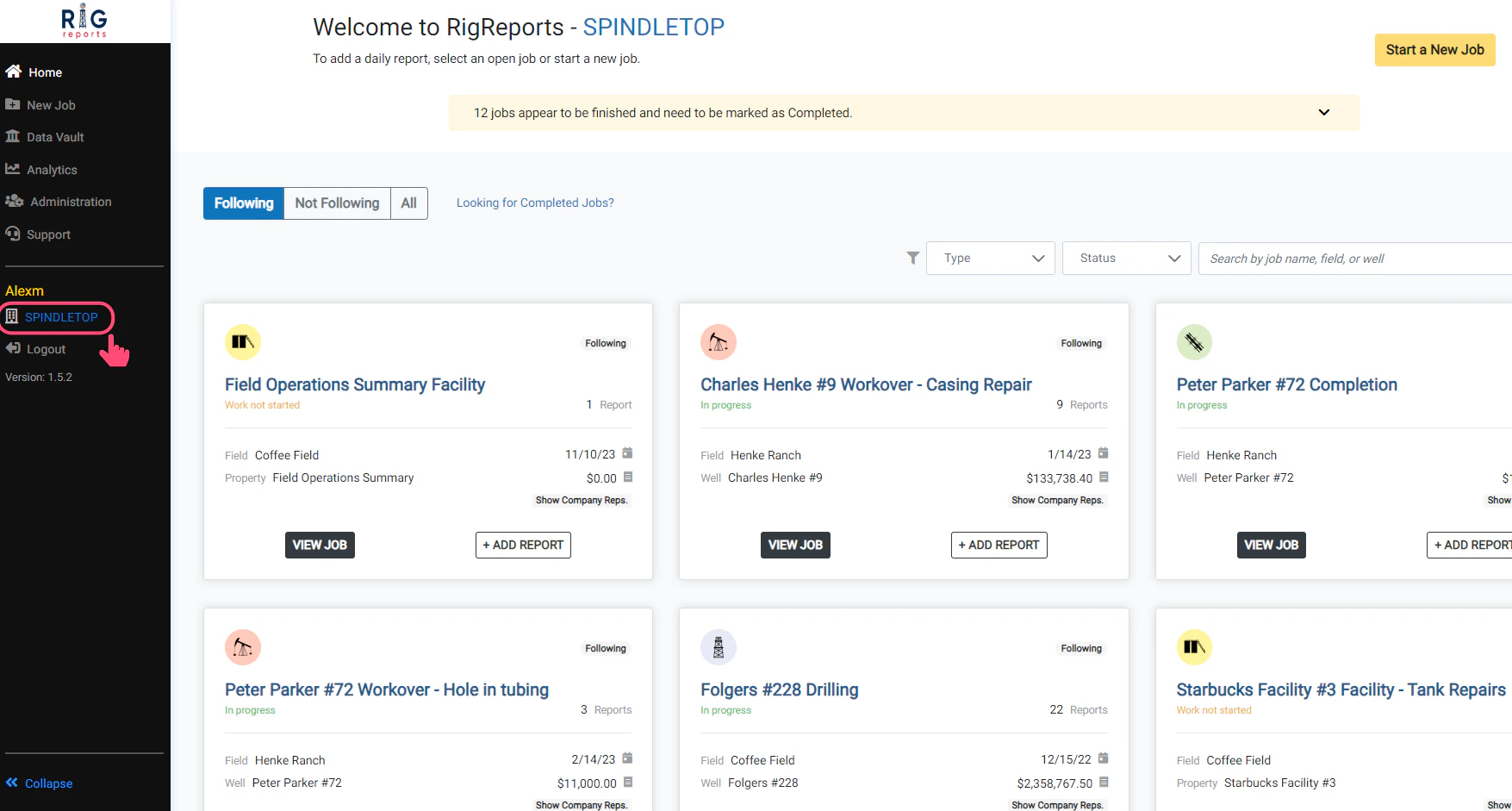 Users will no longer need to log out and log back in to gain access to new companies.
If you receive an email notifying you that you have been granted access to a new company environment while you are logged into the application, simply click the **Change Company** link in the left navigation menu.
You will then see a dropdown menu of all of the company environments that you have access to. Your new company will now be available to select and enter the environment.
## Add Wells and Fields
## How do I update a user's full name or role?
## Edit Wells and Fields
## Import Wells
## How do I add a plug?
## Inline entry
Users will no longer need to log out and log back in to gain access to new companies.
If you receive an email notifying you that you have been granted access to a new company environment while you are logged into the application, simply click the **Change Company** link in the left navigation menu.
You will then see a dropdown menu of all of the company environments that you have access to. Your new company will now be available to select and enter the environment.
## Add Wells and Fields
## How do I update a user's full name or role?
## Edit Wells and Fields
## Import Wells
## How do I add a plug?
## Inline entry
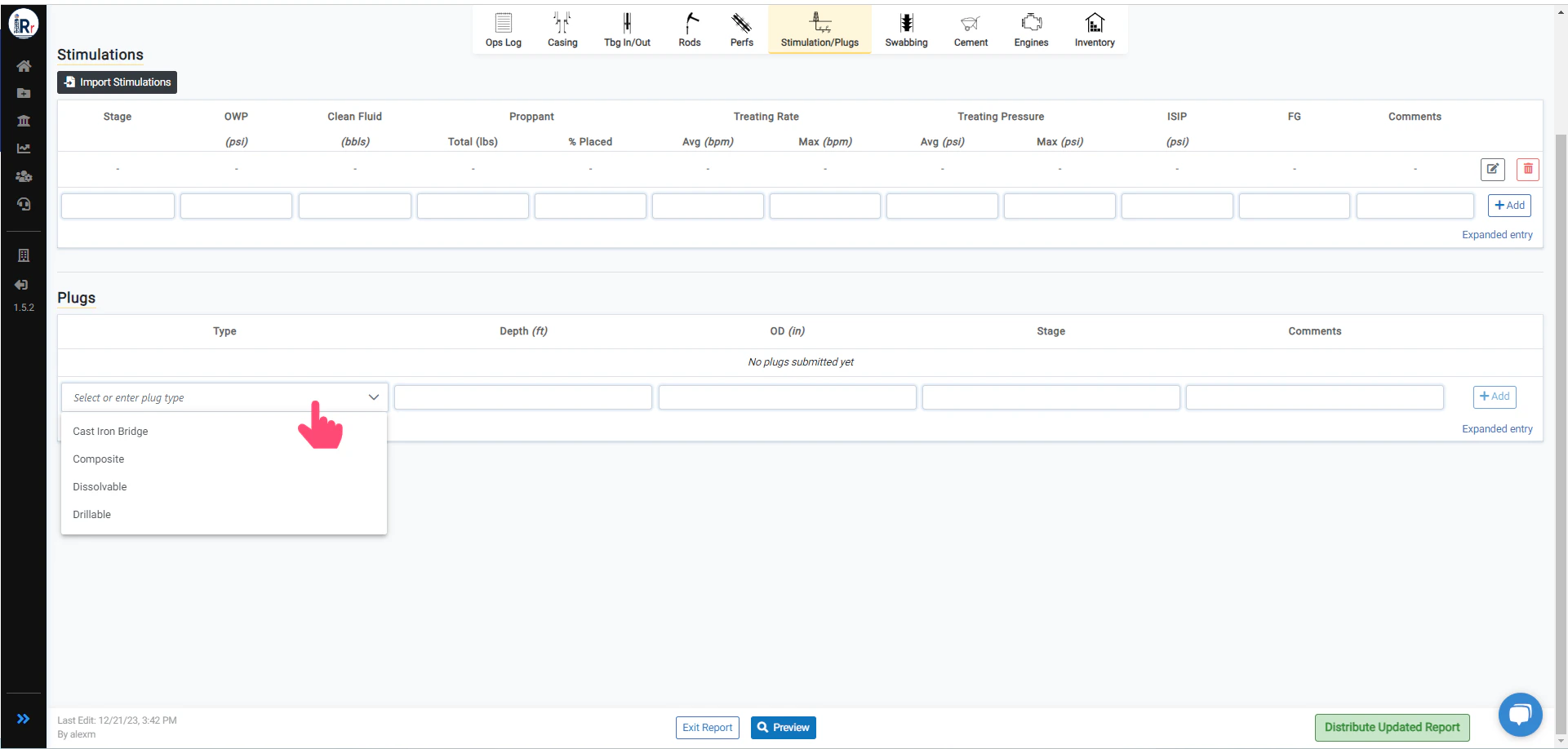 You can quickly add a new plug by selecting or entering plug type and other information.