> ## Documentation Index
> Fetch the complete documentation index at: https://docs.rigreports.com/llms.txt
> Use this file to discover all available pages before exploring further.
# Version 1.3.2
## Release Notes - \[03/01/2023]
**🚀 New Features**
* Afternoon Update Reports
* New Stimulation entry options and Import
* Well Files
* Report distribution status table
* Improved Admin menu and interface
**🔧 Fixes**
* Fixed issue with some AFE options not being retrieved when editing a job
* Fixed minor issue with saving Settings changes
## Afternoon Update Reports
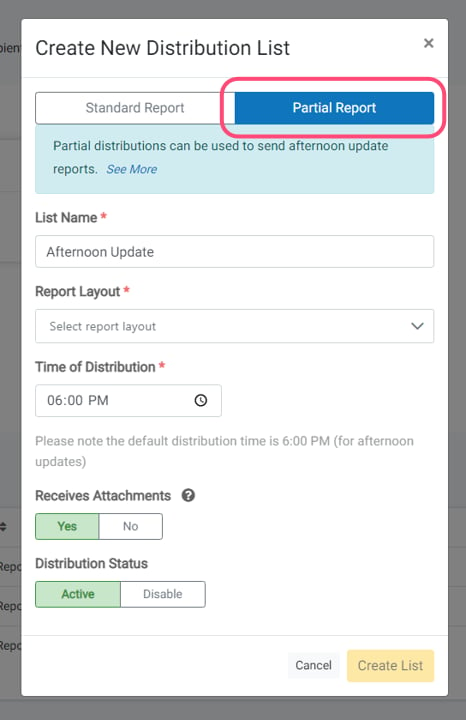 Companies can now schedule mid-afternoon distribution reports (typically 6:00 PM) in addition to standard morning reports. Select **Partial Report** option when creating distribution lists. These distribute the same day as the work date, even in draft status — no submission is required before distribution. It is recommended to use "operations only" layouts like "Daily Drilling Operations No Costs" for these reports.
## New Stim Entry Options and Import
Companies can now schedule mid-afternoon distribution reports (typically 6:00 PM) in addition to standard morning reports. Select **Partial Report** option when creating distribution lists. These distribute the same day as the work date, even in draft status — no submission is required before distribution. It is recommended to use "operations only" layouts like "Daily Drilling Operations No Costs" for these reports.
## New Stim Entry Options and Import
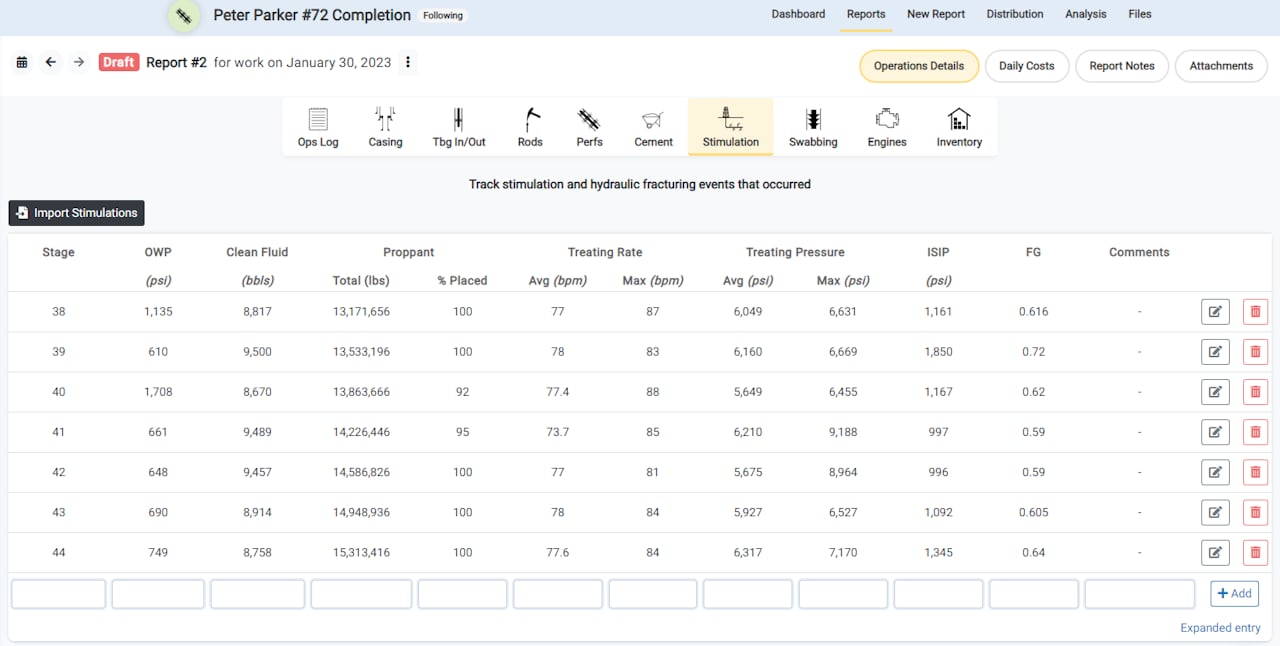 The Stimulations entry component has been enhanced for workover and completion jobs, with new stage-based data fields for hydraulic fracturing completions. New parameters include OWP pressure, fluid amounts, proppant quantities, and treating rates.
## Import Stimulations
The Stimulations entry component has been enhanced for workover and completion jobs, with new stage-based data fields for hydraulic fracturing completions. New parameters include OWP pressure, fluid amounts, proppant quantities, and treating rates.
## Import Stimulations
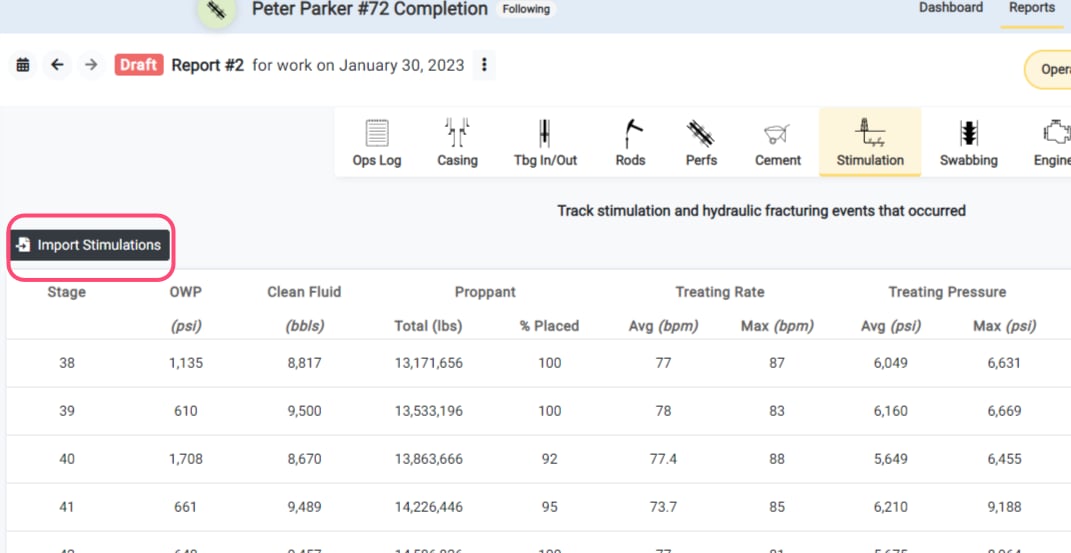
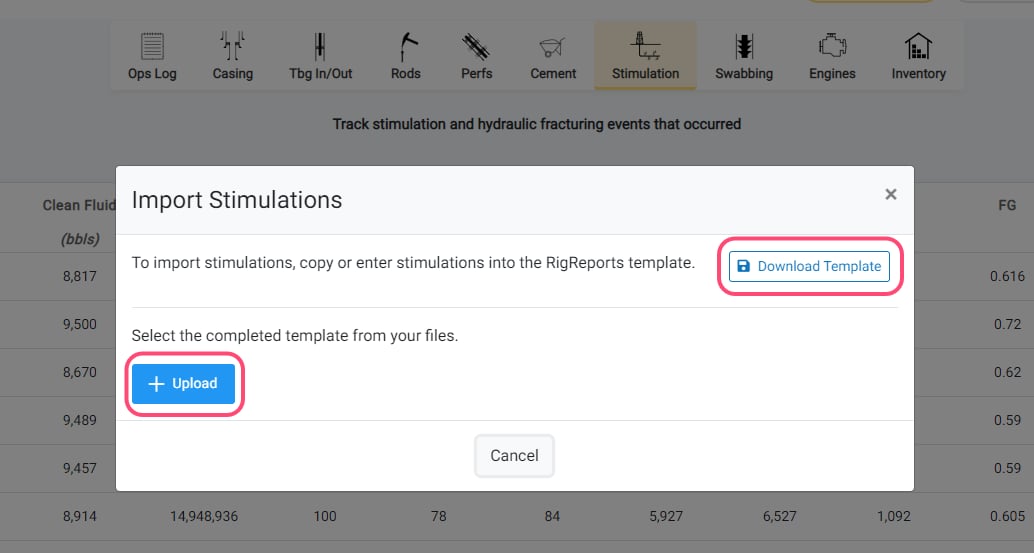
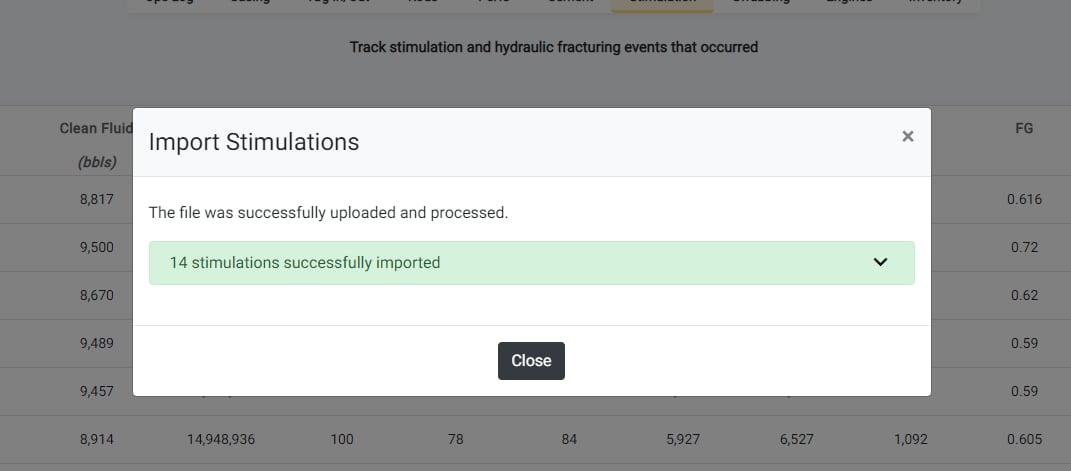 To use the Import Stimulations feature, click the **Import Stimulations** button, download the provided Excel template, complete the template with your stimulation data, and then upload the file to create new stimulation entries.
## Well Files
To use the Import Stimulations feature, click the **Import Stimulations** button, download the provided Excel template, complete the template with your stimulation data, and then upload the file to create new stimulation entries.
## Well Files
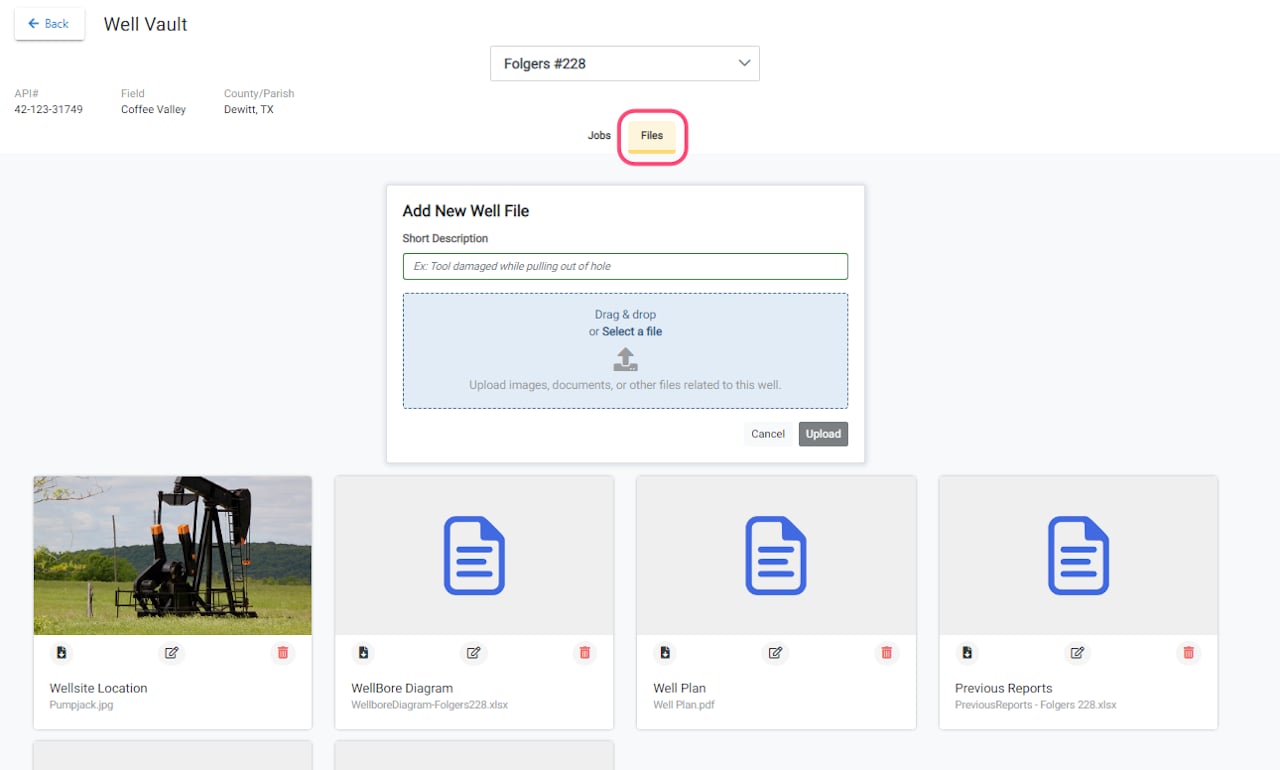 Users can now upload and manage files for a well that are not directly related to a job, enabling document storage and team access. Acceptable file types include wellsite photographs, wellbore diagrams, scanned historical reports, and other well-related documents. Adding descriptive information helps colleagues locate materials efficiently.
## Report Distribution Status Table
Users can now upload and manage files for a well that are not directly related to a job, enabling document storage and team access. Acceptable file types include wellsite photographs, wellbore diagrams, scanned historical reports, and other well-related documents. Adding descriptive information helps colleagues locate materials efficiently.
## Report Distribution Status Table
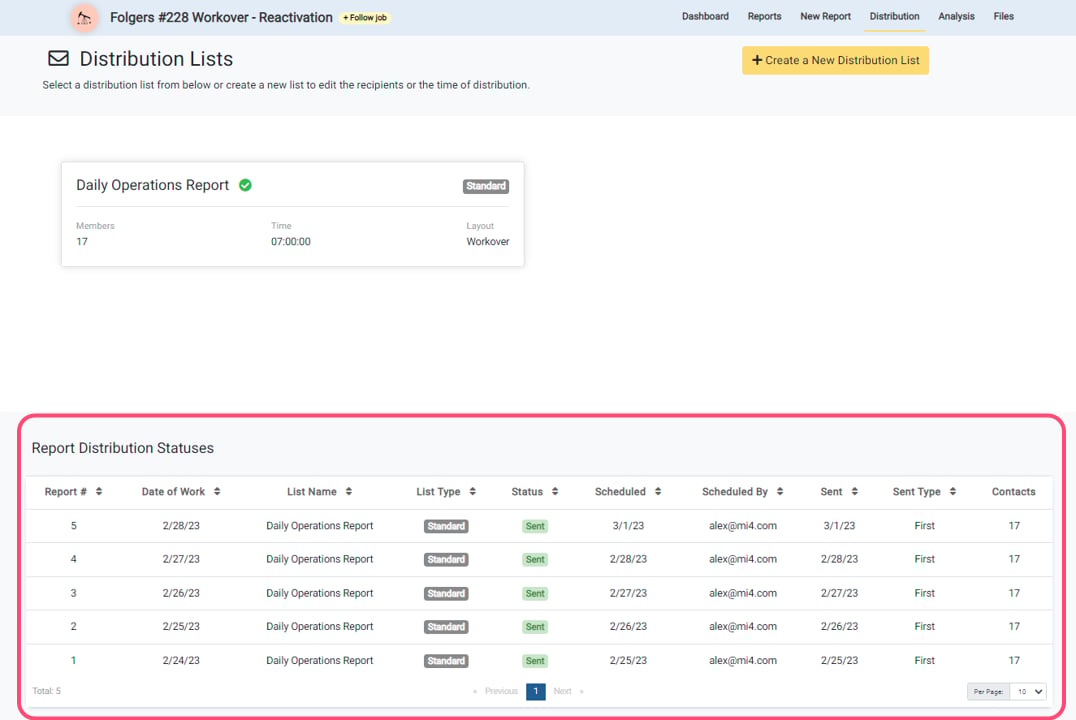 A new **Report Distribution Status Table** is now available on the Job Distribution page. This table tracks report distribution across jobs and displays scheduled reports pending distribution, already-distributed reports, the number of distribution lists per report, and re-distribution instances. The feature helps users verify whether reports have been sent.