> ## Documentation Index
> Fetch the complete documentation index at: https://docs.rigreports.com/llms.txt
> Use this file to discover all available pages before exploring further.
# Version 1.0.5
## Release Notes - \[08/18/2022]
**🚀 New Features**
* Facility Jobs
* Report Layout Samples
* Update Cost Accounts
* Drill String Input
* Slow Pump Rate
* Download Analysis Data
**✨ Enhancements**
* Report Packet Functionality
## Facility Jobs
### Creating a Facility Job
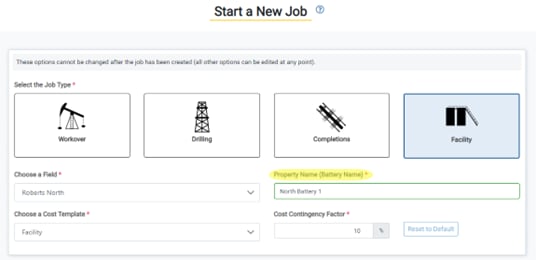
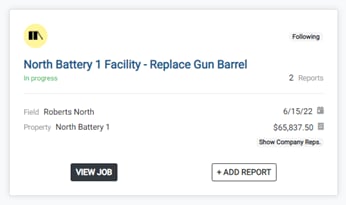 Facility job types are now available. Create reports and manage your facility-level work. Users can establish facility-level jobs by selecting a field and providing a property name, which might describe a battery name, area of the field, or whatever descriptor you would like.
### Operations Entry Components
Facility job types are now available. Create reports and manage your facility-level work. Users can establish facility-level jobs by selecting a field and providing a property name, which might describe a battery name, area of the field, or whatever descriptor you would like.
### Operations Entry Components
 Currently, the operations entry components available for a facility job are Ops Log, Engines, and Inventory. More entry components will be available in the future.
## Report Layout Samples
### View Report Layouts
Currently, the operations entry components available for a facility job are Ops Log, Engines, and Inventory. More entry components will be available in the future.
## Report Layout Samples
### View Report Layouts
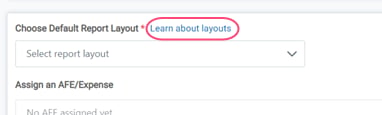 Users can now view the report layouts available for each job on a Help page.
### Accessible from Support Page
Users can now view the report layouts available for each job on a Help page.
### Accessible from Support Page
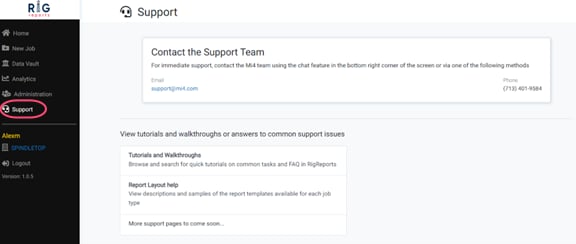 The Report Layouts Help page can also be accessed from the main Support page, available on the left navigation menu.
### Report Layout Options
The Report Layouts Help page can also be accessed from the main Support page, available on the left navigation menu.
### Report Layout Options
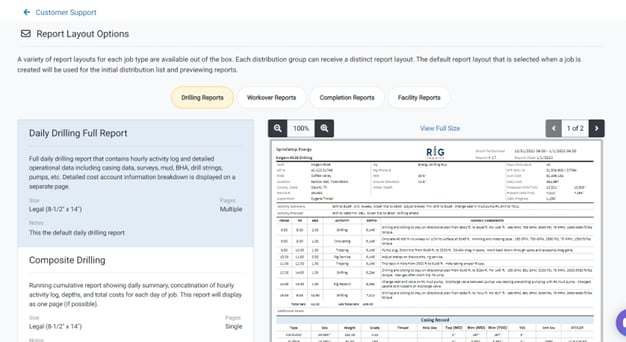 The page includes descriptions, report sizes, and sample documents of each report available. Links to the Report Layouts Help page are also available from the Create Job and Edit Job pages.
### Layout and Format Options
The page includes descriptions, report sizes, and sample documents of each report available. Links to the Report Layouts Help page are also available from the Create Job and Edit Job pages.
### Layout and Format Options
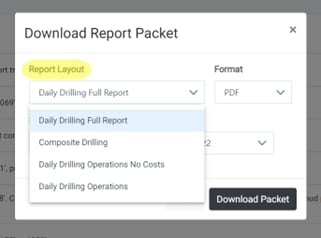
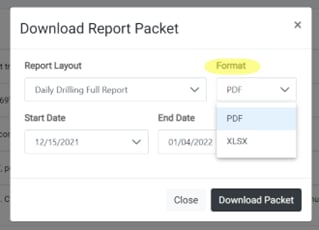 Select the report layout you want to view and the format you want. Reports can be downloaded in PDF or XLS/Excel format.
## Update Cost Accounts
### Ability to Update Cost Accounts
Select the report layout you want to view and the format you want. Reports can be downloaded in PDF or XLS/Excel format.
## Update Cost Accounts
### Ability to Update Cost Accounts
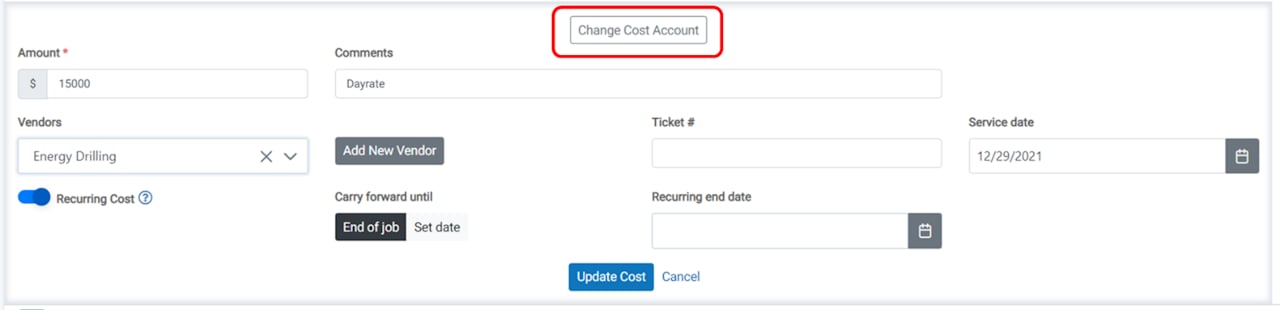 Users can now update the cost account directly for a cost that has been entered on a report by clicking the **Edit Cost** button and then the **Change Cost Account** button, which opens a dropdown menu.
### Update Cost Accounts (continued)
Users can now update the cost account directly for a cost that has been entered on a report by clicking the **Edit Cost** button and then the **Change Cost Account** button, which opens a dropdown menu.
### Update Cost Accounts (continued)
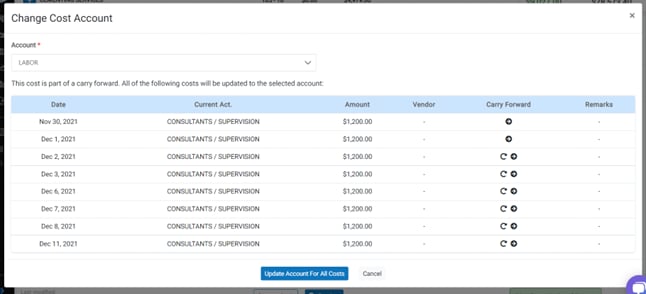 The system can detect costs sharing identical amounts and vendors across different dates, offering users the choice to update all instances or selected items only.
## Drill String Input
The system can detect costs sharing identical amounts and vendors across different dates, offering users the choice to update all instances or selected items only.
## Drill String Input
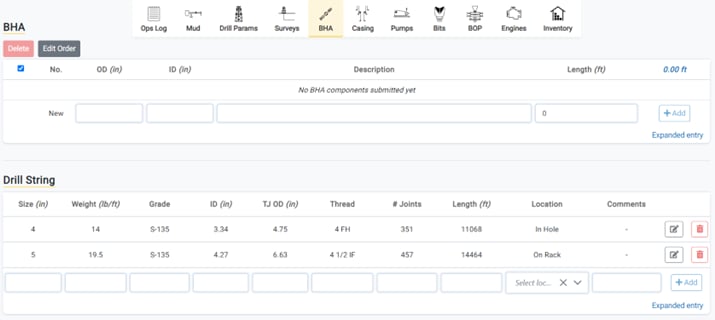
 A new Drill String Input component allows users to monitor drill strings independently from the BHA during operations. The new entry component is found in the BHA tab and supports location tracking with "in hole" or "on-rack" statuses.
## Slow Pump Rate
A new Drill String Input component allows users to monitor drill strings independently from the BHA during operations. The new entry component is found in the BHA tab and supports location tracking with "in hole" or "on-rack" statuses.
## Slow Pump Rate
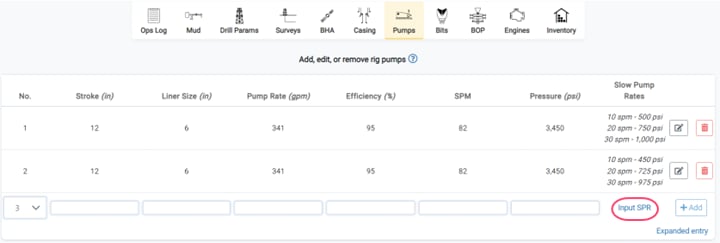
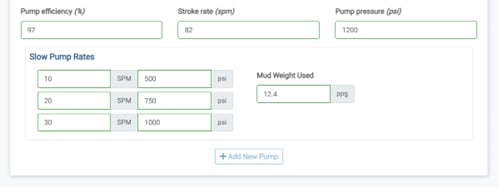 Users can now add and update the slow circulation rates for pumps that are being tracked during a drilling job. Slow pump rates will be displayed on reports in a future release.
## Download Analysis Data
Users can now add and update the slow circulation rates for pumps that are being tracked during a drilling job. Slow pump rates will be displayed on reports in a future release.
## Download Analysis Data
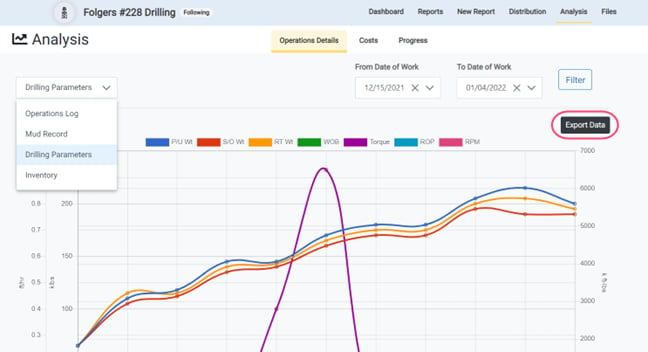
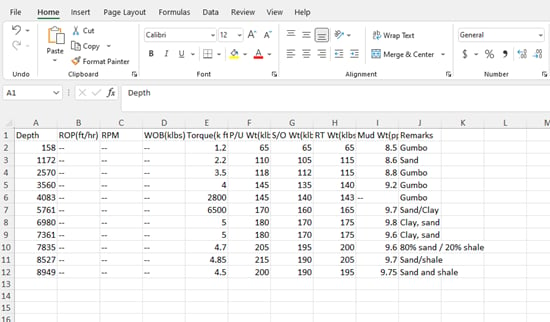 Users can now download job data on the Analysis page in an XLS/Excel file to perform independent analyses and create custom charts. Select entry component data from the Job Analysis page and click the **Export Data** button to automatically download the file.
## Report Packet Functionality
Users can now download job data on the Analysis page in an XLS/Excel file to perform independent analyses and create custom charts. Select entry component data from the Job Analysis page and click the **Export Data** button to automatically download the file.
## Report Packet Functionality
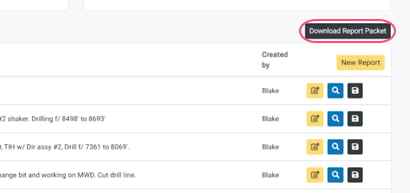 Users can now select the layout and format they want for downloading the report. The download functionality has also been improved for speed and performance.