> ## Documentation Index
> Fetch the complete documentation index at: https://docs.rigreports.com/llms.txt
> Use this file to discover all available pages before exploring further.
# How do I remove a user's access?
## Remove User Access
This guide outlines the steps to quickly remove access to RigReports in a company for a user.
## Access User Management
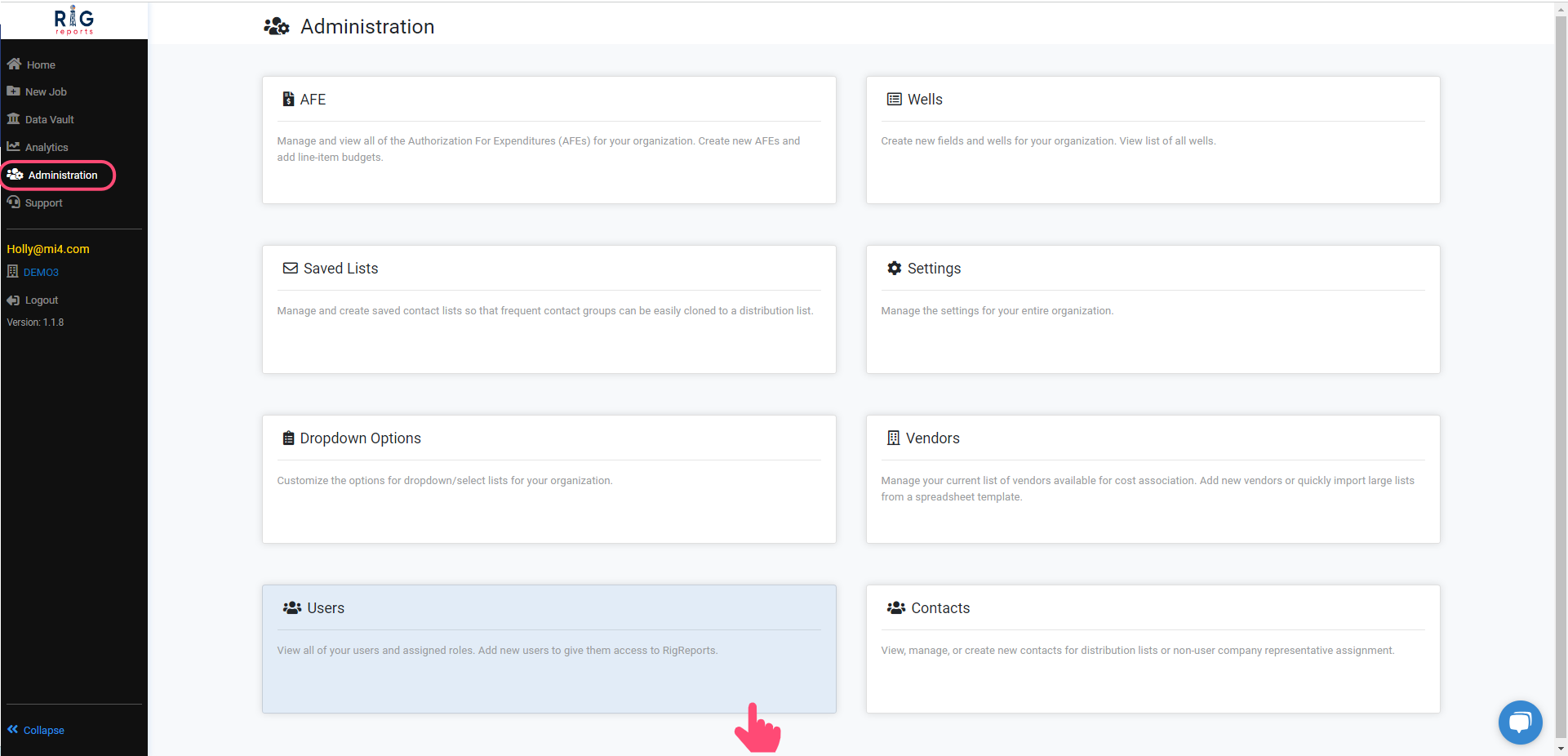
After logging in, navigate to the **Administration** tab and select **Users**.
Access to the User Management section is only available to users with a role of Administrator.
 ## Locate the User
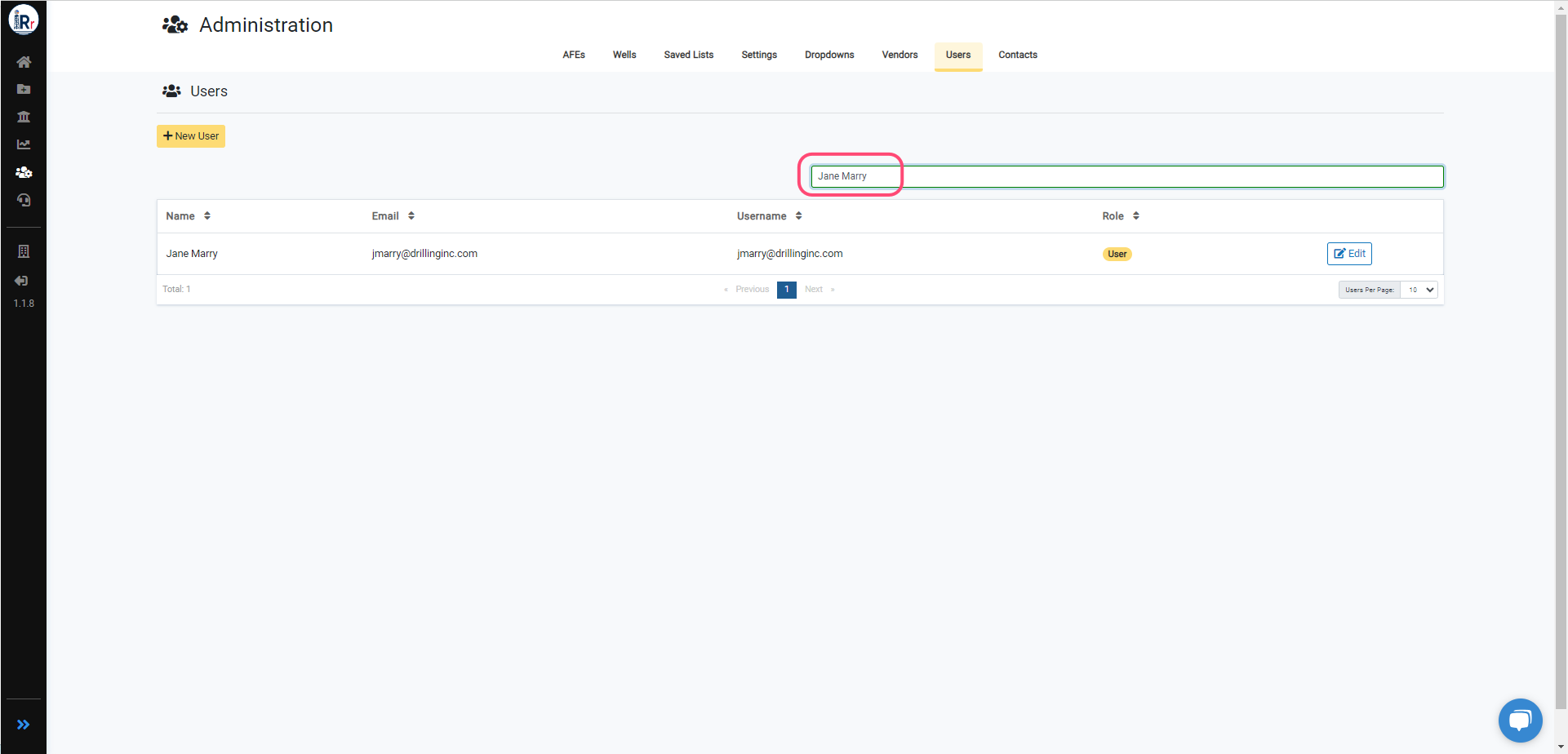
Find the user you wish to remove, then click the **Edit** button next to their role.
You may filter by name, email, username, or role in the search bar.
## Locate the User
Find the user you wish to remove, then click the **Edit** button next to their role.
You may filter by name, email, username, or role in the search bar.
 ## Remove Access
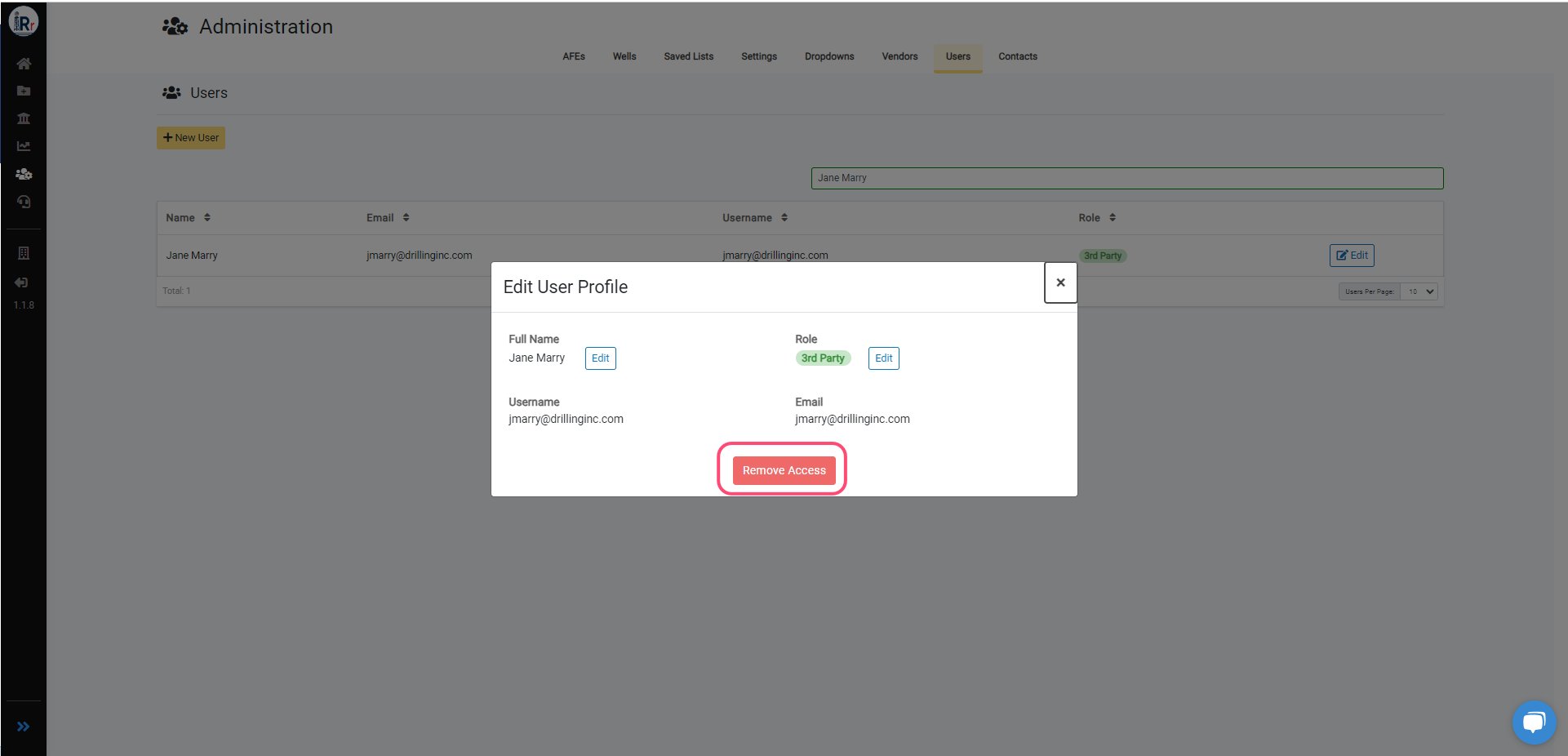
To remove access to a RigReports company for an account, click the **Remove Access** button.
If the account has access to more than one RigReports company, this will only remove their access to the company in which this action is performed. If you need to remove them from more companies, this step will need to be repeated in each company.
## Remove Access
To remove access to a RigReports company for an account, click the **Remove Access** button.
If the account has access to more than one RigReports company, this will only remove their access to the company in which this action is performed. If you need to remove them from more companies, this step will need to be repeated in each company.
 ## Confirmation
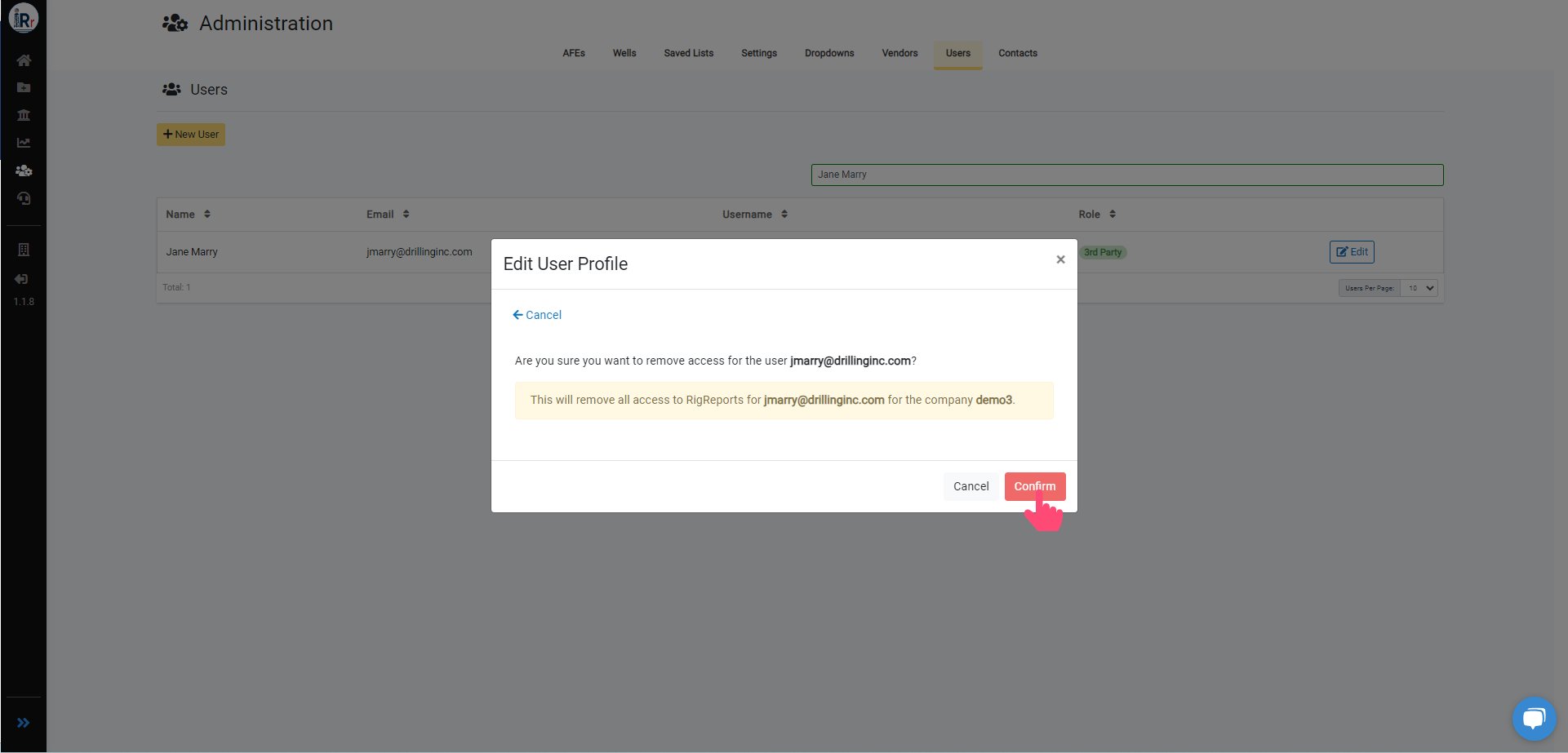
Our app requires you to confirm your action before applying changes. Confirm that you want to remove the user's access.
After removing the user's access successfully, the user's role will now be shown as *None*.
## Confirmation
Our app requires you to confirm your action before applying changes. Confirm that you want to remove the user's access.
After removing the user's access successfully, the user's role will now be shown as *None*.
 ***
See also: steps for editing a user's name or role in RigReports.
***
See also: steps for editing a user's name or role in RigReports.