> ## Documentation Index
> Fetch the complete documentation index at: https://docs.rigreports.com/llms.txt
> Use this file to discover all available pages before exploring further.
# Select Current Company Reps for a Report
## In Edit Report
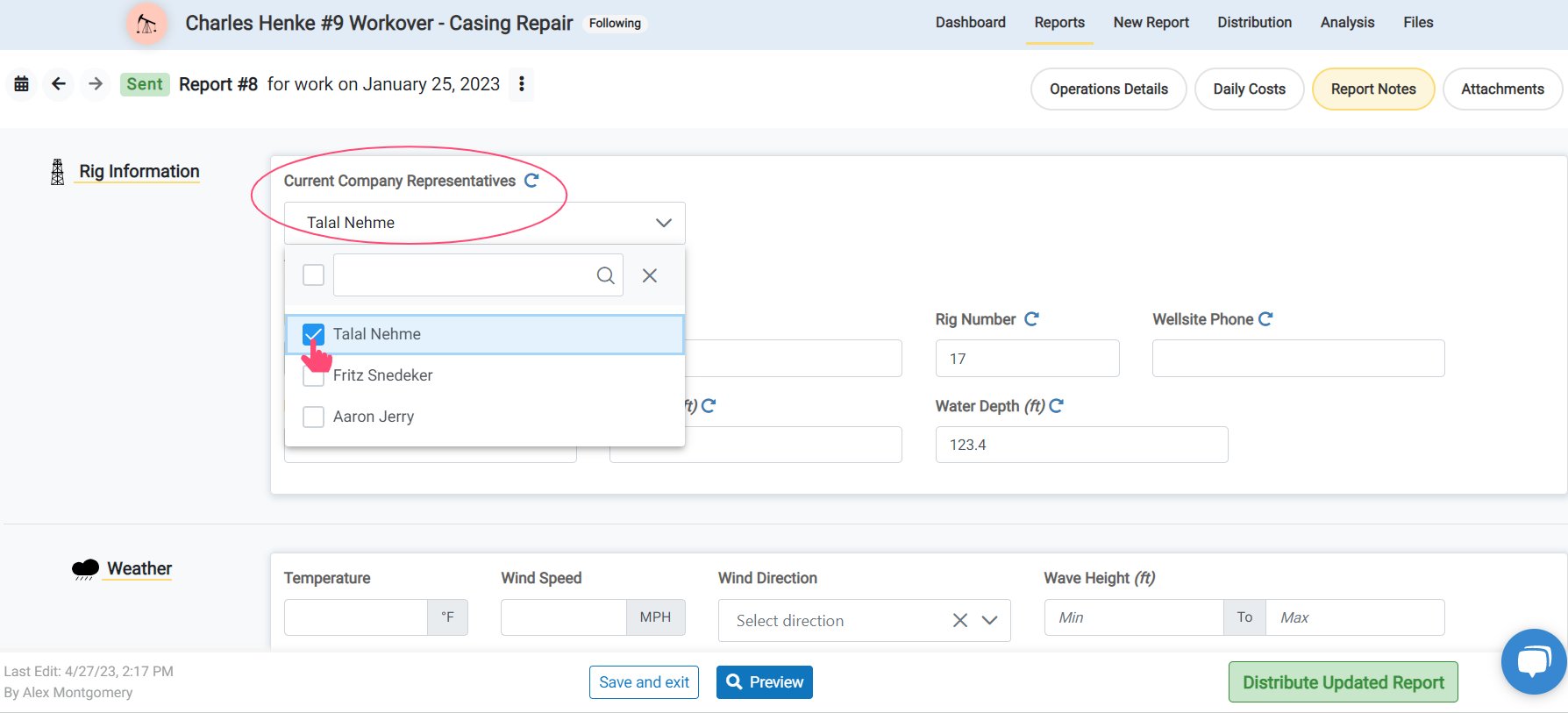
After [adding Contacts](/job-management/assign-company-reps) and [selecting Company Reps](/job-management/assign-company-reps) for *the job*, you can change the **Current Company Representatives** for *a report* from the list. This will control what names are displayed as the Supervisor on the report.
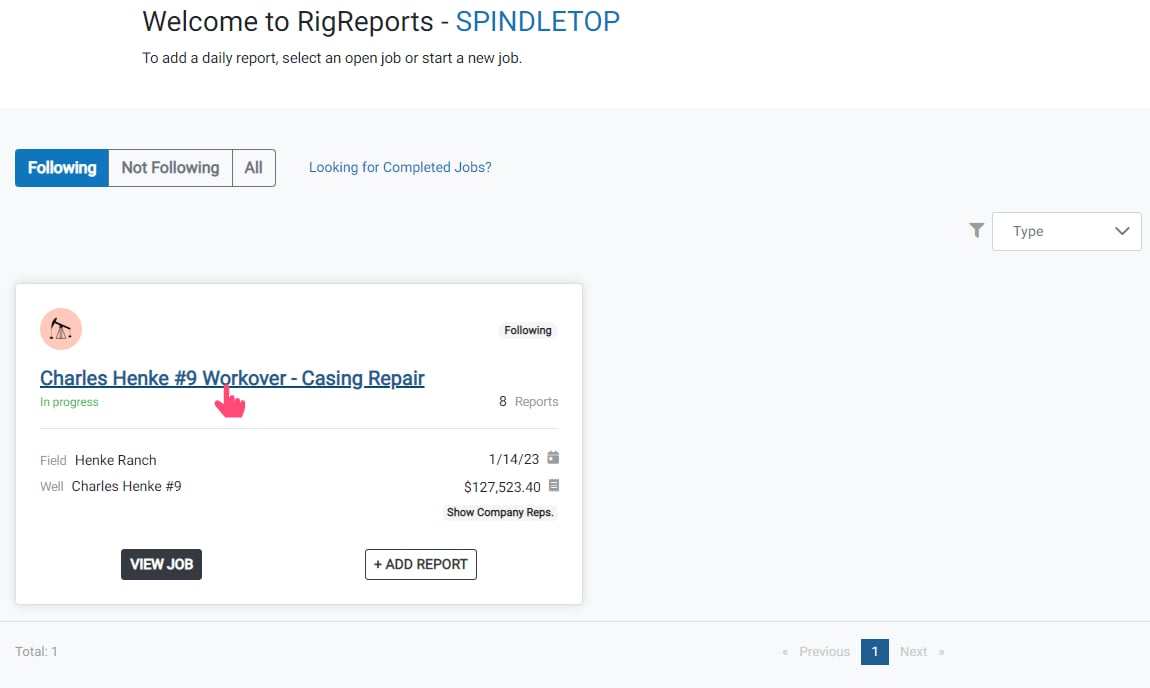
To get started, open the Job.
Changing the *Current Company Representatives* for a report does not limit access to the report. It only controls whose name is displayed as a supervisor.
This can be used when shift change occurs for supervisors, or if a shared login account is needed for access to a report but you do not want to display the name of the account in the Supervisor list.
 ## Edit Report
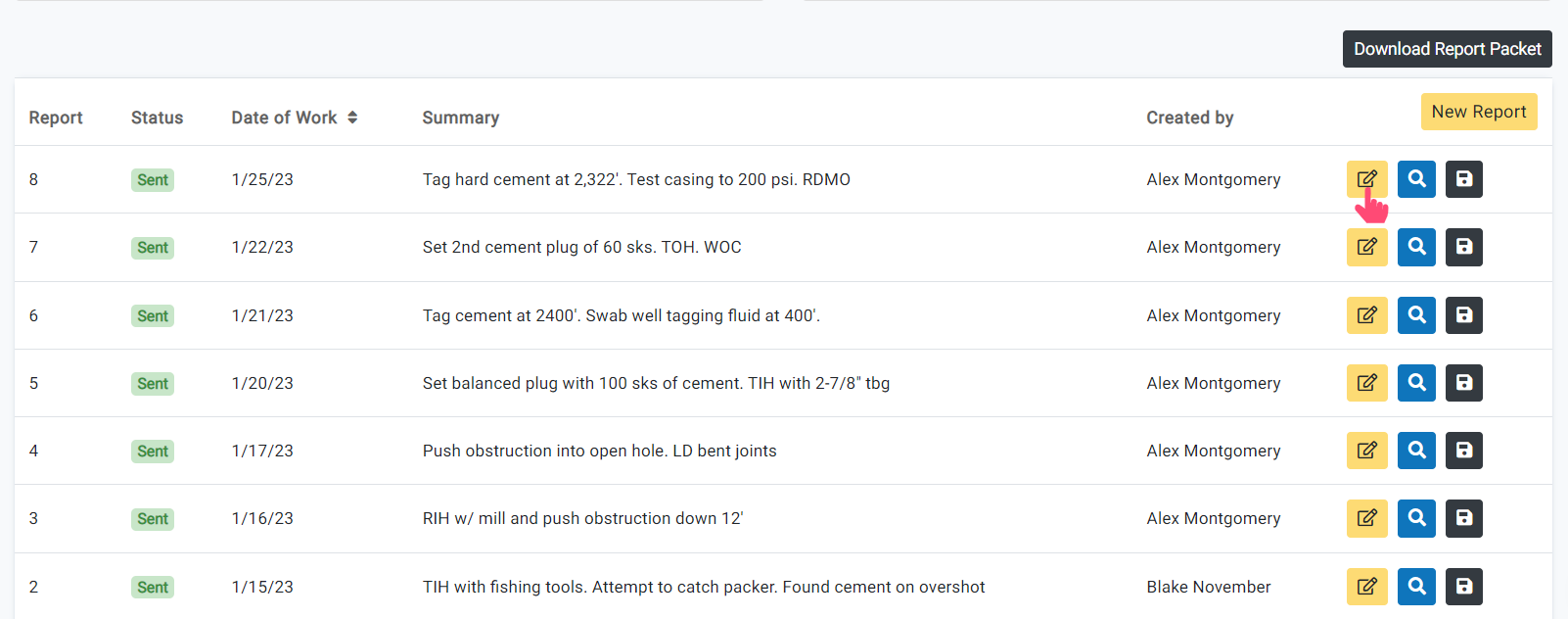
Next, scroll down and click the **Edit Report** button of the report you would like to edit.
## Edit Report
Next, scroll down and click the **Edit Report** button of the report you would like to edit.
 ## Report Notes
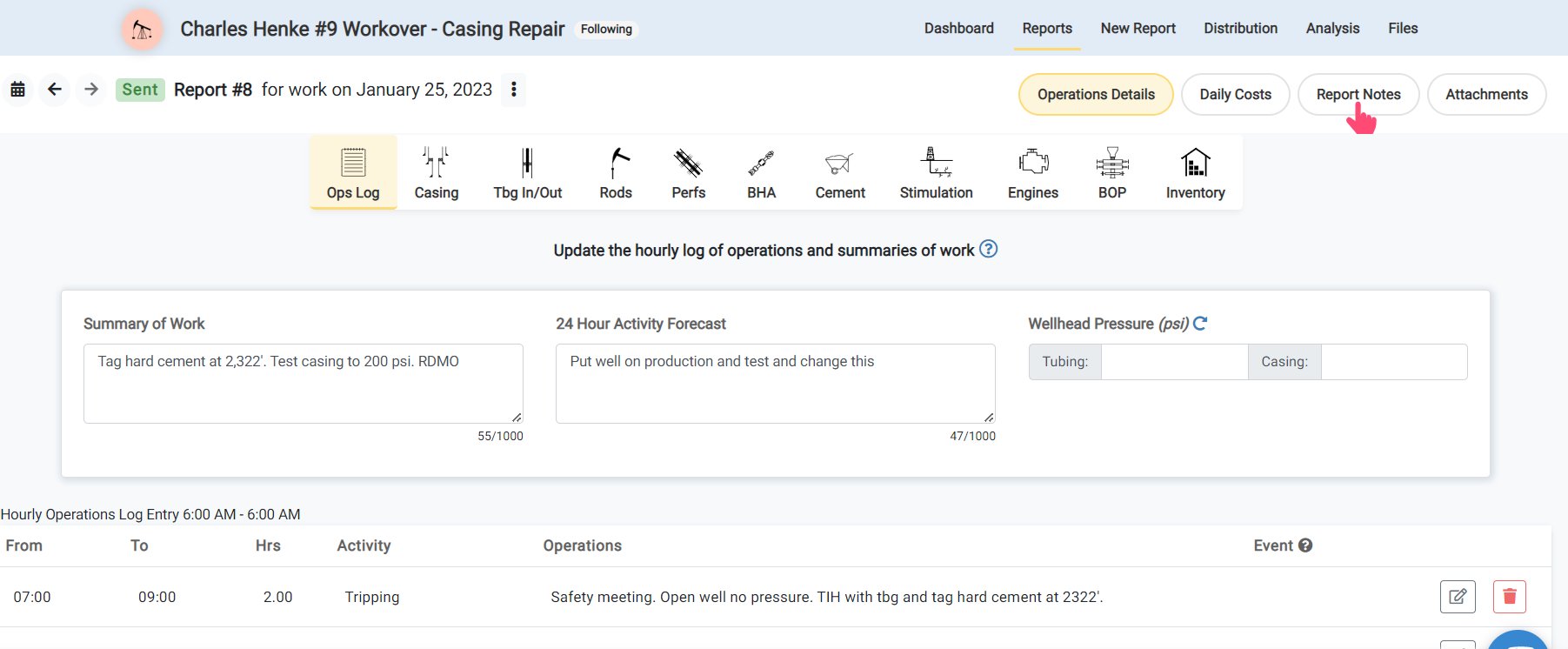
Next, click **Report Notes** on the top right of the screen.
## Report Notes
Next, click **Report Notes** on the top right of the screen.
 ## Current Company Reps
To show users or contacts' names as *Supervisors* on a report, click *Select from list* of **Current Company Representatives**.
Their names will be listed on the report as Supervisors. The selected names will carry forward on each future report until the selection is changed.
## Current Company Reps
To show users or contacts' names as *Supervisors* on a report, click *Select from list* of **Current Company Representatives**.
Their names will be listed on the report as Supervisors. The selected names will carry forward on each future report until the selection is changed.