> ## Documentation Index
> Fetch the complete documentation index at: https://docs.rigreports.com/llms.txt
> Use this file to discover all available pages before exploring further.
# Edit BHA Group
## Open BHA Group Editor
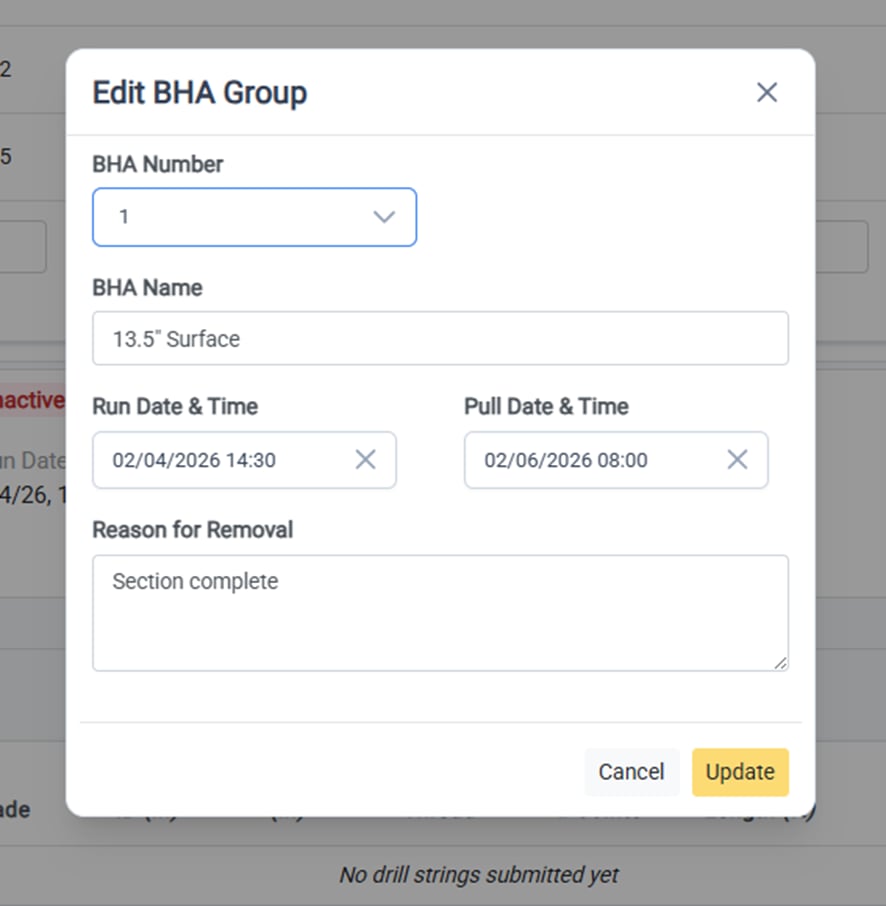
To edit the details of an active or inactive BHA group, click **Actions** on the side of the BHA Group header to open the dropdown menu. From there, select **Edit BHA Group** to open BHA Group editor form.
 ## Edit the BHA Group Details
The following details of the BHA Group can be edited at any time:
* BHA Number
* BHA Name
* Run Date & Time (BHA install date)
* Pull Date & Time (BHA removal date)
* Reason for removal
To save the changes, click **Update** and the window will close and all changes will be reflected.
## Edit the BHA Group Details
The following details of the BHA Group can be edited at any time:
* BHA Number
* BHA Name
* Run Date & Time (BHA install date)
* Pull Date & Time (BHA removal date)
* Reason for removal
To save the changes, click **Update** and the window will close and all changes will be reflected.