> ## Documentation Index
> Fetch the complete documentation index at: https://docs.rigreports.com/llms.txt
> Use this file to discover all available pages before exploring further.
# Deactivate a BHA Group
## Deactivating a BHA Group
Deactivating a BHA Group updates a BHA Group from a status of Active to Inactive. What is the difference?
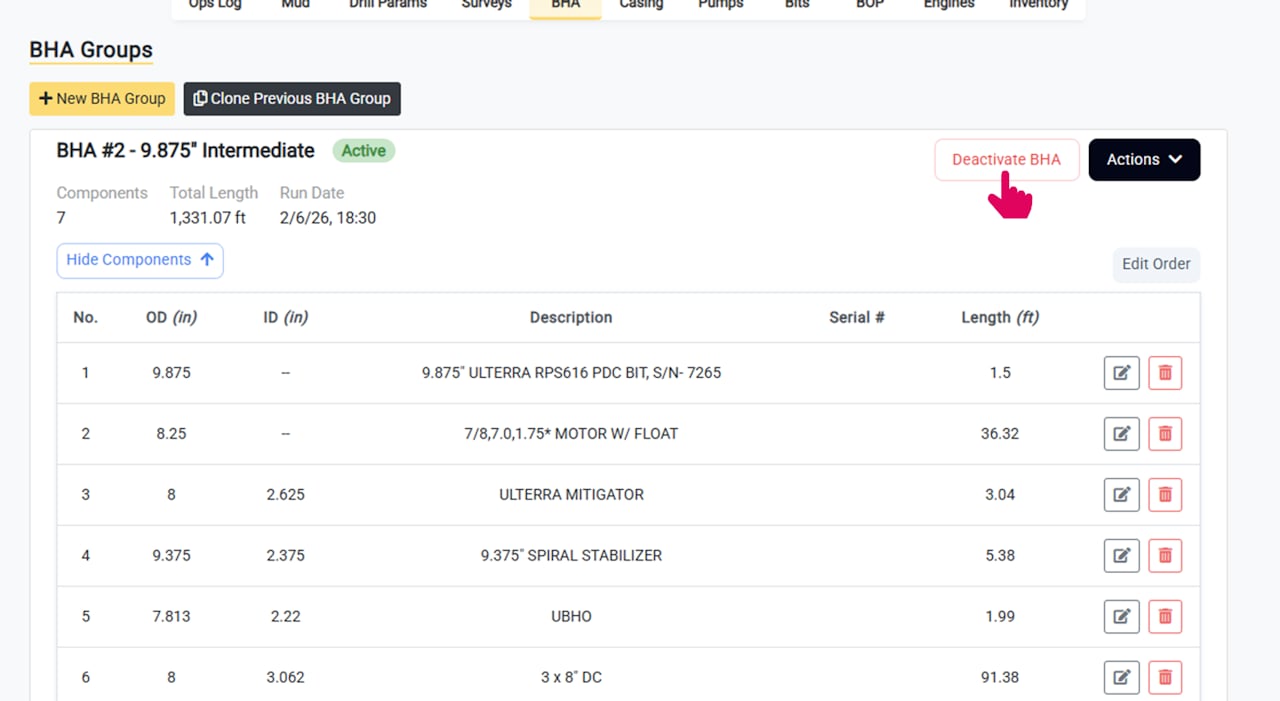
* **Active BHA Groups** are displayed on the daily report.
* **Inactive BHA Groups** are not displayed on the daily report and their components are collapsed by default in the editor.
To deactivate a BHA Group, click the **Deactivate BHA** button in the group header.
 BHA Groups can also be deactivated automatically when creating or cloning a new BHA Group.
## Complete the Deactivation Details
When deactivating a BHA Group you can enter the following details:
* **Pull Date and Time**
* **Reason for Removal** (e.g. broken motor, section complete, etc.)
Once complete, click **Deactivate** to submit.
If you would like to enter the details and still display the BHA group on the report (with the pull date and time), you can use the **Edit BHA Group** functionality instead.
## The Deactivated BHA Group is Displayed as Inactive
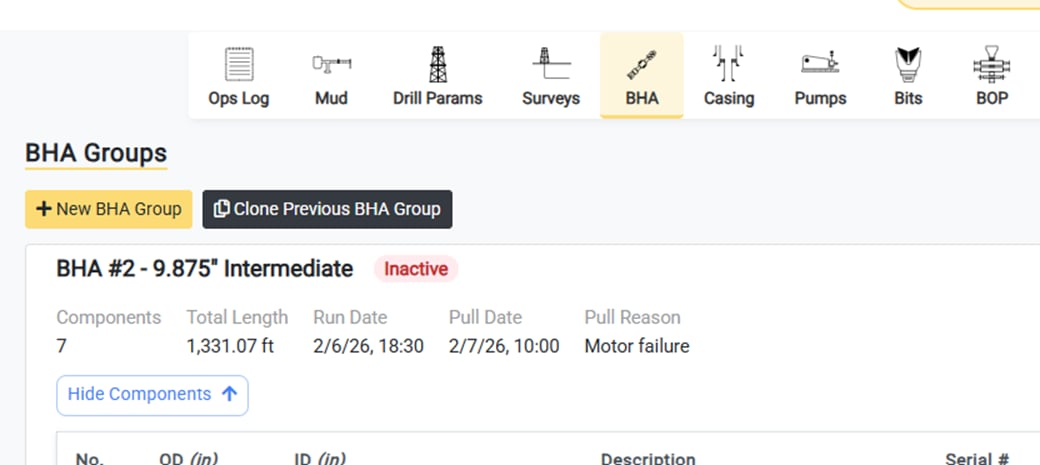
Once complete, the deactivated group is displayed as **Inactive**.
BHA Groups can also be deactivated automatically when creating or cloning a new BHA Group.
## Complete the Deactivation Details
When deactivating a BHA Group you can enter the following details:
* **Pull Date and Time**
* **Reason for Removal** (e.g. broken motor, section complete, etc.)
Once complete, click **Deactivate** to submit.
If you would like to enter the details and still display the BHA group on the report (with the pull date and time), you can use the **Edit BHA Group** functionality instead.
## The Deactivated BHA Group is Displayed as Inactive
Once complete, the deactivated group is displayed as **Inactive**.