> ## Documentation Index
> Fetch the complete documentation index at: https://docs.rigreports.com/llms.txt
> Use this file to discover all available pages before exploring further.
# Edit Well
## Edit Well
Access to the Wells Management page is only available to users with the role of **Administrator**.
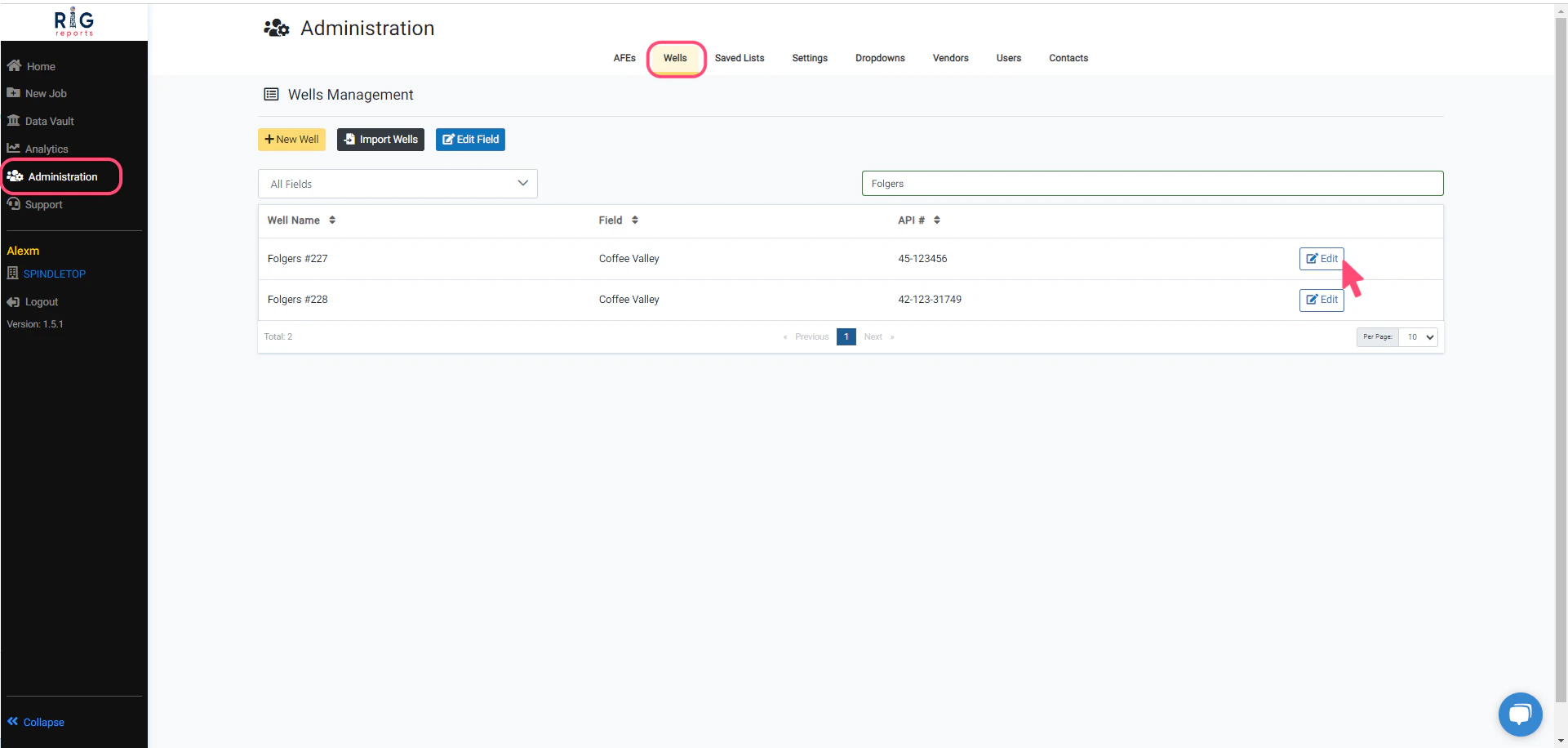
Begin by navigating to Wells Management from **Administration → Wells**.
To make changes to a well, simply click on the **Edit** button in the row of the desired well.
 ## Edit Well Form
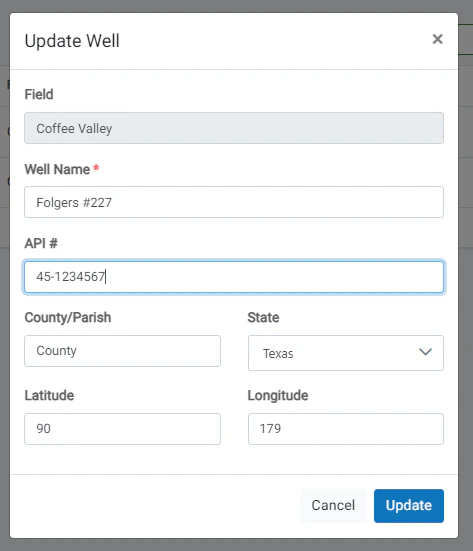
To update a well, make your desired changes for the well properties. Then, click the **Update** button to save your changes.
A message will pop up in the top right corner indicating that the well was updated successfully.
## Edit Well Form
To update a well, make your desired changes for the well properties. Then, click the **Update** button to save your changes.
A message will pop up in the top right corner indicating that the well was updated successfully.
 ## Well Edit Restrictions
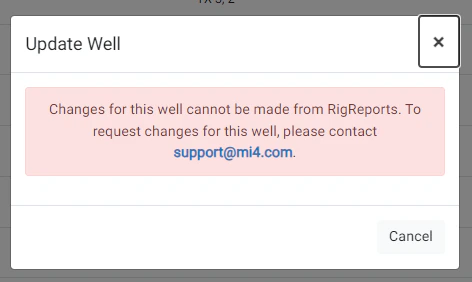
Please note that some wells cannot be modified from RigReports.
You will need to contact [support@mi4.com](mailto:support@mi4.com) for any changes to these wells due to the complexity of timeline modifications affecting production data.
## Well Edit Restrictions
Please note that some wells cannot be modified from RigReports.
You will need to contact [support@mi4.com](mailto:support@mi4.com) for any changes to these wells due to the complexity of timeline modifications affecting production data.