> ## Documentation Index
> Fetch the complete documentation index at: https://docs.rigreports.com/llms.txt
> Use this file to discover all available pages before exploring further.
# Cancel or Resend AFE Approval Requests
## Existing AFE Approval Requests options
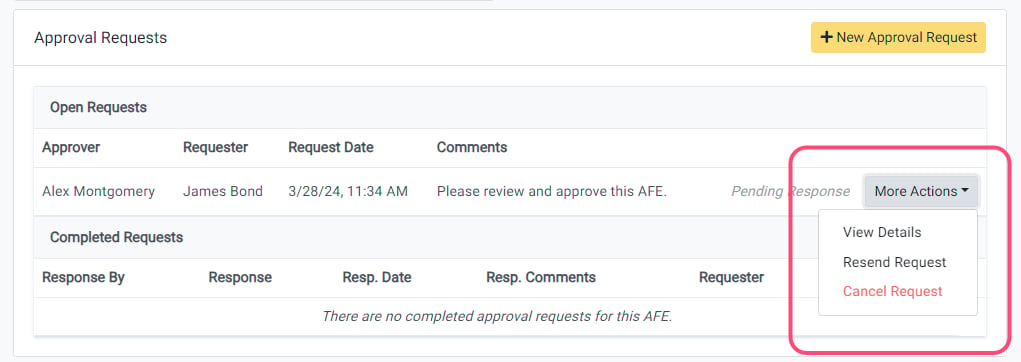
For existing AFE approval requests that are open and pending a response, the requests will be listed in the **Open Requests** table on the AFE Summary page.
For open requests, you can:
* View the details
* Cancel the Request
* Resend the Request
To access these options, click the **More Actions** button at the end of the request.
 ## View AFE Request Details
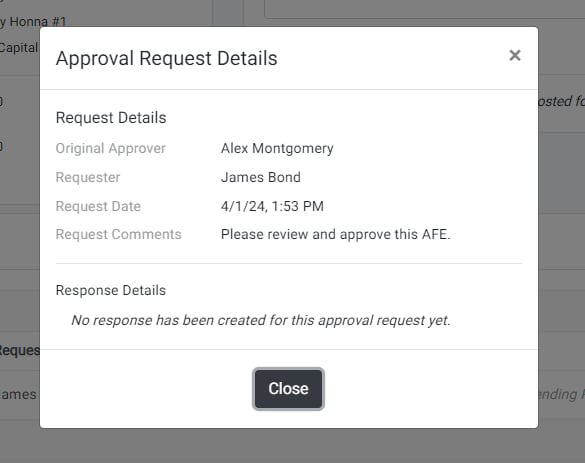
To view the details of an Open AFE Approval Request that is pending a response, click the **More Actions -> View Details** for the approval request in the **Open Requests** table.
This will open a window that shows you all of the details of the approval request.
## View AFE Request Details
To view the details of an Open AFE Approval Request that is pending a response, click the **More Actions -> View Details** for the approval request in the **Open Requests** table.
This will open a window that shows you all of the details of the approval request.
 ## Cancel AFE Approval Request
If you have created an approval request that has yet to be responded to, the request can be cancelled at any time.
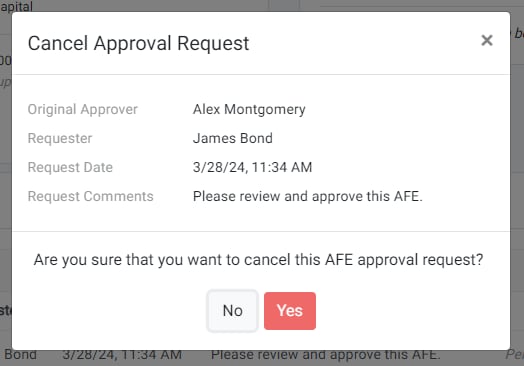
To cancel the request, click the **More Actions -> Cancel Request** for the approval request in the **Open Requests** table. A window will open asking you to confirm that you want to cancel the request. Click **Yes** to cancel the request.
An email will be sent to the request approver notifying them that you have cancelled the request.
## Cancel AFE Approval Request
If you have created an approval request that has yet to be responded to, the request can be cancelled at any time.
To cancel the request, click the **More Actions -> Cancel Request** for the approval request in the **Open Requests** table. A window will open asking you to confirm that you want to cancel the request. Click **Yes** to cancel the request.
An email will be sent to the request approver notifying them that you have cancelled the request.
 ## Resend AFE Approval Request
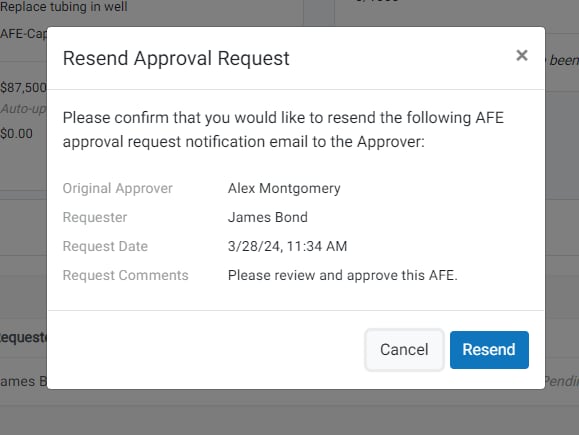
If you have created an approval request that has yet to be responded to, you can resend the request to remind the requested approver of the pending request.
To resend the request, click the **More Actions -> Resend Request** for the approval request in the **Open Requests** table. A window will open asking you to confirm that you want to resend the request. Click **Resend** to send a reminder email notification to the request approver.
## Resend AFE Approval Request
If you have created an approval request that has yet to be responded to, you can resend the request to remind the requested approver of the pending request.
To resend the request, click the **More Actions -> Resend Request** for the approval request in the **Open Requests** table. A window will open asking you to confirm that you want to resend the request. Click **Resend** to send a reminder email notification to the request approver.